Breakdance is a capable WordPress builder with a modern class-and-variable design system, well documented dynamic data and a generous licence, and its 3.0 release adds MCP-based AI agent building. Public performance evidence is thin and the agent features are new, so test it on staging before committing.
Quick verdict: who Breakdance is for, and who it is not for
Breakdance is a visual website builder plugin for WordPress, made by Soflyy. With version 3.0, released as final in October 2026 according to the vendor’s release notes, the company now positions it as an “AI website builder for WordPress”: you can still build by hand in a visual editor, but you can also connect an AI agent such as Claude, Codex or Cursor over the Model Context Protocol (MCP) and have the agent build pages, headers, footers, templates, selectors, variables and dynamic-data bindings for you.
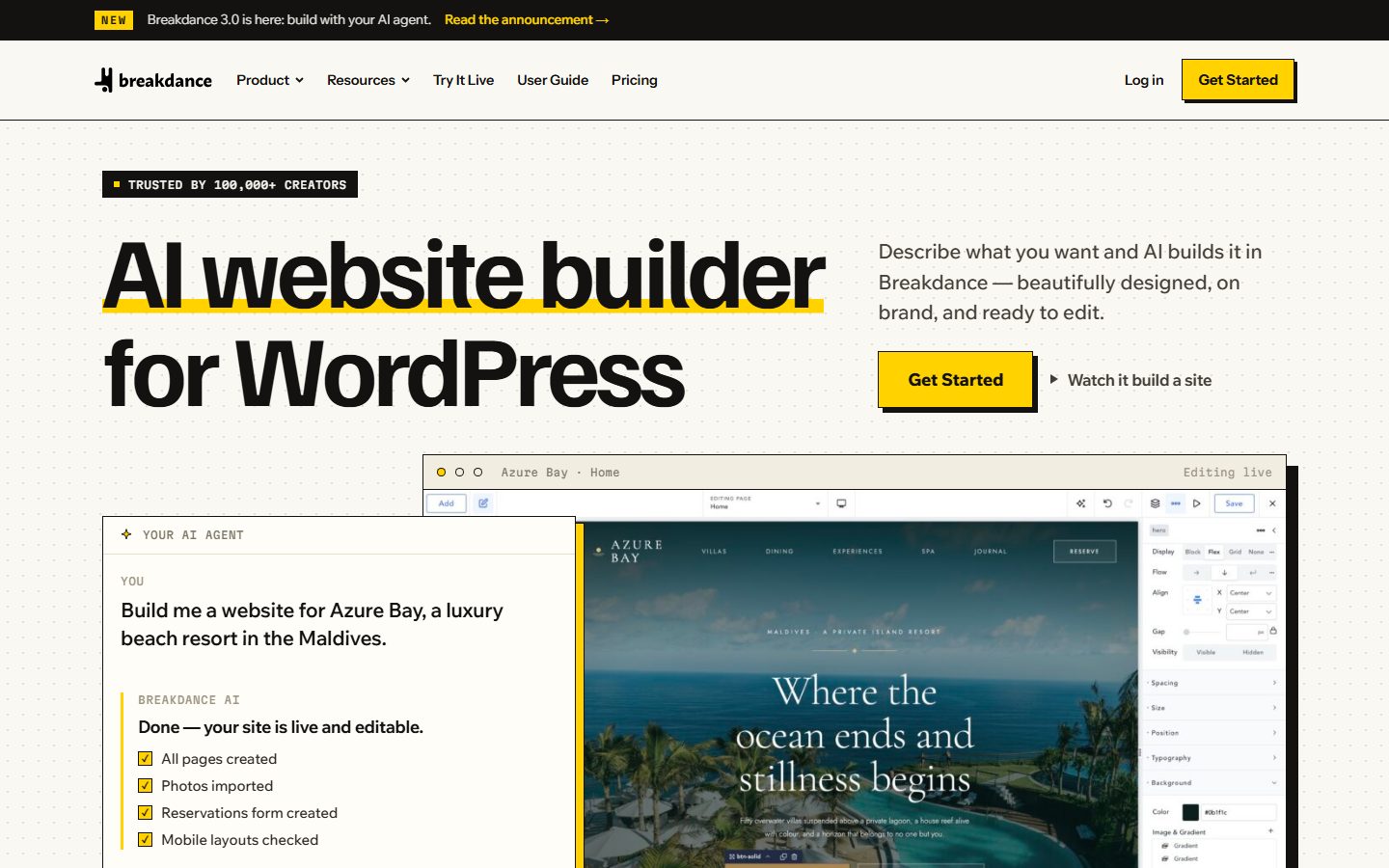
Our reading of the documentation is that Breakdance suits three kinds of people well. First, freelancers and small agencies who build many client sites and want one licence that covers all of them. Second, builders who come from Elementor or Divi and want a more structured visual editor with real CSS classes, variables and a loop-and-condition system that works with ACF and Meta Box. Third, people who want to experiment with agent-driven site building and prefer a builder whose vendor documents the agent integration as a first-class feature.
It is a weaker fit if you want a builder that outputs native block markup and lives inside the WordPress block editor (see the block-based options in our guide to block themes for WordPress), if you need a long track record with the agent features (they are weeks to months old at the time of writing), or if you require independent benchmark evidence before committing, because the vendor pages we read contain almost no hard performance numbers.
This review is based on the vendor’s own documentation, pricing pages, release notes and other public sources, read in November 2026. WPMusk has not run hands-on benchmarks of Breakdance for this article. Everything marked as a claim is the vendor’s claim, and everything marked as judgement is ours.
Disclosure and how this review was made
WPMusk’s own site is built with Etch and Automatic.css, so we use a competing builder. We have no affiliate relationship with Breakdance or Soflyy, and nothing in this article is sponsored. Where we compare Breakdance with Etch, weigh that disclosure: we are more familiar with Etch and have no hands-on time with Breakdance to report. For our write-up of the tool we use, see the Etch review.
Method: we read the Breakdance homepage, pricing page, feature pages (design and build, dynamic data, WooCommerce, form builder, build with AI, performance), the Breakdance 3.0 announcement and release notes, the installation and “connect your AI agent” documentation pages, and the “try it” page. Where a page did not state something, for example minimum WordPress and PHP versions for the base plugin, we say so rather than guess. We did not install the plugin for this review, so nothing here describes how the editor feels in use beyond what the vendor shows. The evaluation plan later in this article gives you a one-day routine to do that yourself.

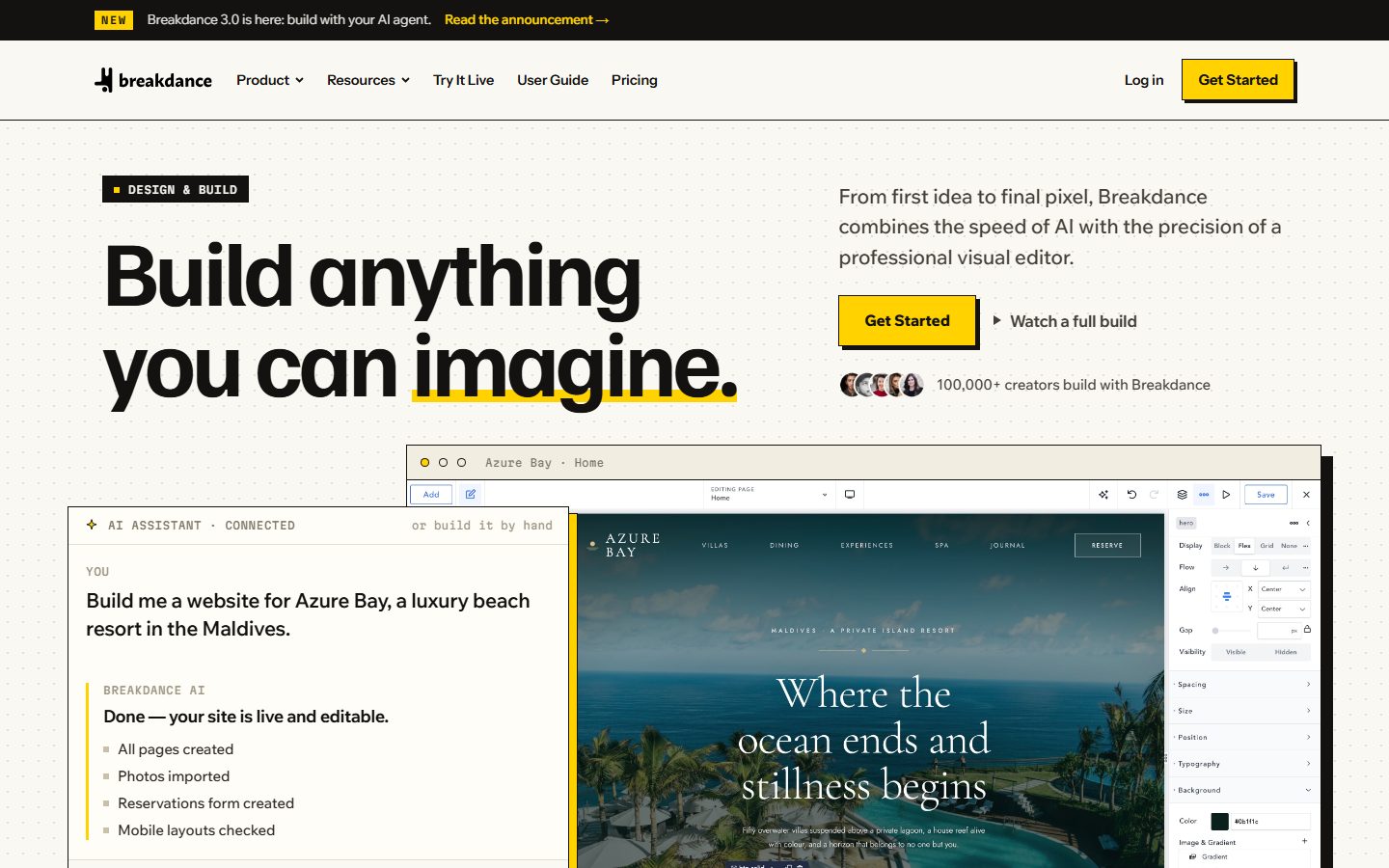
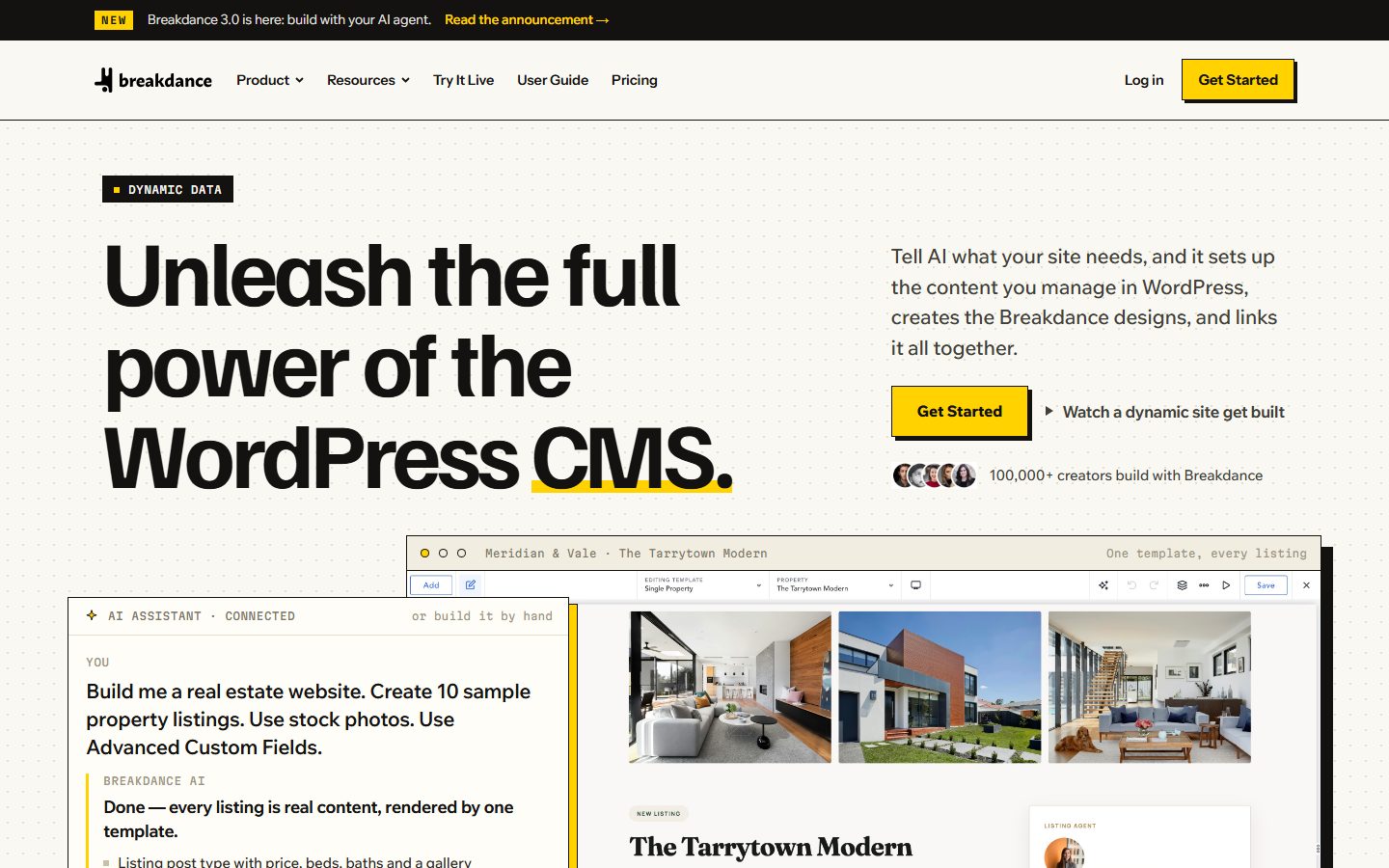
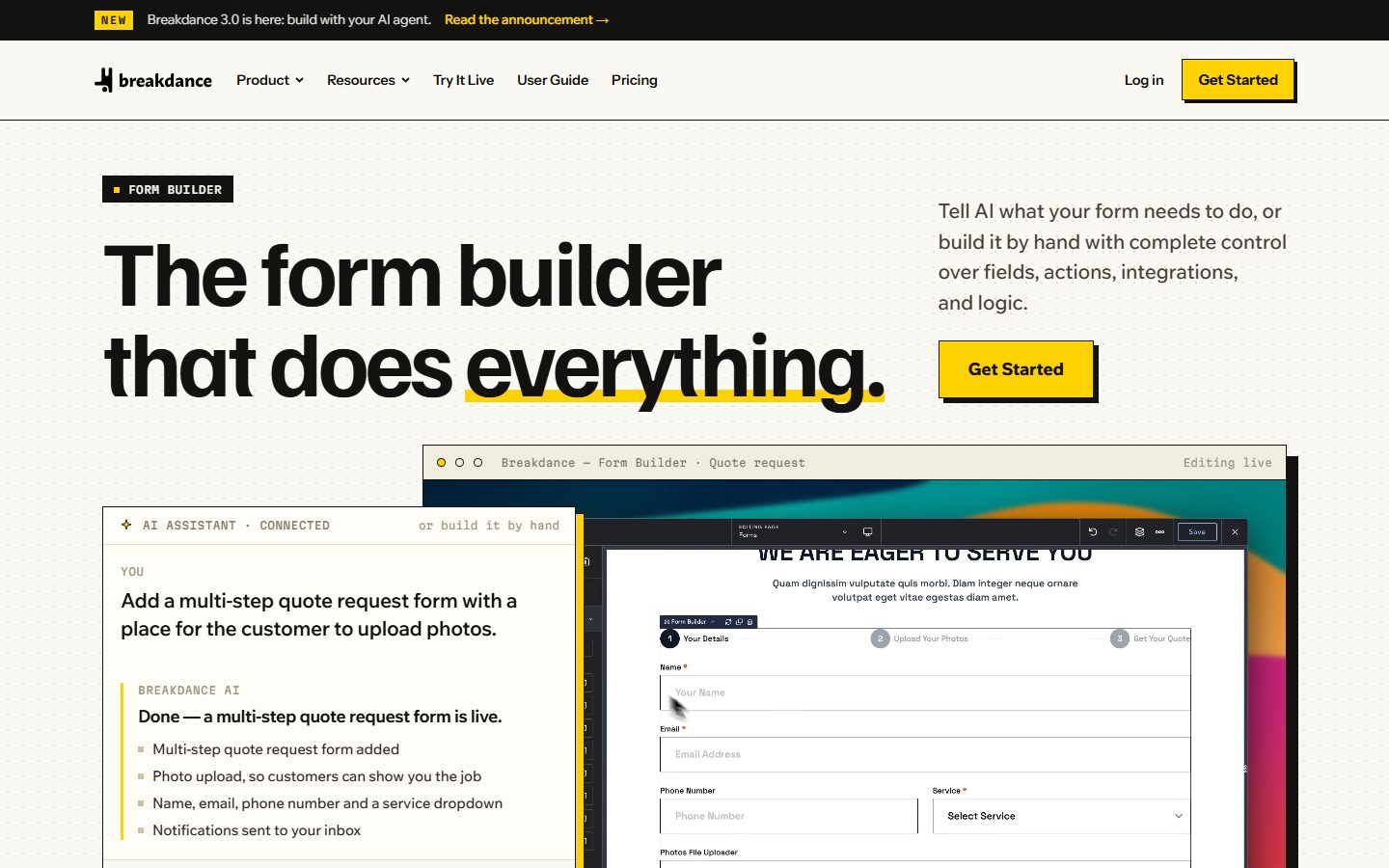
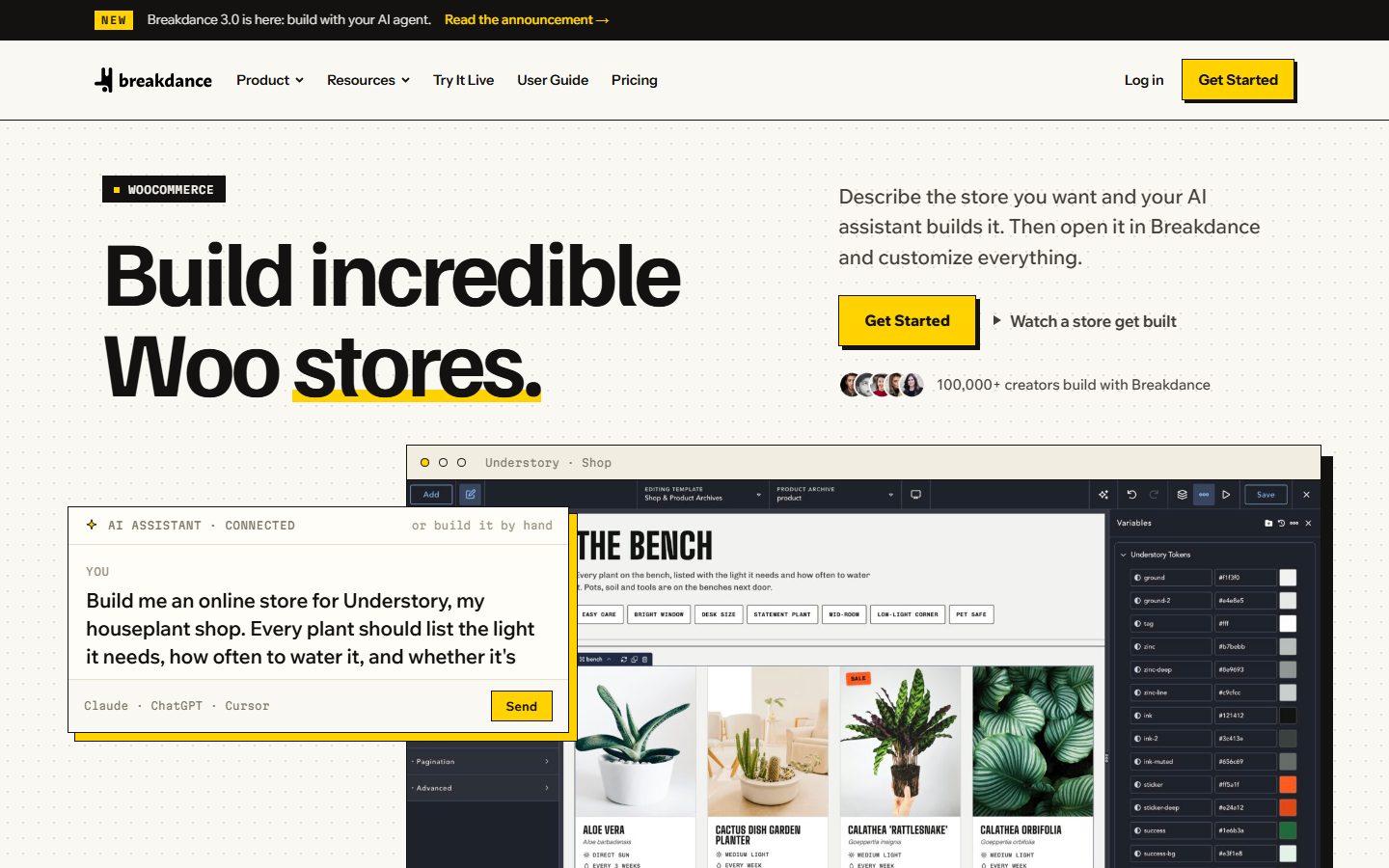
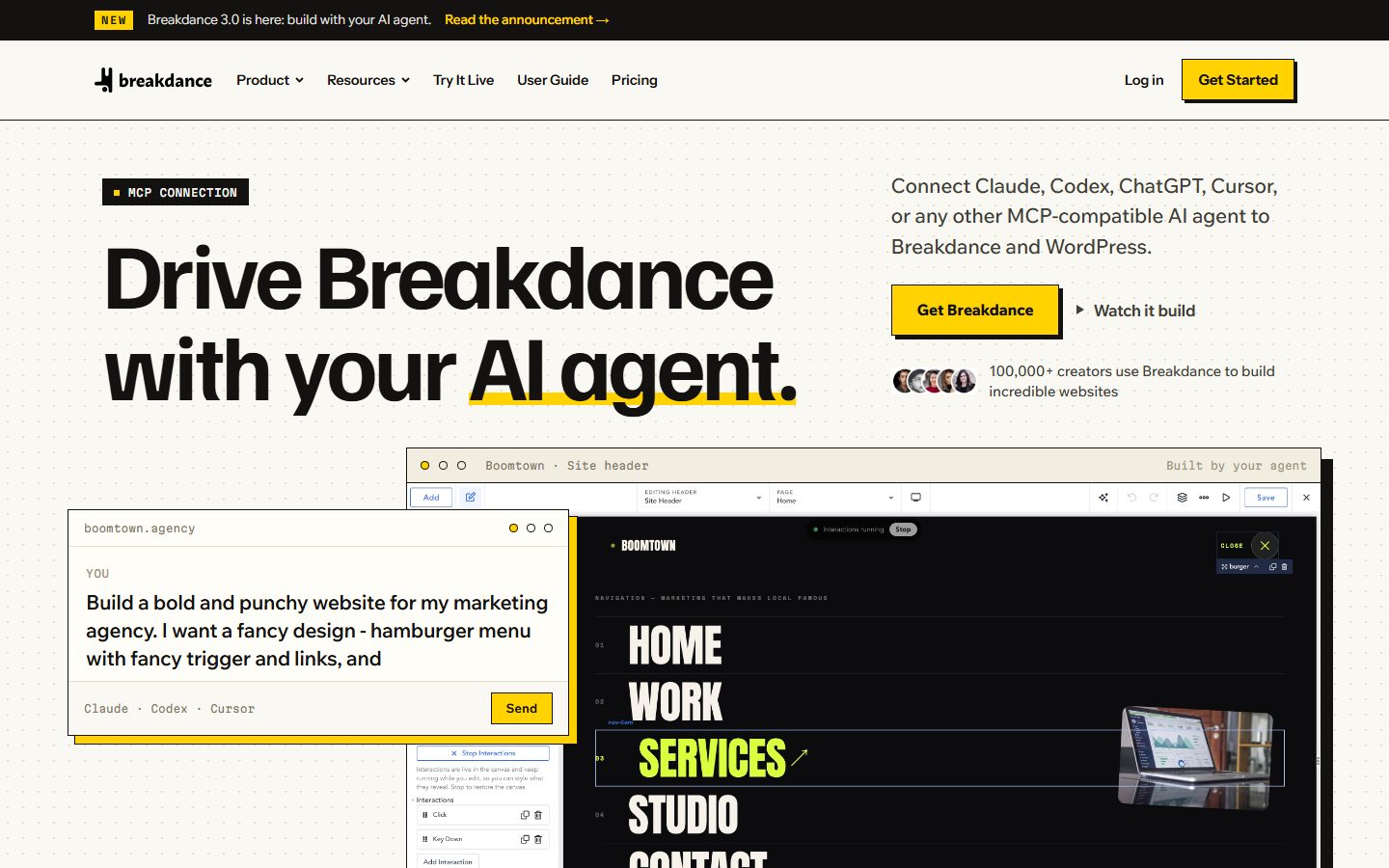
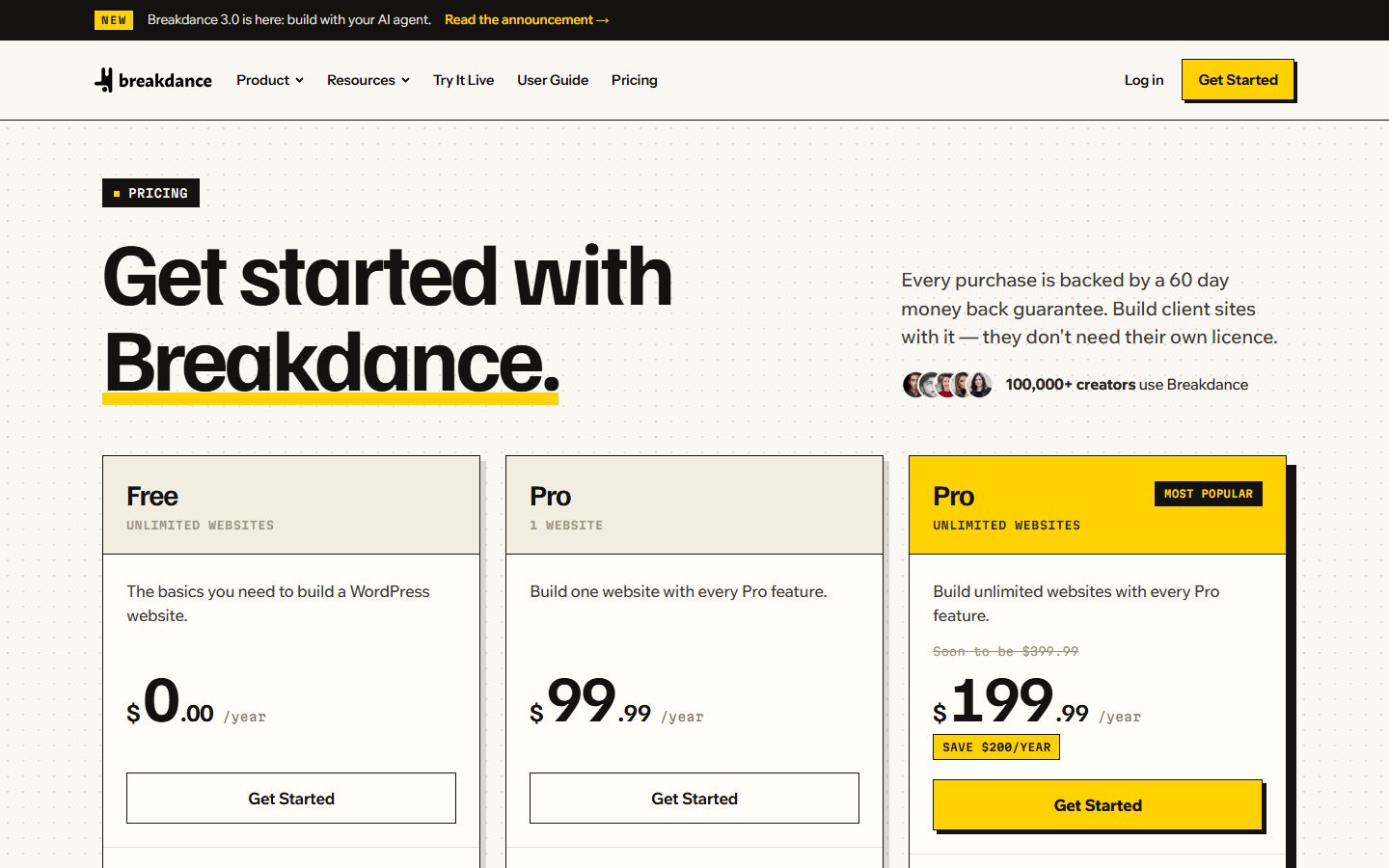
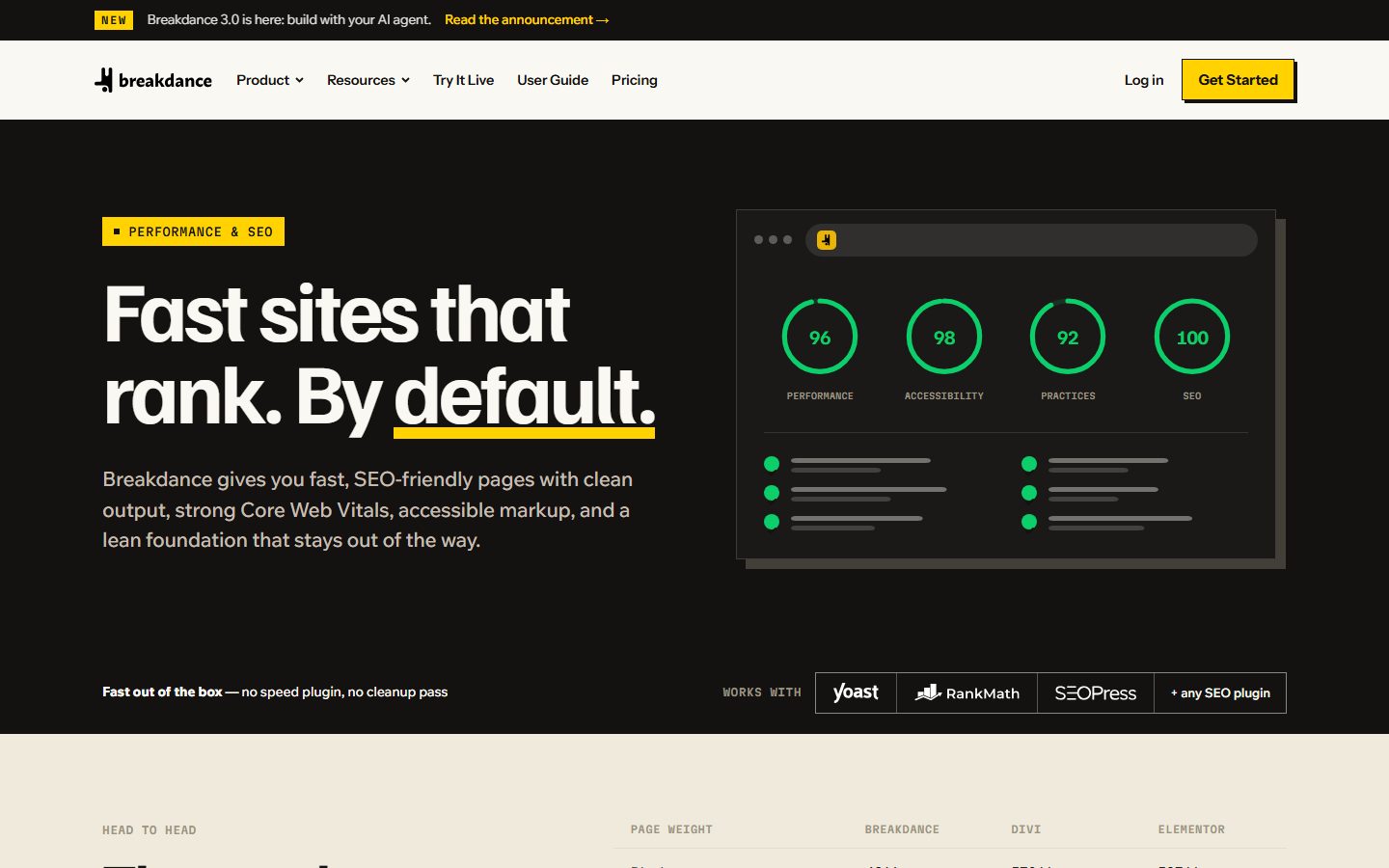
The screenshots are captures of the vendor’s own site, not of any testing. Look at each for what the vendor is emphasising, not as evidence of performance.
What Breakdance is and who makes it
Breakdance is a WordPress plugin, not a theme. The installation documentation is explicit: “Breakdance is a plugin, not a theme,” and it notes that uploading it as a theme produces the missing style.css error. It is developed by Soflyy, the company also behind the WP All Import and WP All Export plugins, which gives it a longer commercial history than a typical new builder. The homepage claims it is trusted by “100,000+ creators,” a figure we cannot verify independently.
At its core it takes over the page-layout responsibilities a theme would normally handle. You design pages, headers, footers, archives, single templates, popups and WooCommerce templates in a front-end visual editor, and Breakdance outputs the resulting HTML and CSS. Version 3.0 added three things the vendor highlights: an Agent Connector that exposes the builder to MCP-compatible AI agents, a new selectors system (real CSS classes), and global CSS variables, plus visual interactions and a faster builder.
Key facts at a glance
| Item | What the vendor says | Source page |
|---|---|---|
| Product type | WordPress plugin (not a theme) | Install documentation |
| Current version | 3.0 final, October 2026; 3.0.1 maintenance release for a WooCommerce PayPal Payments plugin issue | Releases page, 3.0 announcement |
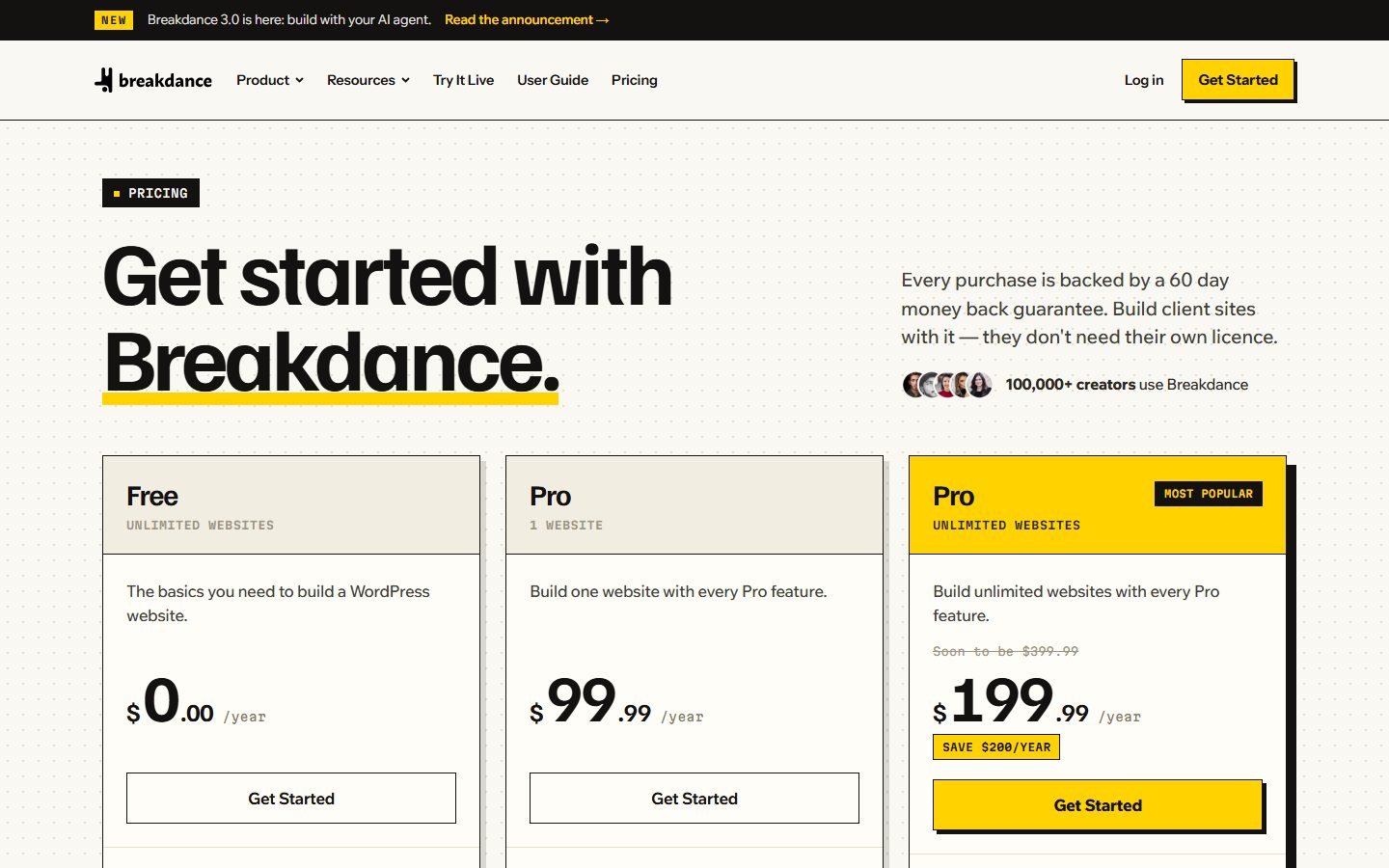
| Free plan | $0 per year, unlimited websites, 80 elements, limited Design Library, basic WooCommerce, forms, popups and dynamic data | Pricing |
| Pro | $99.99 per year, 1 website, 145 elements, full Design Library | Pricing |
| Pro Unlimited | $199.99 per year, unlimited websites, adds Multisite support; the page shows a struck-through “soon to be $399.99” | Pricing |
| Renewal | “The price you pay today is the price you renew at” | Pricing |
| If you stop renewing | Breakdance and your sites keep working; the subscription covers support, updates and the Design Library | Pricing |
| Refund | 60 days, any reason | Pricing |
| Client sites | Allowed on a licence; clients do not need their own | Pricing |
| Elements | 145 built-in; 5 breakpoints; 3,000+ design controls | Design and build feature page |
| AI agent features | MCP-based Agent Connector (WordPress 7.0 and PHP 8.1 listed for the connector) | 3.0 announcement |
| AI writing add-on | Separate “Breakdance AI Writing Assistant”; needs your own OpenAI API key; separate purchase | Pricing, add-on docs |
| Base plugin WordPress/PHP minimums | Not stated on the pages we read | Check the plugin header or docs |
One honest caveat on the table: the pricing page’s note about “soon to be $399.99” for Pro Unlimited is promotional framing. Treat $199.99 as the price you can verify today and plan for the possibility that it changes for new buyers. The renewal-lock statement is what protects existing customers, and it is a vendor statement worth re-reading at checkout.
How Breakdance works: architecture and workflow
Breakdance runs as a plugin that takes over rendering for the pages and templates you build with it. Content built in the editor is stored and rendered through Breakdance’s own element system rather than as core block markup. Templates (headers, footers, singles, archives, taxonomy terms, author pages, search results, 404s and WooCommerce templates) are targeted with a condition system. The dynamic-data page confirms the same conditions are used for templates, headers and footers.
The workflow the documentation describes has two entry points. The manual route is the classic one: open a page, click edit, add elements from the Add panel, style them in the property panel, use the structure panel, and save. The agent route, new in 3.0, is: install the Agent Connector under Breakdance > Settings > Agents & MCP, click Connect, choose your agent in the wizard, tick “Allow agents to access this site over MCP,” and prompt the agent. A four-step setup wizard (Welcome, Install, Connect, Build) arrived in release candidate 2 and flags unmet requirements.
The important architectural point for the agent route is how the agent writes content. The announcement states that agents write HTML and CSS, which Breakdance converts into its own elements and selectors; CSS classes become global selectors and responsive styles map to Breakdance breakpoints. As judgement, this is a sensible design: models are fluent in HTML and CSS, and the conversion step means the result is an editable Breakdance page rather than an opaque blob. It also means the quality of what you get depends on that conversion being faithful, which is exactly what our evaluation plan asks you to test. For background on how agents talk to WordPress in general, see what MCP is in a WordPress context.
The editing experience
We have not used the editor for this review, so we describe what the vendor documents. The editor is a front-end canvas with an Add panel, a structure tree and a property panel. The design page claims 145 elements, five responsive breakpoints and more than 3,000 design controls, plus effects (transitions, hover states, scroll effects, masks and motion) and the ability to add custom JavaScript, HTML or PHP. A “Fundamentals” category added in 3.0 covers structure, text, media, links, code and embeds, and the vendor says agents prefer those when converting HTML; complex elements such as the Form Builder are used only when needed.
The 3.0 notes describe builder performance work: dynamic data loads without blocking the canvas, each element’s initial CSS is generated once on page load, and selectors cache generated CSS and update the canvas stylesheet only when output changes. These are vendor descriptions with no timing numbers. If editor responsiveness on big pages matters to you, that is a test to run yourself.
Interactions are a notable addition. The announcement lists triggers (click, mouse enter and leave, key up and key down, page load, page scroll, element scrolling into view) and actions (show or hide, add, remove or toggle classes, set or remove attributes, set CSS variables, scroll to, focus, blur, and call JavaScript functions), run in order, with targeting of the current element, the trigger element or a CSS selector match. A Run Interactions button, added in beta 8, runs them live in the canvas. For many sites this could remove the need for a separate small-interactions plugin or custom script, though that is our inference, not a vendor claim.
Design system: selectors, variables, global settings and presets
The design system is where version 3.0 changed the most, and it is the area where builders differ most from each other, so it deserves care. The documented pieces are as follows.
Selectors (classes). The design page describes “real CSS classes with a proper cascade, states and nested selectors, plus conditional classes from dynamic data.” The 3.0 notes add detail: the Selectors panel was overhauled so that controls show whether a value is inherited from an earlier selector or breakpoint, or overridden by a later one. A significant change is that selectors no longer get an automatic .breakdance wrapper. A class named card now outputs as .card rather than .breakdance .card, so specificity and cascade order match hand-written CSS. As analysis, this matters a great deal if you plan to mix visual styling with hand-written CSS or with a utility framework, because lower, predictable specificity is easier to override and reason about.
Legacy selectors and migration inside 3.0. Selectors created before 3.0 stay in a Legacy Selectors panel, and a “Convert to New Format” button migrates them. The release notes say plainly that “nothing is converted automatically.” If you have an existing Breakdance 2.x site with heavy selector use, budget time for this conversion and test pages afterwards, because the specificity change can alter how styles cascade.
Global CSS variables. Variables hold colours, font families, sizes, spacing or other supported values and can be used in compatible Design controls. The notes distinguish them from Global Settings and presets: variables apply at the individual property level, so one –section-spacing variable can drive several padding controls. They can be grouped into collections, can have per-breakpoint values (from beta 8) and can be managed by agents through MCP. The build-with-AI page claims an agent can recolour a whole site by editing colour variables, and that the previous scheme is kept as a revision.
Global Settings. The design page says you can set global colours, typography, buttons, forms and WooCommerce styles in one place. The homepage says that colours, fonts and spacing set once as global variables update the whole site, “including popups and WooCommerce templates.”
Presets. The design page mentions element presets that save a treatment for reuse. It does not mention a “components” feature in the sense of reusable component instances with props; Breakdance’s closest equivalents appear to be presets, Global Blocks (which agents can create, per the announcement) and the Design Library. We could not confirm from the pages we read how Global Blocks behave in detail, so check the documentation before assuming component-style behaviour.
If you care about a utility-class workflow, our guide to the Automatic.css framework explains what a class-based design system layer looks like in practice, and the 3.0 selector and variable changes make Breakdance more compatible with that style of working than earlier versions, in our judgement. Whether a specific framework integrates cleanly with Breakdance’s selector UI is something to test, not assume.
Dynamic data, loops, conditions and custom fields
The dynamic data feature page is one of the most concrete in the vendor’s marketing, so we can report it in detail.
| Capability | What the page says |
|---|---|
| Dynamic fields | Any control can read from the database; text, images, links and buttons can pull values for the current post, product, listing or profile. Defaults for empty fields and formatting of dates, numbers and currency are available at the binding. |
| Loops | Build a card once; it renders for every post, term, user or custom query result. |
| Repeaters | Lay out one row; the field determines how many rows appear. Nested rows are supported. |
| Content conditions | Post type, taxonomy term, field value, author, publish date, parent page. |
| Visitor conditions | Login status, user role, referrer, URL parameter, device, browser. |
| Custom conditions | You can register your own condition in PHP and select it in the UI. |
| Field plugins | ACF (every field type, including repeaters, flexible content and relationships), Meta Box (groups, cloneable fields, relationships, settings pages) and ACPT. No bridge plugin or shortcodes needed. The page does not mention Pods. |
| Queries | Posts, custom post types, terms, users, or a custom WP_Query, with ordering and offsets. Numbered pagination and “load more”; designable empty states. |
| Template targeting | Singles, custom post types, archives, taxonomy terms, author pages, search results, 404s and WooCommerce. |
Two details are worth highlighting. First, the page states that the same dynamic bindings are available over MCP, so an agent can wire up a template; the homepage demos show an agent creating a custom post type with Advanced Custom Fields and rendering sample listings through one template. Second, the ability to register custom conditions in PHP is a real extensibility hook for developers. If you rely on ACF, our ACF guide covers the field structures these bindings read, and for the content-model side see custom post types: plugin or code.
What the page does not tell you is where the limits are: how deep nested loops perform, how many queries a complex template issues, or whether caching is applied to query output. Those are things to inspect with a query monitor on a test site.
Forms and the built-in form builder
Breakdance includes its own Form Builder element, so a separate form plugin is optional rather than required. According to the form builder feature page it offers 16 field types: text, text area, email, URL, phone, number, date, time, radio, checkbox, select, file upload, password, hidden, custom HTML and a step field. Multi-step forms (“long forms broken into steps, with progress indicators”) are supported, and fields can be shown or hidden based on an earlier answer.
| Area | Documented capability |
|---|---|
| Submissions are emailed as they arrive; recipients can vary based on form answers. | |
| Storage | Submissions are stored in the WordPress admin (homepage) and the 3.0 notes say form actions can email, store submissions and files, or send mapped data to a webhook. |
| Marketing integrations | Mailchimp, ActiveCampaign, ConvertKit, GetResponse, Drip, MailerLite, Slack and Discord are listed; webhooks cover Zapier, Make, n8n or a custom endpoint. |
| Spam protection | reCAPTCHA and a honeypot field, “both included.” |
| Actions after submit | Redirects, success and error messages, popups after submission, and conditional routing (inbox, list, redirect target). |
| Styling | Global form styles (fields, focus states, labels, messages, file input, stepper and buttons) are set under Global Settings. |
Note the free-plan caveat: the pricing page says the free plan excludes “most form and popup features” while the same page also lists forms among the free plan’s basics. We read that as a reduced feature set on Free, with the fuller form and popup functionality in Pro, but the pricing text is ambiguous, so confirm exactly which form actions you need before relying on Free. If forms are central to your project, compare against dedicated tools in our roundup of form plugins and the Fluent Forms versus Gravity Forms comparison; things a dedicated form plugin often adds, such as payment fields, user-registration flows and entry management dashboards, are not mentioned on the Breakdance pages we read.
WooCommerce and store building
Breakdance’s WooCommerce feature page lists the templates it can customise: shop and product archives, product pages, cart, checkout, thank-you pages and My Account. It also describes global styles for Woo buttons, prices, badges, notices, quantity inputs and tables, dynamic data for price, SKU, stock, ratings and attributes, and display conditions based on product type, stock, sale status, user role, past purchases or cart contents.
The 3.0 announcement adds specifics: a Product Builder element and a Loop Cart Button (WooCommerce required), a “Disable Styles Only” mode, a Featured product condition, a responsive Product Reviews grid, and templates updated for WooCommerce 11.1. Agents have WooCommerce template tools and an ecommerce-instructions tool over MCP. A maintenance release, 3.0.1, fixed an issue affecting sites that use the WooCommerce PayPal Payments plugin, which is a useful reminder that builder and checkout-plugin interactions deserve a test on any store.
Judgement: custom checkout and cart templates are where builder-versus-WooCommerce conflicts most often appear in any builder, because payment gateways inject their own markup and scripts. The vendor page does not say which gateways were tested. Before committing a live store, run a full test purchase with your actual gateway, coupon, shipping and tax setup. Our checkout optimisation guide and the WooCommerce speed checklist list what to examine, and product page conversion covers design decisions that matter more than which builder draws the page.
The pricing page also tells you the free plan includes “basic WooCommerce” but not “custom shop pages.” If you want a custom shop or product template, plan on Pro.
AI agent features and automation
This is Breakdance’s headline for 3.0, and the area where precise reading matters most, because “AI” covers two different things on the vendor’s site.
1. The agent route (MCP). Per the announcement, agents connect over MCP through the Agent Connector. They can inspect the site, create pages, build site structures, create headers, footers, templates and Global Blocks, set the homepage, use dynamic data from WordPress, ACF and Meta Box, build Post Loops, and build and configure forms (messages, redirects, post-submission actions such as email, storage or webhook). The Agent Connector lists WordPress 7.0 and PHP 8.1 as requirements, and the wizard warns if they are unmet. The “connect your AI agent” documentation names Claude, Codex, ChatGPT and Cursor; the build-with-AI page also shows Windsurf among its logos. A list of MCP tools in the notes includes get-settings and set-settings, run-site-tool, get-skill, WooCommerce template tools, search-condition-values, get-media-sizes, preview-post, preview-element, get-post-css-files and set-maintenance-mode. Design Library tools are off by default.
The notes also describe engineering for multi-agent work: parallel agent calls no longer overwrite each other’s selector, variable or global-settings changes, and the edit-post tool rejects unknown keys rather than dropping them silently. An experimental WebMCP mode lets compatible in-browser agents edit the open page, with limited browser and agent support.
2. The writing assistant add-on. Separately, the “Breakdance AI Writing Assistant” (renamed in 3.0 from the Breakdance AI add-on) connects builder writing tools to an AI service. According to its documentation you download the add-on ZIP and licence key from your account, then enter your own OpenAI API key and choose a model (GPT-4o mini or GPT-4o are listed) under Breakdance > Settings > AI Assistant. It has an “Available For” setting (Full Interface, Edit Content Interface Only or No Access) and a daily token rate limit. The documentation says OpenAI charges apply separately from the add-on licence, and the pricing page says the AI content writer is a separate purchase. We could not find the add-on’s price on the pages we read.
What the documentation does not tell you about the agent route
Be clear about the gaps. The build-with-AI page does not describe safety features, permissions, data handling, or usage caps. The documentation’s step-by-step page recommends installing “Universal Abilities,” which it describes as giving the agent full control of WordPress, including plugins, files and site settings. That is a very broad grant. The page does not mention application passwords, user roles or HTTPS requirements. As judgement, anyone connecting an agent to a site that matters should treat it as they would any administrator account with a script on the other end: use staging, take backups, and read our AI agent security risk guide and staging workflow for agents first. Skipping Universal Abilities and leaving the agent limited to Breakdance’s own tools is the more conservative path, though we have not verified what the agent can and cannot do without it.
The model cost of agent-driven building is paid to your AI provider, not to Breakdance, as far as the pages we read indicate. The vendor does not publish a figure for tokens used per site. Because build quality and cost depend heavily on the prompt, the model and the site, treat the homepage demos (“16 pages with local SEO in 30 minutes” appears in one demo description) as marketing examples, not benchmarks. For the broader picture of connecting agents to WordPress, see the complete guide to AI and MCP on WordPress and connecting Claude to WordPress.
Front-end output, performance and SEO
Here we must be careful. People choose Breakdance partly because of a reputation for lean output, but the vendor pages we fetched contain very little hard evidence. The homepage says it offers “clean code and fast load times” in general terms. The performance feature page, as we read it, contains no numbers, no DOM-size or file-size figures, no Core Web Vitals claims and no explicit SEO claims. What it documents is a Performance settings screen (Breakdance > Settings > Performance) that lets you remove 12 default WordPress front-end extras:
- Gutenberg block CSS (keep it if your content uses core blocks)
- XML-RPC pingbacks
- WP Emoji scripts and styles (native emoji still display)
- Dashicons for logged-out visitors (some plugins may need them)
- oEmbed discovery and runtime behaviour
- RSD links, the WLW link, the WP generator tag and the shortlink tag
- REST API discovery metadata (the API itself stays enabled)
- Relational links and RSS discovery links
The page advises clearing page and CDN caches after changing these, and restoring a resource if content loses styles, icons or embeds. These switches are useful, but they are generic WordPress clean-up options, available through code or other plugins as well. They are not evidence that Breakdance output is faster than another builder’s.
For SEO, the homepage demos set Yoast SEO titles and meta descriptions through an agent, and the form and dynamic features give you the semantic building blocks, but there is no claim that Breakdance itself handles schema, sitemaps or redirects. You still need an SEO plugin or custom code for those; see our WordPress SEO guide and schema markup guide.
How to judge performance yourself
No builder is fast or slow in the abstract. Output depends on which elements you use, the images, the fonts, third-party scripts, the host and the caching layer. Build the same representative page in each candidate builder, then compare HTML size, number of DOM nodes, CSS and JavaScript bytes transferred, Largest Contentful Paint and Interaction to Next Paint on a throttled mobile profile, using the method in our PageSpeed Insights guide, with the thresholds in Core Web Vitals for WordPress. Hosting and caching will often matter more than the builder, which is why the broader speed guide, caching plugin comparison and hosting by use case belong in the same test.
Accessibility and responsive control
Responsive design is well documented: five breakpoints, per-breakpoint variable values since beta 8, and interactions that can be disabled at specific breakpoints. Hide-or-show visibility by device is available as a condition. Mobile layouts appear in every demo, and one demo’s checklist says “mobile layouts checked,” though the vendor does not describe how an agent verifies layouts.
Accessibility is a different matter. We did not find an accessibility statement, a conformance claim, or documentation of ARIA handling, focus management, keyboard behaviour in the full-screen menu or form error announcements in the pages we read. That does not mean the support is absent; it means the vendor’s public pages do not let us confirm it. Judgement: with any builder, accessibility depends as much on your content and design choices as on element markup, but you should verify key elements (navigation menu, modal popups, forms, accordions and sliders) with a keyboard and a screen reader on your own build. Add that to the evaluation plan below.
One concrete accessibility-relevant fact: interactions can call JavaScript functions and toggle attributes, so ARIA state changes are technically possible to wire up, but you have to do so deliberately.
Learning curve, documentation, support and community
The documentation hub states that it covers every element, setting and workflow, from installation to building with AI. A “Newbie Guide” claims about 15 minutes across three steps (install Breakdance, connect an AI assistant, build a first site). There is a video tutorial section, a “hire an expert” directory, and a Facebook group. The pricing page says premium support is included with paid licences, while the Free plan gets lower-priority support. A new documentation website was in beta around release candidate 1, so expect URL changes: during our research several older documentation URLs returned 404 errors, including the migration guide that search results pointed to, so bookmark pages carefully.
Judgement on the learning curve: if you know CSS, the new selectors and variables should feel natural; if you come from a simpler drag-and-drop builder, the depth of the Design controls (3,000+ per the vendor) and conditions system takes time. The agent route may lower the entry barrier for first drafts, but it shifts the learning toward prompt design and review. A site an agent builds is still your responsibility to check for accuracy, accessibility and brand fit.
Update cadence looks active from the public releases page: beta builds through July to September 2026, release candidates in October, 3.0 final and 3.0.1 in October, and a 2.8.2 security update in August that fixed an access control issue in the Design Library import flow. Reading that as a positive (a fix shipped) and a reminder (builder plugins are privileged code that you should keep updated) is fair; our plugin vetting checklist shows how to assess any such plugin.
Pricing and licensing explained
All figures below come from the vendor’s pricing page and are in US dollars per year. They exclude tax and any add-ons.
| Plan | Price per year | Websites | Notable contents |
|---|---|---|---|
| Free | $0.00 | Unlimited | 80 elements, about 100 templates, limited Design Library, no one-click websites, lower-priority support; excludes premium support, animated sections, custom shop pages, Post Loop Builder, ACF and Meta Box integration, and most form and popup features |
| Pro | $99.99 | 1 | 145 elements, 37+ one-click websites, 1,000+ page and section templates, premium support, Adobe and custom fonts, PHP and HTML code, client access control, CSS class manager |
| Pro Unlimited | $199.99 | Unlimited, plus Multisite | Same features as Pro |
Three licensing points stand out. First, local, staging and development installs do not count toward the site limit. Second, you may use the licence on client sites without the client needing their own. Third, if you let the subscription lapse, Breakdance and your sites keep working, and pages using Pro Design Library elements keep working; what you lose is support, updates and Design Library access. Those are significant differences from builders that disable features on expiry, though you should re-read the exact terms at purchase.
Multi-year cost model
Arithmetic on verified prices only, assuming the renewal price stays equal to the purchase price as the vendor states, and ignoring tax, hosting and optional add-ons:
| Scenario | Year 1 | 3 years | 5 years |
|---|---|---|---|
| Free plan, any number of sites | $0.00 | $0.00 | $0.00 |
| Pro, 1 site | $99.99 | $299.97 | $499.95 |
| Pro Unlimited, any number of sites | $199.99 | $599.97 | $999.95 |
| Pro, 3 separate sites (3 licences) | $299.97 | $899.91 | $1,499.85 |
| Pro, 10 separate sites (10 licences) | $999.90 | $2,999.70 | $4,999.50 |
The break-even point is simple: two Pro licences cost $199.98, one cent less than one Pro Unlimited, so the Unlimited plan is cheaper from the third site onward. For a freelancer with ten client sites, the five-year gap between Pro licences and Unlimited, using the figures above, is $4,999.50 minus $999.95, or $3,999.55. If you stop renewing after year 1 you keep working sites but lose updates and support, so the true cost of a one-off site can be as low as $99.99 provided you accept running without updates, which we would not recommend for a plugin that renders every page of your site and has had a security fix.
If the struck-through $399.99 ever becomes the real Pro Unlimited price, a new buyer’s three-year cost would be $1,199.97 rather than $599.97. The renewal lock the vendor describes should keep your price steady once purchased, but verify that wording in the checkout terms. Also budget separately for the AI writing add-on (price not found), your own AI provider’s usage costs, and hosting. Our freelance pricing guide shows how to pass such costs through to clients.
The 60-day refund window the vendor advertises is a meaningful safety net for the evaluation plan below: you can complete the one-day test on a Pro licence and request a refund within the stated period if it fails your criteria, subject to the vendor’s terms.
Templates, the Design Library and add-ons
Breakdance ships with a Design Library of templates and sections. The pricing page says Free includes a limited library with about 100 templates and no one-click websites, while Pro includes 37+ one-click websites and 1,000+ page and section templates. The 3.0 notes mention that Design Library tools for agents are off by default, and the 2.8.2 security release fixed an access control issue in the Design Library import flow, which is the type of thing to keep in mind when you enable any import feature.
On a marketplace: we did not find a third-party add-ons marketplace described on the vendor pages we read. What the vendor sells separately, per the pricing page, are products such as the AI writing add-on, cloud hosting and white-label licensing. Third-party add-on plugins for Breakdance exist in the wider ecosystem, but we did not verify any of them, so treat the ecosystem as something to survey on your own before you rely on a specific extension; our plugin vetting guide applies. Developers can extend the builder with custom PHP conditions per the dynamic-data page, and the design page mentions custom JavaScript, HTML and PHP as built-in options.
Migration to and from other builders
Into Breakdance. The homepage lists a demo labelled “Elementor to Breakdance” and another that rebuilt a site by crawling an old website, but the pages we read describe no Elementor converter. A web search turned up a Breakdance migration guide describing a general approach: import XML exports of each post type from a staging site with the WordPress Importer, use a Full Site Import option for settings, templates, headers, footers and popups, use a Migration Mode plugin to test on a live site without affecting visitors, and then run the Regenerate CSS Cache tool. That page returned a 404 error when we tried to open it, so we cannot confirm the current steps; check the current documentation. Third-party skills and services that convert Elementor pages to Breakdance exist, but we could not verify their quality and the vendor does not endorse them on the pages we read.
A realistic expectation, as judgement: moving between any two builders involves rebuilding layout and styling, because each stores content in its own structure. An agent could speed up the rebuild by reading the old page and generating HTML and CSS that Breakdance converts, which fits the vendor’s agent design, but you should test fidelity on a few pages first. See our Elementor alternatives guide for the wider landscape and the staging site guide for how to do the work safely.
Out of Breakdance. Because Breakdance stores content in its own element format and renders it through the plugin, deactivating it generally leaves you without the layout the plugin produced. That is true of most builders and the vendor pages do not describe an export-to-clean-HTML path, so confirm what remains if you leave. The pricing page’s reassurance is narrower: if you stop renewing, the plugin and your sites keep working. Plan an exit by testing a deactivation on a staging copy, and keep content in standard posts and custom fields where practical, which the dynamic data design encourages.
Strengths and weaknesses (analysis)
These lists are our judgement from reading the documentation, not test results.
Strengths
- Documented, concrete dynamic data. Loops, repeaters, conditions and ACF, Meta Box and ACPT support are spelled out in detail, with the ability to add custom PHP conditions.
- Modern styling model. Real CSS classes without a wrapper, visible inheritance, per-property variables with breakpoint values, and visual interactions.
- Agent integration as a core feature. MCP tools, a setup wizard, handling of parallel agent calls, and agents that write HTML and CSS that become editable elements.
- Licensing generosity. Unlimited sites on one plan, client use allowed, local and staging installs not counted, a renewal-price lock and continued function after lapse (all vendor statements).
- A free tier and a 60-day refund. Low-risk evaluation, with a four-hour hosted demo and a local setup command.
- Built-in forms and WooCommerce templates covering cart, checkout and account pages.
Weaknesses and open questions
- Thin public performance evidence. The vendor pages we read contain no measured figures for output size or speed.
- Young agent features. Version 3.0 went final in October 2026. There was a 3.0.1 fix already, and the legacy selector migration is manual.
- Broad agent permissions. The recommended Universal Abilities option gives the agent very wide control, and security guidance on the pages we read is minimal.
- Proprietary content format. Like most builders, leaving means rebuilding, and no clean export path is described.
- Base requirements unclear. Minimum WordPress and PHP versions for the plugin itself were not stated on the pages we read, while the agent connector lists WordPress 7.0 and PHP 8.1.
- Documentation in flux. Some older documentation URLs returned 404 errors during our research.
- Accessibility not documented publicly on the pages we read.
- Free plan limits are real. ACF and Meta Box integration, the Post Loop Builder and custom shop pages require Pro, according to the pricing page.
How Breakdance compares with other builders
For a neutral overview start with our page builders compared guide. Below are brief factual contrasts, each limited to what we can attribute.
| Builder | Contrast with Breakdance |
|---|---|
| Etch | The builder we use ourselves. It is also aimed at developers who care about clean markup and a class-based workflow; see our Etch review. Breakdance has a longer-established element library, WooCommerce templates and an MCP agent connector documented in detail. Etch and Breakdance both fit class-and-variable thinking, so test both on your own project. |
| Bricks | Another developer-oriented builder with a loop and query system; see Bricks versus Elementor. Check Bricks’ own pricing and licence terms against Breakdance’s site-count model before deciding. |
| Builderius | A newer, more developer-centric builder. Its review follows the same format as this one, so compare the same sections: licensing, dynamic data, agent features. |
| Elementor | The most widely used builder, with a large add-on ecosystem. Breakdance’s pitch includes a “vs Elementor” page, but its content was not available to us, so we make no claims about it. The 3.0 selector model differs from Elementor’s widget-centric styling. See Elementor alternatives. |
| Divi | Divi is another all-in-one visual builder. We did not research Divi’s current pricing for this article; compare its licence model on its own site. |
| Oxygen | Oxygen shares a heritage of developer-oriented visual building. Compare its current licence and architecture on its site. |
| Beaver Builder | A long-established, simpler visual builder. Compare element depth and dynamic data capability against the table above. |
| Greenshift | A block-editor-based approach, closer to native WordPress blocks; relevant if you prefer to stay inside the block editor. See the advanced block editor guide. |
We deliberately avoid scoring these against each other because we have not tested them side by side for this review. The comparison questions that matter are: how is content stored and what survives if you leave, how are classes and variables handled, how mature is dynamic data, how heavy is the output on a page you care about, and what does the licence allow. Breakdance has documented answers to some of those and open questions on others.
A one-day evaluation plan for your own site
Use the free demo (a hosted WordPress site with Breakdance preinstalled, which the vendor says expires after four hours), a local install, or a Pro licence on a staging site, which the vendor says does not count toward the site limit. Do all of this on staging, per our staging site guide.
- Setup check (30 minutes). Install the plugin, note the WordPress and PHP versions you run, and run the setup wizard. Pass: no errors, wizard reports requirements met.
- Build one real page by hand (90 minutes). Use a header, hero, a three-column feature section, a testimonial slider and a footer. Record how long it takes. Pass: you can reproduce your design without custom code.
- Design system test (45 minutes). Create five variables (colours, spacing), three selectors and one preset. Change a variable and confirm every dependent control updates. Pass: a rebrand takes under ten minutes.
- Dynamic data test (60 minutes). Create a custom post type with ACF or Meta Box fields, one single template, one archive loop with pagination, and a condition that hides a badge. Pass: all work without a bridge plugin, and a query monitor shows a sane query count.
- Forms and Woo test (60 minutes). Build a multi-step form with an email action and webhook; if relevant, customise cart and checkout and complete a real test order with your payment gateway. Pass: emails arrive, the order completes, no gateway script conflicts.
- Agent test (60 minutes, optional). On a staging site with a backup, connect your preferred agent without Universal Abilities. Ask it for one page using your variables. Pass: the result is editable, uses your variables and selectors, and matches your content.
- Output and speed test (45 minutes). Measure the same page in your caching setup: HTML size, DOM node count, CSS and JavaScript bytes, LCP and INP on throttled mobile. Compare with the same page in your current builder. Pass: you define it in advance, for example within 10 percent of your current page or better.
- Accessibility check (30 minutes). Operate the menu, a popup and the form with a keyboard only and with a screen reader. Pass: no keyboard traps, labelled controls, announced errors.
- Exit test (15 minutes). Deactivate Breakdance on staging and see what the front end shows. Pass: you understand the cost of leaving.
If you buy a Pro licence for this, note the date: the vendor advertises a 60-day refund window “for any reason.”
Who should choose Breakdance, and who should not
Choose it if you build several or many sites per year and want a single licence covering all of them; you work with ACF or Meta Box and want loops and conditions without custom code; you like a class-and-variable design workflow in a visual editor; you want to try an agent-driven workflow with a vendor-documented MCP connector; or you value the ability to keep sites running without renewing.
Think twice if you want native block markup and the least possible lock-in; you need independent performance proof before committing; you cannot run WordPress 7.0 and PHP 8.1 (for the agent connector); your site depends on a heavily customised WooCommerce checkout that you cannot test; or you need documented accessibility conformance for a regulated project. For a gentle introduction to the block-editor alternative see block editor basics, and for a broader orientation launching your site and speeding up your site.
Frequently asked questions
Is Breakdance free?
There is a Free plan at $0 per year with unlimited websites, 80 elements and a limited feature set, according to the pricing page. Paid plans are Pro at $99.99 per year for one website and Pro Unlimited at $199.99 per year.
How many sites can I use it on?
Free and Pro Unlimited allow unlimited websites; Pro covers one. The vendor says local, staging and development installs do not count toward the limit, and you can use the licence on client sites.
What happens if I do not renew?
The pricing page says Breakdance and your sites keep working, and pages using Pro Design Library elements keep working. You lose support, updates and Design Library access. Read the exact terms at purchase.
Is there a refund?
The vendor advertises a 60-day money-back guarantee, “any reason, no questions.”
Does Breakdance work with AI agents like Claude?
Yes, according to the vendor: Breakdance 3.0 includes an Agent Connector using MCP, with Claude, Codex, ChatGPT and Cursor named in the documentation. Setup is under Breakdance > Settings > Agents & MCP. See connecting Claude to WordPress for the general approach.
Do I pay extra for the AI features?
The pricing page says the AI content writer is a separate purchase and that new builder features are included at no extra cost. The writing assistant also needs your own OpenAI API key, billed by OpenAI. The vendor pages do not give a price for agent-driven building beyond whatever you pay your AI provider.
Is it safe to let an agent edit my site?
It depends on how you set it up. The documentation recommends optional Universal Abilities that give the agent full control of WordPress. Use staging, backups and the narrowest access you can; the pages we read give little security guidance.
Is Breakdance fast?
The vendor claims clean code and fast load times in general terms, but the pages we read give no measurements. Test it yourself with the plan above, and remember hosting and caching often dominate results.
Does it support WooCommerce?
Yes. The documentation lists templates for shop, product, cart, checkout, thank-you and My Account pages, plus global Woo styles and conditions. Custom shop pages require Pro.
Can I use ACF or Meta Box fields?
Yes, on Pro. The dynamic data page lists ACF, Meta Box and ACPT, and says no bridge plugin or shortcodes are needed. The pricing page lists ACF and Meta Box integration as excluded from Free.
Can I migrate from Elementor?
The vendor pages we read describe no official Elementor converter. Expect a rebuild, perhaps assisted by an agent or third-party tools, and test on staging.
What are the system requirements?
The pages we read do not list WordPress or PHP minimums for the base plugin. The Agent Connector lists WordPress 7.0 and PHP 8.1. Local setup via the npm command needs Node.js and Docker Desktop.
Do I need to keep the theme active?
Breakdance is a plugin. The 3.0 notes say new installs disable the theme by default, but check your own setup and test header and footer behaviour on staging.
Where do I check anything in this review?
Everything here comes from breakdance.com pages read in November 2026. Prices, versions and features change, so confirm on the vendor’s pricing, releases and documentation pages before you buy.
This review is based on the vendor’s own documentation, pricing pages and other public sources. WPMusk has not published hands-on benchmark results for it yet, so there is no score.
← All reviews