SureCart is a WordPress ecommerce plugin with an unusual design: the plugin lives on your site, but payments, subscriptions, taxes and checkout processing run on SureCart’s own cloud platform. That one decision explains most of its strengths and most of its trade-offs. This guide explains how it works, what it does, what it costs as listed on the vendor’s own pages, and who should look elsewhere.
Every factual claim here comes from SureCart’s own site, its WordPress.org listing or its documentation, and carries the date we read it where it matters (November 2026). WPMusk has run no hands-on tests of SureCart. Opinions are marked as opinions.
What SureCart is
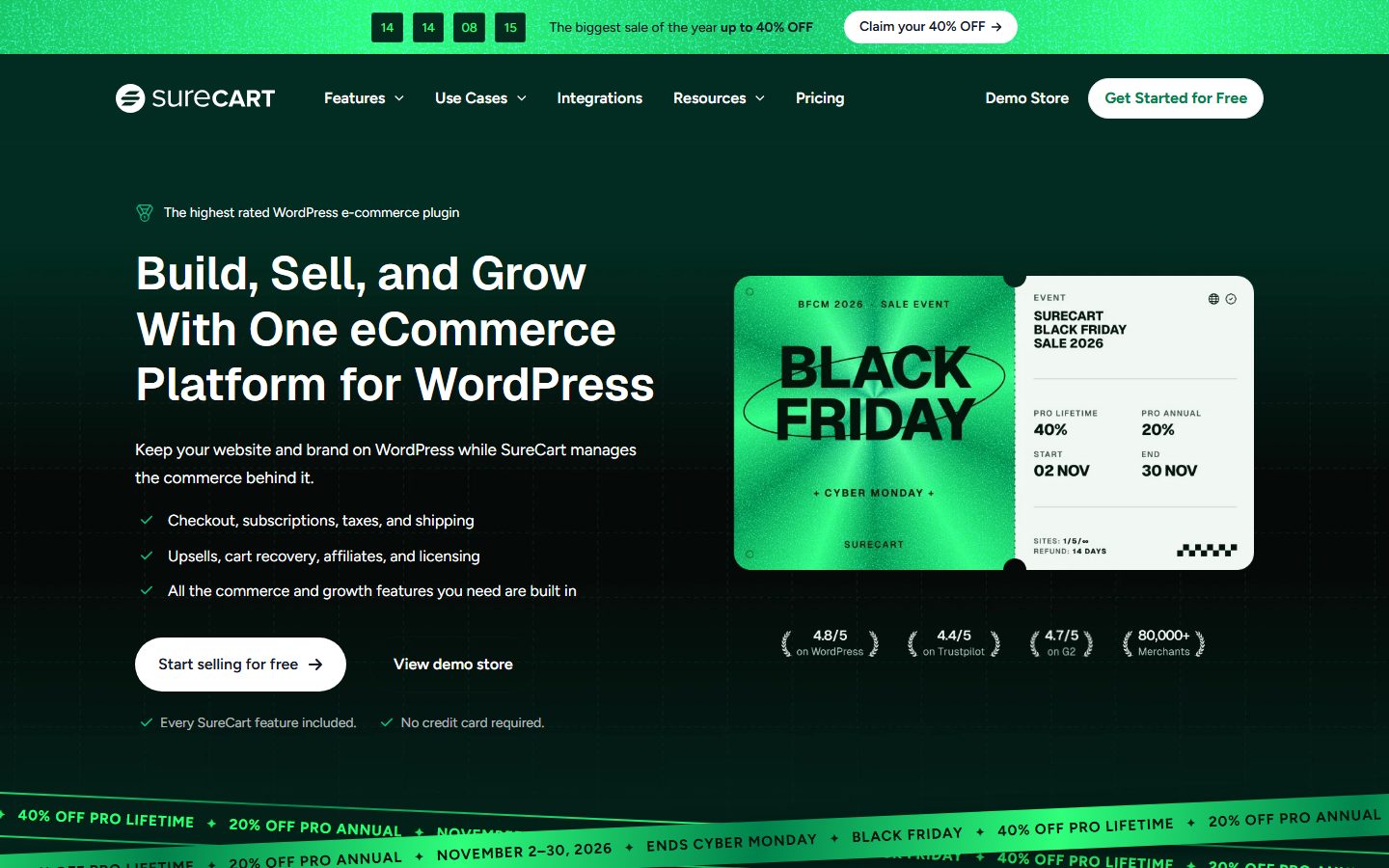
The WordPress.org description reads: “Sell anything on WordPress: digital downloads, subscriptions, physical products, services, and donations.” It says everything is built in: subscriptions with free trials and payment plans, order bumps and upsells, abandoned cart recovery, coupons, an affiliate programme, software licensing, taxes and a customer dashboard. The vendor’s homepage frames the product as keeping “your website and brand on WordPress while SureCart manages the commerce behind it”.
Facts from the plugin listing: version 4.13.0, more than 70,000 active installations, requires WordPress 6.8 or higher and PHP 7.4 or higher, tested up to WordPress 7.1.4. The vendor’s homepage cites a 4.8 out of 5 rating on WordPress.org, 4.7 on G2 and 4.4 on Trustpilot, and says it has more than 80,000 merchants. Those are the vendor’s figures, taken from its own pages.
SureCart does not require WooCommerce or any other ecommerce plugin, according to its FAQ. It is a standalone product. For a wider look at your options, read the WordPress ecommerce guide, and for our setup walkthrough see SureCart: cloud checkout explained.
Architecture: a plugin plus a cloud platform
This is the part to understand before you do anything else. The plugin listing says SureCart consists of two parts: the plugin and the platform. The plugin connects your WordPress site to the SureCart platform, “a cloud-based ecommerce engine that handles payments, subscriptions, taxes, and checkout processing at scale, so heavy operations never run on your server”. The FAQ confirms a consequence: you need a SureCart.com account, because the plugin must be linked to your account on the platform to function.
The vendor lists the benefits as a lighter WordPress footprint, reduced database bloat, fewer plugin conflicts, compatibility with caching systems and built-in security, backups and infrastructure handling. Its FAQ goes further and says that tasks that would normally slow your site are offloaded to the platform.
Those are the vendor’s claims, and the logic behind them is sound: work that does not run on your server cannot slow your server. But the design has a price that the vendor’s marketing mentions less loudly. Your store depends on a service run by someone else. If the platform has an outage, your checkout is affected. If the vendor changes terms or prices, you cannot simply keep running the old version on your own server, as you could with a fully self-hosted cart. That is our reasoning rather than a statement from the vendor, and it is the central question to answer for yourself when you evaluate SureCart.
The same design explains the difference from FluentCart and WooCommerce, which keep orders and customers in your own WordPress database. Our three-way comparison shows how that choice affects day-to-day running.
Product types
From the plugin listing, you can sell digital downloads, subscriptions, physical products, services and donations. For a traditional storefront it lists product variations, product collections, coupons, inventory tracking, shipping calculations, fulfilment, returns and a customer area. SureCart includes a shop page, product pages and a slide-out cart, and you can skip the cart and send buyers to checkout with buy buttons and direct checkout links.
A feature worth noting is pricing options. The listing says you can attach multiple pricing options to a single product: one-time payments, subscriptions on daily, weekly, monthly, yearly or custom intervals, instalment plans, free and paid trials, setup fees, setup discounts and “name your own price”. The listing also describes built-in dynamic pricing, including discounts above a cart threshold, conditional fees by user role or customer type, bulk and quantity discounts, special pricing for logged-in customers and BOGO-style offers.
For the digital side, see how to sell digital products on WordPress. For product page improvements that apply to any cart, see the product page conversion guide.
Checkout and payments
The checkout form is customised with a visual builder, per the FAQ: you can reorder fields, remove those you do not need and add inputs, checkboxes, radio buttons and conditional containers. Apple Pay and Google Pay express checkout are listed.
The listing names these payment processors: Stripe, PayPal, Mollie, Razorpay and Paystack. It says SureCart supports 135 or more currencies, 45 or more countries, and dozens of payment methods including cards, wallets and bank debits. The pricing page lists 100 or more payment methods and 135 or more currencies, so figures differ slightly by page. Check the current numbers for your country on the vendor’s payments documentation.
The transaction fee on the free plan
This is the single most important commercial fact about SureCart. The FAQ says that on the free Launch plan, your payment processor charges its processing fees and SureCart adds a transaction fee of 2.9 percent, which it says goes toward support for free users. Paid plans have no transaction fee. The pricing page shows “+2.9% transaction fee” on the Launch plan and “No transaction fee” on the Pro plans.
That fee is on top of Stripe or PayPal’s own charges. If you plan to sell more than a small amount, work out where the free plan stops being cheaper than Pro. For a Pro yearly plan at $199 per year, a 2.9 percent fee equals that amount at roughly $6,860 of annual sales ($199 divided by 0.029). Below that, free costs less; above it, Pro costs less. This is our arithmetic from the listed figures and ignores any introductory discount, so check the current prices.
For help choosing and comparing gateways more generally, see the payment gateways guide.
Subscriptions and digital products
Recurring revenue is where SureCart puts most of its effort, and the plugin listing is detailed. Subscriptions can run on daily, weekly, monthly, yearly or custom intervals, with free or paid trials, setup fees and instalment plans. Customers can upgrade, downgrade, pause and resume subscriptions, change payment methods and change billing dates from a customer dashboard.
The listing describes two retention tools. Dunning management automatically retries failed payments, sends pre-payment reminders and notifies customers about payment problems. Subscription Saver offers upgrade or downgrade paths with automatic proration, pausing instead of cancelling, reactivation and insight into why customers leave. The vendor says that because the platform is cloud-based and API-driven, recurring billing does not add heavy processing load to your site.
For digital goods, the FAQ says SureCart delivers downloads securely and has a built-in licensing system for selling WordPress plugins, themes and other software with licence keys. The pricing page lists secure file delivery “without any server configuration”. Memberships are handled by integration: the FAQ says SureCart handles payments and subscriptions and integrates with SureMembers, MemberPress, LearnDash and LifterLMS to grant and revoke access automatically. See the membership plugins guide and WordPress subscriptions and recurring billing.
Services and donations are also supported: the FAQ says you can add donation amounts or a name-your-own-price option to any checkout form, and sell merchandise or tickets in the same checkout.
Taxes
The pricing page lists automatic tax calculation for more than 40 countries and all US states, VAT calculation with VAT number verification, and manual tax overrides for product-specific rates. Its documentation has a tax section and a guide to enabling automatic tax collection. The vendor’s release notes for version 4.13.0 mention multiple tax components.
The pricing page’s comparison table says these tax features are included in every SureCart plan. As always, a calculator is not legal advice, and you should confirm with a tax professional where you must register and collect. Our EU and US tax setup guide explains the concepts that apply to any cart. Test your own countries before launch, especially if you sell to the EU, since the vendor’s list of countries is a starting point rather than a promise that your case is covered.
Shipping and fulfilment
The listing includes shipping rates, fulfilment and returns for physical goods, and the pricing page lists flexible shipping rules, fulfilment management, returns and refunds, inventory tracking and manual order creation. The vendor’s features menu mentions live shipping rates, and its blog has a guide on printing shipping labels.
We have not seen the detail of which carriers are supported, so confirm the carriers you use with a test order before relying on it. If your business is mostly physical goods with complex carrier needs, test this area first, and compare with the WooCommerce shipping setup guide to see what you would be giving up.
Extensibility
The pricing page lists webhooks, a full REST API, action and filter hooks and developer documentation. SureCart’s docs have a section of developer articles and a separate developer and API site. Integrations listed include Zapier, OttoKit (which the vendor suggests as a cheaper automation route), Bricks Builder and Elementor. The docs show 16 integration articles and 8 for Bricks.
The ecosystem is smaller than WooCommerce’s, and by design: SureCart builds in what other carts sell as add-ons, so there is less need for a marketplace. That is a strength when your needs match the built-in features, and a limit when they do not. The WordPress.org description says as much about WooCommerce, acknowledging that “there are cases where using WooCommerce may be the only choice” because of its ecosystem of paid add-ons and gateways. We agree with that honest framing.
The vendor’s release notes for 4.13.0 mention an “agent-ready catalog” and AI assistant setup. If you run AI agents against your store, read our guide to AI and store management and the AI agents security risks guide before connecting anything.
Performance considerations
The architecture does the work here. The plugin listing says SureCart is compatible with caching systems, and the release notes for version 4.11.0 mention “Caching Compatibility”. Because payments, subscriptions, tax and checkout processing run on the platform, your server carries less commerce load. That is the vendor’s claim, and we have not measured it.
Some honest caveats follow from the same design. Checkout speed depends partly on the platform’s response time as well as your own site. The WordPress plugin listing requires WordPress 6.8 or higher and PHP 7.4 or higher, but you should run a current PHP version regardless, as the PHP version guide explains. For measurement, compare your pages with PageSpeed Insights before and after, and keep the standard speed steps in the speed-up tutorial.
SEO
SureCart’s shop page, product pages and collections are pages on your WordPress site, so your SEO plugin, sitemap and theme remain in charge of how they appear. The vendor lists Bricks Builder and Elementor support, and says the product works with all WordPress themes, noting that some may need button or spacing tweaks. We have not verified what structured data SureCart outputs for products, and the vendor’s pages we read do not detail it, so test a live product page with a rich results tool.
Start with the WordPress SEO guide and the schema markup guide. Settle your permalink structure before launch, and use the title tags tutorial to set titles on each product page. The same SEO work applies as for any WordPress shop.
Data ownership
This is the area where SureCart differs most from WooCommerce and FluentCart, and where we can say least from verified sources. The listing says SureCart runs payments, subscriptions and checkout on its own cloud platform, and that your site stays fast and “your database stays small”. The natural reading is that the authoritative records for orders, customers and subscriptions live on the platform, and that the plugin connects your site to them.
The pricing page lists “exportable data” with CSV export of reports, and the docs describe a migration path into SureCart. We did not find a page we could verify that describes a full export of all orders, customers and subscription state out of SureCart. Before you commit, ask the vendor directly: what can I export, in what format, and what happens to my data if I close my account? Ask for the answer in writing. A store whose subscription records live on someone else’s platform deserves that question more than one that lives in your own database.
In practice, Stripe and PayPal hold the payment methods in either case. Keep your own records of invoices for tax purposes, and take regular backups of your WordPress site with a backup routine, since the site still holds your content, pages and design.
Pricing and licensing as listed
These figures come from surecart.com/pricing, read in November 2026, during the vendor’s Black Friday sale which the page says runs November 2 to 30, 2026. All prices are in USD and the page says you can change plans or cancel at any time.
| Plan | 1 store | 5 stores | Unlimited stores |
|---|---|---|---|
| Launch (free) | No licence fee; +2.9% transaction fee | ||
| Pro yearly, list price | $199 per year | $299 per year | $499 per year |
| Pro yearly, sale price (first year) | $159 | $239 | $399 |
| Pro lifetime, list price | $699 one-time | $1,199 one-time | $1,999 one-time |
| Pro lifetime, sale price | $419 | $719 | $1,199 |
The sale is described as 20 percent off the first year of Pro Annual and 40 percent off Pro Lifetime. The page says the yearly price is a special introductory price and that all renewals are at the full price shown at checkout. It states a 14-day money-back guarantee. Paid plans have no transaction fee, per the FAQ.
The vendor’s statement is that “every SureCart feature” is included on every plan, from free to Pro Unlimited, with no feature restrictions. The difference between plans is the number of stores, the transaction fee and support level: the docs page says free email support is on every plan and that premium plans get live chat and a private Slack channel with a named engineer.
The pricing page also includes a comparison table showing SureCart against WooCommerce and “other solutions”, and the WordPress.org description claims it would cost $2,849 per year per store in WooCommerce add-ons to get the same features. Those are the vendor’s calculations, built from add-on prices it chose, and they assume you need every feature. Compare against the features you actually need, not against a full list.
A lifetime licence is only as durable as the service behind it, and this product depends on its cloud platform, so weigh that when you choose between lifetime and yearly. The plugins guide covers general vetting.
Revenue tools, affiliates and running the store
SureCart bundles several growth features that other carts sell separately. The pricing page lists, under revenue boosters: cart abandonment recovery with an email campaign and discounts, order bumps, one-click upsells that can build full sales funnels, and price boost, which offers upgrade options at checkout. The FAQ adds that an affiliate programme is built in, so you can turn it on without a separate tool. Our guide to abandoned cart emails explains what good recovery sequences look like on any platform.
For running the store, the pricing page lists real-time dashboards, customisable reports with CSV export, team accounts, secure file delivery, custom sender email addresses and the option to remove branding from customer-facing pages. The release notes mention “Save for Later”, customisable instant checkout and 33 languages in version 4.12.0, which suggests active work on international selling. Confirm that your language is among them.
Support and documentation
The docs hub advertises more than 180 guides across getting started, products, checkout, orders, subscriptions, revenue boosters, tax, payments, integrations and troubleshooting. It says free email support is available on every plan and that the team replies in under two hours, with premium plans adding live chat and a private Slack channel with a named engineer. The pricing page says merchant support is available 24/7. These are service promises from the vendor. Test them with a real pre-sales question and note the actual response time before you buy.
The honest trade-off
Built-in features reduce the number of plugins you maintain, which is a real saving in time and conflict risk. Our opinion: the thing to check is not whether SureCart has a feature but how deep it goes. An order bump with limited styling or an affiliate system with limited payout options may be enough for you or may not. Switch each on in your test store and use it before you count it as a replacement for a dedicated tool. If you are reviewing your plugin stack at the same time, read plugins you can delete and how to vet a plugin before installing.
Questions to ask before you commit
Because SureCart’s design is different from the other two WordPress carts, a short list of questions is worth more than a feature checklist. Write the answers down, and keep the vendor’s replies with the date.
- What happens if the platform is unavailable? Ask whether customers can still check out, whether orders queue, and where the vendor publishes its status. The architecture means your store depends on it.
- What can I export, and how often? Ask for orders, customers, subscriptions and invoices, in what format, and whether you can do it yourself without a support ticket.
- What happens if I cancel? Ask what happens to a free-plan store, a yearly-plan store and a lifetime-plan store. Find out whether renewals at full price after an introductory discount are your only ongoing cost.
- Which of my countries and taxes are covered? The listing says 40 or more countries and all US states for automatic tax. Check your own list, and any special rules such as digital goods in the EU.
- Which of my gateways are supported? If you need one outside Stripe, PayPal, Mollie, Razorpay and Paystack, the answer decides the whole project.
- How do updates reach me? The plugin listing shows frequent releases, with version 4.13.0 listed in November 2026. Keep updates on staging first, as the auto-updates risk guide suggests.
None of these questions is hostile. A vendor that answers them clearly and quickly is telling you something useful about how it will treat you after the sale.
Migration
The WordPress.org FAQ says SureCart can import products, customers and active Stripe subscriptions from WooCommerce. The docs have a “Migrating” section of 12 articles and a plan titled “Migrating from WooCommerce” that promises to move products, customers and subscriptions without breaking links, plus a 14-minute article on importing products from WooCommerce.
Notice the wording “active Stripe subscriptions”. If your subscriptions run through another gateway, ask how they move. Test the whole migration on a staging copy first (the staging guide explains how), then compare a sample of orders, customers and subscription renewal dates. Plan 301 redirects if your product URLs change, and see WooCommerce alternatives for the general approach.
Moving out of SureCart is the harder question, for the data reasons set out above. Find out what you can export before you move in.
Who SureCart suits
This section is our opinion. The vendor’s own list of users, from its 2025-26 survey as reported on the WordPress.org page, includes subscription businesses such as coaches, course creators, membership sites and SaaS companies, service businesses, digital product creators and software developers, physical product stores, agencies and freelancers, and nonprofits.
- Subscription and membership businesses. Dunning, pausing and proration are built in, and that is where the vendor invests most.
- Software developers selling plugins or themes. Licensing is built in, and the vendor names this audience directly.
- Agencies. The pricing page describes an Agency Suite with service fees, client commissions, centralised store management and client accounts.
- Owners who do not want to run commerce infrastructure. Offloading checkout, tax and subscription processing is the point of the design.
- Low-volume sellers who want to start free. The Launch plan has no licence fee, if you accept the 2.9 percent fee.
When not to pick SureCart
- You want all your order and customer data in your own database. The cloud design is the opposite of that. If full self-hosting matters to you, look at WooCommerce or FluentCart.
- You sell a lot through the free plan. The 2.9 percent fee adds up. Work out your break-even point against a paid plan, as we did above.
- You need a gateway outside the supported list. The listing names Stripe, PayPal, Mollie, Razorpay and Paystack. WooCommerce supports far more.
- You need a niche extension. The ecosystem is smaller than WooCommerce’s, and the vendor says so.
- You cannot accept a dependency on a third-party service. If the platform is down or its terms change, you cannot run the store on your own server.
- Your store has complex custom logic. Open-source carts with a deep hook system give developers more room.
See the three-way comparison for a side-by-side view.
How to evaluate SureCart in a day
Use a staging site or a fresh install, and a free SureCart account.
- Hour one: connect and install. Create the SureCart account, install the plugin, connect Stripe or PayPal in test mode, and list your first product. The vendor’s own quick-start guide says this takes about ten minutes.
- Hour two: build your real products. Add one digital product, one physical product with variants, and one subscription with a trial and setup fee. Use multiple pricing options on one product.
- Hour three: test the buyer journey. Buy as a customer on a phone. Use the slide-out cart, the checkout form, and the customer dashboard. Cancel a subscription and try the pause option.
- Hour four: tax, shipping and email. Enable automatic tax, place test orders for your target countries, and check the totals. Confirm your carrier and shipping rule in a test order.
- Afternoon: ask the data questions. Write to the vendor and ask what you can export, in what format, and what happens to your data on cancellation. Keep the reply.
- Afternoon: price it. Take your expected yearly sales, apply the 2.9 percent Launch fee, and compare with the yearly and lifetime Pro prices at list (not sale) prices. Remember renewals are at full price.
- End of day: measure. Run PageSpeed Insights on a product page and your checkout, and check the page with your caching plugin on. Compare against the same test on your current store.
Frequently asked questions
Is SureCart free?
There is a free Launch plan with no licence fee, but it carries a 2.9 percent transaction fee on top of your processor’s fees. Paid plans have no transaction fee.
Do I need a SureCart account?
Yes. The FAQ says the plugin must be linked to your account on the SureCart platform to function.
Does SureCart require WooCommerce?
No. It is a standalone plugin and does not require WooCommerce or Easy Digital Downloads.
Which payment gateways does it support?
Stripe, PayPal, Mollie, Razorpay and Paystack, according to the listing, with manual payments also available.
Can I sell subscriptions?
Yes. Subscriptions with trials, setup fees, instalments, dunning, pausing and plan changes are all described on the listing as built in.
Can I sell software with licence keys?
Yes. The FAQ says a built-in licensing system lets you sell plugins, themes and other software with licence keys.
Can I migrate from WooCommerce?
The FAQ says SureCart can import products, customers and active Stripe subscriptions. Test it on a staging site.
Will SureCart make my site faster?
The vendor says offloading commerce tasks keeps your site light. We have not measured it, so test your own store. See the speed checklist for general methods.
Where is my store data kept?
The platform handles payments, subscriptions, taxes and checkout processing in the cloud. Ask the vendor what exports are available and keep the answer in writing.
Is there a refund?
The pricing page states a 14-day money-back guarantee on its products.
Bottom line
SureCart suits sellers who want subscriptions, licensing and checkout handled for them, and are comfortable running part of their store on someone else’s platform. It trades control and a large ecosystem for convenience and a lighter site. Check the 2.9 percent free-plan fee against your volume, get the data export answer in writing, and run the one-day evaluation before you commit.