Tutorial
What you will learn and what you need
A domain name is the address people type to reach your site. You will live with it for years. Every business card, email address, backlink and social profile you create will point at it. Changing it later is possible, but it is slow, it is risky for search traffic, and it confuses the people who already know you.
This tutorial walks you through the whole decision, in order. You will learn how to generate and test name ideas, how to choose an ending such as .com or .org, how to do a first-pass trademark check, how to buy the name safely, and how to set it up so it keeps working. By the end you will have a registered domain, a clear picture of where its DNS is managed, and a short list of settings that protect you from the most common losses.
You need very little to start:
- A one-sentence description of what your site is for and who it serves.
- A notebook or text file to collect name ideas.
- A payment method for the registrar.
- An email address you will still control in five years. Do not use an address that depends on the domain you are about to buy, because you need it to recover the account if something goes wrong.
If you have not decided yet whether WordPress is the right tool for your site, read our plain-language explanation of what WordPress is first. If your domain is ready and you want to build, jump to launching your first WordPress site step by step.
Do not rush the purchase. Buying a domain takes minutes. Living with a bad one takes years. Spend the time on the naming and checking stages, and treat the registration itself as the easy last step.
Core concepts in plain words
Before you shop, you need a small vocabulary. These terms appear in every registrar dashboard, and confusing them is behind many expensive mistakes.
Domain name
The human-readable address, such as example.com. It is made of labels separated by dots. The part on the far right is the top-level domain, or TLD. The part just to its left is the second-level domain, which is the name you choose. In example.com, com is the TLD and example is the name.
Registry, registrar and registrant
Three different parties are involved, and they are easy to mix up.
- The registry is the organization that maintains the master database for one TLD. ICANN describes registry operators as the organizations that maintain the master database of all domain names registered under a particular generic top-level domain.
- The registrar is the company you buy from. It is accredited to sell names in that registry, and it handles billing, renewals and your account.
- The registrant is you, the holder of the registration. You do not buy a domain forever. You register the right to use it for a period, and you renew that right.
DNS
The Domain Name System is the lookup service that turns a name into the technical details needed to reach it: the server address for your website, the servers that receive your email, and verification records for services you connect. You will meet DNS in detail later in this tutorial.
Nameservers
Nameservers are the servers that hold your DNS records. Your registrar tells the registry which nameservers are in charge of your domain. Whoever runs those nameservers controls where the domain points.
Subdomain
A subdomain is a label added to the left of your domain, such as shop.example.com or blog.example.com. You can create them without buying anything extra.
Domain versus hosting versus website
These are three separate things. The domain is the address. Hosting is the computer that stores and serves your site files. The website is the content and software on that computer. You can buy each from a different company, and you can move any one of them without moving the others. Keeping that separation in mind makes every later decision simpler.
| Term | What it is | Who provides it | Typical recurring cost? |
|---|---|---|---|
| Domain name | The address people type | A registrar | Yes, renewed on a schedule you choose |
| DNS | The records that say where the address leads | Registrar, host or a DNS service | Often included, sometimes separate |
| Hosting | The server that holds your site | A hosting company | Yes |
| Mailboxes on your domain | An email provider | Usually per mailbox | |
| SSL certificate | Lets the site load over HTTPS | Host or certificate authority | Often included with hosting |
Start with your purpose, not a name
People usually open a registrar search box and type whatever comes to mind. That produces a long list of taken names and a rushed compromise. Work in the opposite direction. Decide what the name needs to do first.
Write the one-sentence brief
Complete this sentence: “This site helps [who] to [do what].” If you cannot, the name will be vague because the project is vague. A brief like “This site helps small bakeries sell cakes online” immediately suggests words to use, words to avoid, and a likely audience region.
Decide the personality
Pick three adjectives for how the site should feel, such as friendly, expert and local. Names carry tone. A playful invented word suits a hobby project, while a plain descriptive name suits a professional service.
Decide how long you will use it
A name for a one-year campaign can be narrow and clever. A name for a business you hope to run for a decade should be broad enough to survive changes. A shop called “Cheap Red Shoes Online” has a problem the day it sells blue boots.
Choose personal name or brand name
If you are a consultant, writer or freelancer, your own name can be the strongest choice because it is unique, it never expires as a concept, and it follows you if you change services. If you want to build something you could one day hand to someone else, a brand name that is not tied to your identity is easier to transfer.
| Approach | Works well for | Watch out for |
|---|---|---|
| Your own name | Freelancers, authors, speakers, portfolios | Common names are usually taken; hard to sell the site later |
| Descriptive name | Local services, niche directories | Hard to trademark, easy to copy, can limit growth |
| Brandable invented word | Products, startups, long-term brands | Needs spelling help; takes effort to explain |
| Real word with a new meaning | Memorable brands | Search results are crowded with the original meaning |
| Name plus keyword | Blogs that want clarity plus personality | Can feel long; keyword stuffing looks spammy |
The naming principles that last
These principles come from how people actually use addresses: they type them, say them aloud, read them on small screens and remember them (or fail to). A name that fails any of these tests costs you visitors every day.
Keep it short
Short names are easier to type, easier to fit on a business card and less likely to contain a typo. Technically a single label can be up to 63 characters and the whole name up to 253, but that is a technical ceiling, not a target. As a practical rule, aim for a name you could comfortably read out in one breath.
Make it easy to spell after hearing it once
Tell the name to a friend over the phone. Ask them to write it down. If they have to ask “with a K or a C?” or “is that one L or two?”, you will lose some visitors at every mention of your site by voice, in a podcast, in a video or at an event. Avoid creative misspellings unless you are willing to repeat the spelling forever.
Avoid numbers and hyphens where possible
If your name includes the digit 4, someone will ask whether it is spelled “four” or uses the number. Hyphens make a name harder to say (“dash”) and are easy to forget when typing. The rules of domain names allow letters, digits and hyphens, with the restriction that a label cannot start or end with a hyphen, but allowed does not mean wise.
Make it pronounceable
If people cannot say it, they will avoid saying it, and word of mouth is a major source of visitors for small sites. Read the name aloud. Check that no awkward syllable break appears.
Check for accidental words
Domain names have no spaces. When words run together, unintended words can appear in the join. Look at the name in plain lowercase letters and read it slowly, looking at every possible split. Many brands have been embarrassed by a join that reads as something else.
Make it timeless
Avoid years, trends and slang that will date the name. Also avoid tying the name to one product, one city or one technology unless that limit is permanent. A name can be specific to your niche without being specific to your current offer.
Avoid names that sound like someone else
A name one letter away from a famous brand invites confusion and legal attention. It also splits your traffic with a bigger site that will almost always win search results for the similar term.
Think about the whole address, not only the name
People will see your name inside an email address (hello@yourname.com), on social handles and in a URL. Test all three. Sometimes a name that looks fine on its own produces an awkward email address.
| Test | How to run it | Pass condition |
|---|---|---|
| Phone test | Say it aloud to someone and ask them to type it | They type it correctly the first time |
| Join test | Read the lowercase string letter by letter | No unintended words at any word boundary |
| Email test | Write it out as name@domain and say it | Sounds natural and unambiguous |
| Memory test | Show the name for a few seconds, ask for it a day later | It is recalled, or at least recognized |
| Growth test | Imagine you add a second product line | The name still fits |
| Look-alike test | Search the name and near-spellings | No confusingly similar existing brand |
Brainstorming and generating name ideas
With principles in hand, produce many candidates. Quantity first, filtering second. Aim for at least thirty ideas before you start eliminating. Most good names are not the first ten ideas.
Technique 1: Word lists
Make three columns. In column one, list words about what you do (bake, craft, fix, grow). In column two, list words about the benefit or feeling (fresh, simple, bright). In column three, list neutral nouns or suffixes (works, studio, hub, lab, house). Combine across columns. Most combinations will be poor. A few will surprise you.
Technique 2: Borrow from other languages carefully
A word from another language can give you a short, unique name. Check its meaning in every language your audience speaks, and check slang meanings. A word that is elegant in one language can be unfortunate in another.
Technique 3: Metaphors and images
Instead of describing what you do, name the result or the image it creates. A name that evokes an image tends to be more memorable than a literal description.
Technique 4: Shorten and blend
Trim a long phrase to its strongest syllables, or blend two words where they share a sound. Test the result for readability. Blends often look good on screen and sound confusing aloud.
Technique 5: Add a small modifier to a taken name
When the exact name is taken, adding a verb or a small word (such as “get”, “try” or “my”) is common. Use this carefully. A modifier on a well-known brand name can look like imitation, and the modified name may be less memorable than a fresh one.
What not to rely on
Automatic name generators can spark ideas, but they cannot check for trademark conflicts, for awkward joins or for meaning in other languages. Treat their output as raw material.
Narrow to a shortlist
Run each candidate through the tests in the table above. Keep the five to ten that pass. Save the shortlist with notes on which ending (TLD) each is available in, so you can compare them in the next stages.
- Write at least thirty candidates without judging them.
- Remove anything hard to spell, hard to say, or easy to confuse with an existing brand.
- Run the join, email and phone tests on what remains.
- Keep a shortlist of five to ten names.
- Sleep on it. Read the list again the next day, and drop anything that no longer feels right.
Understanding TLDs: what comes after the dot
The TLD is the final label of the domain. There are several categories, and understanding them helps you choose.
Generic TLDs
Generic TLDs (gTLDs) include the long-established .com, .net and .org, plus hundreds of newer endings such as .shop, .blog, .studio and .online. ICANN delegates each gTLD to a registry operator that maintains its database. IANA publishes the full authoritative list of delegated TLDs, so if you want to know whether an ending exists, check there rather than relying on a registrar’s marketing.
Country-code TLDs
Country-code TLDs (ccTLDs) are two-letter endings tied to countries and territories, such as .de, .fr, .uk or .ca. Each is run under rules set by the country or territory’s own registry. Some require you to live in or have a connection to the country. Others are open to anyone. Rules, prices and available features vary, so read the registry’s own policy before choosing one.
Some ccTLDs are widely used for purposes unrelated to their country, because their letters happen to spell something useful. That can work, but you inherit the registry’s rules, and you depend on a country’s registry for something that may not relate to your business. Read the terms.
Sponsored and restricted TLDs
Some endings are limited to specific communities or sectors and require proof of eligibility. If a TLD appears to restrict who may register, read the eligibility rules before you plan around it.
Internationalized names
Many registries support names in non-Latin scripts, called internationalized domain names. If your audience writes in a script such as Arabic, Cyrillic or Chinese, a name in that script can be natural for them. Test how email, social platforms and older software handle such names before committing, because support is not uniform.
Choosing a TLD: a decision guide
You do not need the perfect TLD. You need one that fits your audience, that you can keep, and that does not create confusion. Use the questions below in order.
Question 1: Where are your visitors?
If your audience is concentrated in one country and you serve that country specifically (a local plumber, a regional newspaper), a country-code ending can signal that focus. If your audience is global, a generic ending avoids implying a location that is not true.
Question 2: What do people assume?
Many people type .com by default when they hear a name, even when you gave them a different ending. That habit is why some site owners still prefer .com. If you choose another ending, say it clearly every time you mention your address, and consider whether you can also register the .com to point at your main site.
Question 3: Is the ending relevant to the site?
Some endings describe a purpose. A ending like .shop or .blog tells a visitor something before they arrive. Others, like .org, are commonly associated with nonprofits and community projects, although in general there is no rule that restricts who can register them. Do not assume meanings: check the registry’s own description.
Question 4: Can you afford the renewal, not just the first year?
Registrars often advertise a low introductory price. Renewal prices can be higher, and they differ by ending. Before you buy, find the renewal price, and multiply it by the number of years you expect to hold the name. Prices change over time, so treat any figure you read as a snapshot and check the registrar’s current price list.
Question 5: Does the registry have unusual rules?
Read the registry’s policy for any ending you consider. Look for residency requirements, restrictions on use, dispute policies and whether the ending supports the privacy and security features you want.
Question 6: Is the ending likely to last?
Established endings have a long track record. A newer ending can be fine, but it carries a little more uncertainty about long-term pricing and about whether email filters and users treat it with trust. Spam filters and users sometimes treat unfamiliar endings with more suspicion. You can reduce risk by sending a few test emails from the new domain to different providers before you commit to it for business mail.
| Choice | Strengths | Trade-offs | Good fit |
|---|---|---|---|
| .com | Most familiar to visitors; often assumed by default | Short names are heavily taken | General business and global brands |
| .org | Familiar, associated with community and nonprofit projects | May suggest a nonprofit that you are not | Associations, open projects, community sites |
| .net | Familiar, often a fallback for taken .com names | Visitors may mistype .com | Technology services, networks |
| Country code (for example .de, .uk) | Signals local focus | Rules vary; may restrict who can register | Businesses serving one country |
| New generic (for example .shop, .blog) | Describes the purpose; more names available | Less familiar; renewal prices can differ | Projects where the ending adds meaning |
Should you register several endings?
Sometimes. If your brand matters, registering the main alternatives protects against a competitor or opportunist taking the near-identical address. For a small site, it is rarely necessary, and every extra name is another renewal to track. A common compromise is to register the primary name and the closest alternative, redirect the second to the first, and leave the rest alone.
Make one the canonical address
If you own several names, choose one as the main address and redirect the others to it with a permanent redirect. Search engines treat repeated content on several addresses as duplicates, so having one canonical address keeps your links and reputation in one place. Our guide to WordPress 301 redirects explains the redirect side.
Brandability: will people remember and trust it?
Brandability is the part of naming that is hardest to measure and easiest to feel. A brandable name is one that people can recall, repeat and associate with a promise.
Distinctiveness
A distinctive name stands out in a list of search results. If your name is a common phrase, you compete with every other use of that phrase. A more unusual name is easier to find because fewer pages use it. This matters for search: when someone searches for your name specifically, you want to be the obvious result.
Descriptive versus suggestive versus invented
Naming professionals often sort names along a spectrum. A purely descriptive name says exactly what you do. A suggestive name hints at a benefit. An arbitrary name uses a real word that has nothing to do with your field. A coined name is invented. Descriptive names are easy to understand but hard to protect and hard to distinguish. Arbitrary and coined names take more work to explain but are generally more distinctive and, in many places, easier to protect legally. Which is right depends on your goals and budget.
Emotional tone
Read the name and notice how it feels. Does it sound warm, technical, premium, playful? Match it to the audience. A financial advisor and a children’s toy shop need different tones.
Visual quality
Type the name in lowercase in a plain text editor. Look at the letter shapes. Long runs of similar letters (such as many i, l and t characters) can be hard to read, and some letter combinations are easily misread. You will also want the name to look good in a logo, which brings visual balance into play.
Rhythm and sound
Names with a clear rhythm are easier to remember. Alliteration, rhyme and repeated vowel sounds help, but excessive cleverness can feel forced.
Search friendliness
You may have heard that a domain containing your keyword gives a search advantage. The safer position is that a clear, memorable name matters more than an exact-match keyword. Search engines judge sites mainly on their content and on how useful they are to people, and a name stuffed with keywords can look low quality to visitors. For the wider picture, see our WordPress SEO guide.
Test with real people
Show your shortlist to five people who match your audience. Do not ask “do you like it?” Ask what they think the site is about, how they would spell it after hearing it, and which one they remember tomorrow. Their misreadings are more useful than their compliments.
Checking availability across the places that matter
A name that is free as a domain may be unusable in practice. Check every channel where you will want it.
Domain availability
Use your registrar’s search box, or a neutral lookup service, to see whether the exact name is registered. Remember that a registered name might be unused or available to buy from its owner. If the name you want is taken, look at what is on it. An active business with the same name is a strong reason to pick something else. An empty page may mean the name is held by an investor or simply forgotten.
Social handles
Search the name on the platforms your audience uses. It is helpful if your handle matches your domain, because visitors move between them. If a platform’s handle is taken, check whether the account is active and unrelated to you.
Search results
Search the name in quotes. See what appears on page one. If the first results are a different business, a famous person, or a news event with a negative association, think twice.
Business and trademark registries
This is covered in its own section next. At the very least, search your country’s trademark database and business name registry before you commit.
App stores and marketplaces
If you may later build an app or sell on a marketplace, check those names too.
Variations and mistyping
Think about the likely typos and the plural or singular form. If the nearest typo of your name is a large, unrelated site, some of your visitors will land there.
History of the name
A domain that has been registered before can carry baggage. It might have been used for spam, have been blocklisted by email providers, or have backlinks from low-quality sites. If you buy a previously used name, check what it was used for. Public web archives can show earlier versions of the site, and you can send test emails to see whether messages reach inboxes. A fresh, never-used name avoids this uncertainty.
| Where to check | What you are looking for | Red flag |
|---|---|---|
| Registrar search | Is the exact name free in your chosen ending? | Taken by an active, related business |
| Web search | What already ranks for the name | A larger brand with a similar name in your field |
| Social platforms | Matching handles | Active accounts that could confuse visitors |
| Trademark database | Registered marks in your field | Identical or very similar marks for similar goods or services |
| Business registry | Registered company names | An existing company in your region with the name |
| Web archive | Past use of a used domain | Spam, adult or malware history |
Trademark checks in general terms
This section is general education, not legal advice. Trademark law differs by country, and the details of your situation matter. If your name is central to a business, pay for a short consultation with a qualified trademark professional before you invest in branding.
Why a domain registration does not give you a trademark
Registering a domain gives you the right to use that address. It does not make the name your trademark, and it does not stop someone with an earlier trademark from objecting to your use. The two systems are separate. A domain registrar generally does not check for trademark conflicts when you register.
What a trademark protects
A trademark protects a name, logo or other sign that identifies the source of goods or services. The core question in most places is whether your use would likely confuse consumers about who is behind the product or service. Confusion depends on how similar the names are, how related the goods or services are, and where you each operate.
A first-pass check you can do yourself
- Write down your exact name and the three most likely near-variants (spelling, spacing, plural).
- Search the official trademark database for each country where you plan to operate. Many national and regional offices offer free public search tools. Look for the official register rather than a third-party site.
- Search for identical and similar names, and note the goods or services each is registered for.
- Search the web and the social platforms for unregistered but active uses. In many countries, a business that has used a name in the marketplace can have rights even without a registration.
- Search company registers for businesses using the same or similar name in your field.
- Record what you find, with dates and links, so that you can show a professional later.
How to read what you find
An identical name in an unrelated industry is often less of a concern than a similar name in your own field, but this is exactly the type of judgment that benefits from advice. A famous mark may be protected even across unrelated industries in some jurisdictions. Treat every close match as a prompt to dig deeper or choose another name, not as a verdict.
Disputes over domains
ICANN’s Uniform Domain-Name Dispute-Resolution Policy provides a process for trademark owners to challenge domain registrations that they believe were registered and used in bad faith. This is one reason registrars may deny a transfer while a dispute is pending: ICANN’s transfer policy requires registrars to deny transfers when a dispute process applies. The practical lesson is that choosing a name that clashes with someone else’s mark can lead to losing the domain, not only to a letter.
Protecting your own name
If your name is important, consider registering it as a trademark in the places where you operate, once you have confirmed that it is available. This is a business decision with costs, so weigh it against your plans.
Names to avoid on principle
- Names that contain someone else’s brand, even with a modifier.
- Names that imply an official relationship you do not have, such as official, authorized or partner.
- Names of living public figures, unless you are that person.
- Names that are one character different from a famous site, which are commonly called typosquats and are a frequent cause of disputes.
Registrars versus hosts: where should you buy?
You can buy a domain from a company whose main business is domains (a registrar), or from a hosting company that resells domains as part of a package. Both are common. The important point is that this choice is separate from where your site is hosted.
Why separating the domain from hosting helps
If your domain is registered in your own account at a registrar, you control it. You can change hosts by updating DNS records, without needing permission from your old host. If your domain sits inside a hosting account, then closing the hosting account or a billing dispute with the host can put the domain at risk. Keeping them separate is a form of insurance.
Why buying through the host can still be fine
Buying both from one provider can be simpler for a beginner: the domain is connected to the hosting automatically, and there is one invoice. If you go this way, check that you are listed as the registrant and that you can get the authorization code and move the domain out later. A trustworthy provider will let you do so.
What to compare between registrars
| Criterion | Why it matters | How to check |
|---|---|---|
| ICANN accreditation | Confirms the company is authorized to sell generic domains | ICANN publishes a list of accredited registrars |
| Renewal price | The first-year price is not what you will pay long-term | Look at the renewal column on the price list |
| Transfer price and policy | You may want to leave later | Read the transfer policy and whether the auth code is self-service |
| WHOIS privacy | Protects your contact details | See whether it is free, paid or automatic |
| Two-factor authentication | Protects against account takeover | Look in the security settings of the account |
| DNS management | You need to add records for site and email | Check that there is a full-featured DNS editor |
| Registry lock or extra protection | Reduces risk of unauthorized transfer | Look for lock options |
| Support | You will need help once | Check support channels before you buy |
| Upsells | Many checkouts add extras you do not need | Review the cart line by line |
Check accreditation
ICANN accredits registrars for generic TLDs and publishes the list. A reseller may sell domains under another accredited company’s name. That is acceptable, but find out which company is the actual registrar, because its policies govern your registration.
Beware of lock-in tactics
Some providers make it hard to leave: hidden fees, no self-service auth code, or long delays. ICANN’s transfer policy says a registrar cannot withhold the auth code or the transfer lock removal solely because of a payment dispute, and that a registrar without self-service tools must provide the code within five calendar days of request. Knowing this makes it easier to hold a provider to account.
If you are still choosing a host, our guides to the best WordPress hosting by use case and managed versus VPS WordPress hosting help you decide, and you can see the registrar products and hosting products described by their vendors in the screenshots below.
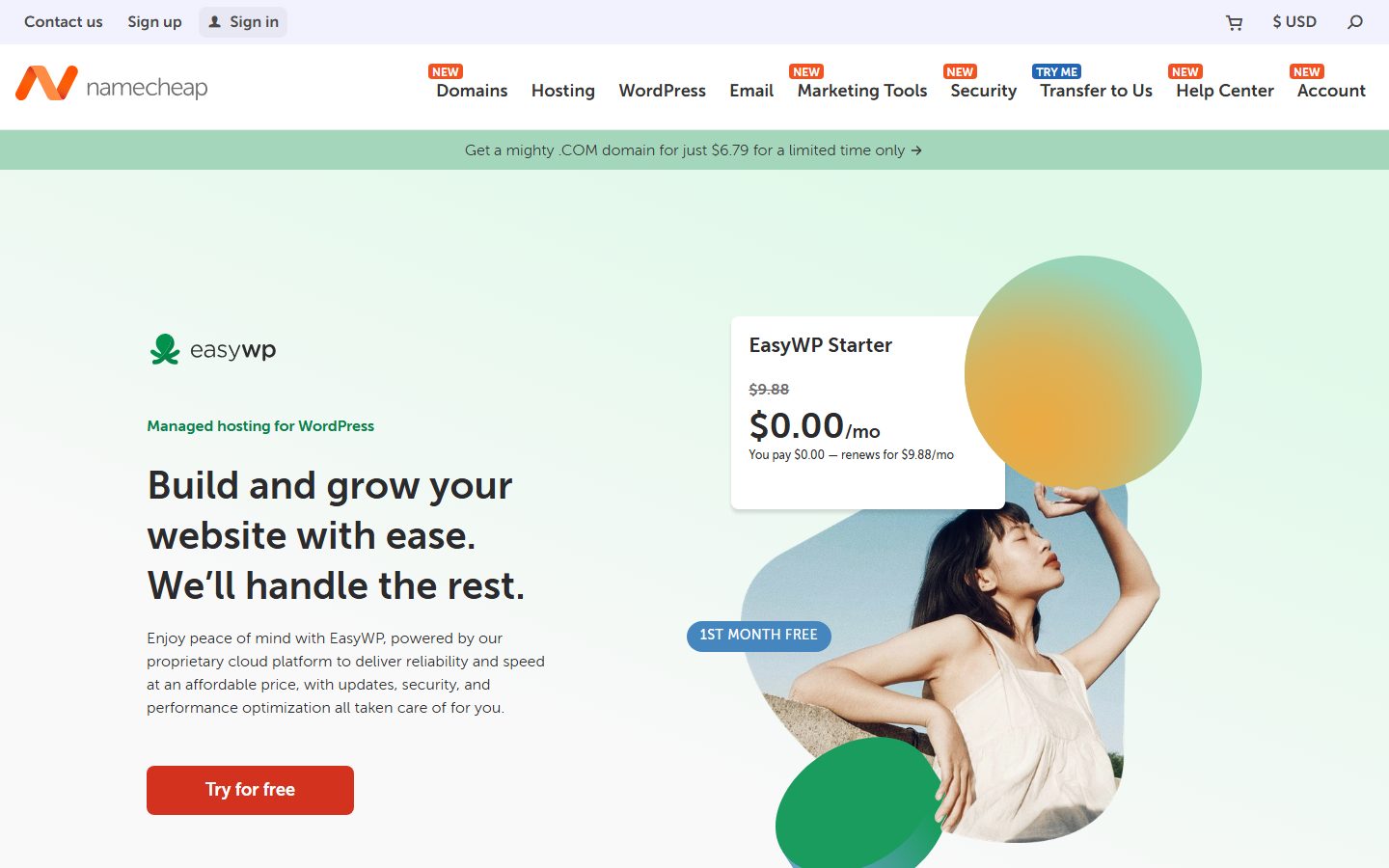
The screenshot above shows one registrar’s public homepage. It is included so that you know what a registrar search interface looks like, not as a recommendation. Compare several providers on the criteria in the table.
Buying the domain: a step-by-step walkthrough
Menu labels differ between registrars, so the steps below describe what to look for rather than exact button names. Do these steps in order.
Stage 1: Prepare
- Have your shortlist open, with your first-choice name and ending marked.
- Choose the email address that will own the registrar account. Use a mailbox you control that is not hosted on the domain you are buying.
- Open the registrar’s price list and note the registration and renewal prices for your ending.
Stage 2: Search and add to cart
- Type the exact name into the registrar’s search box.
- Confirm that it shows as available in your chosen ending.
- Add only the domain to the cart. Decline add-ons you do not understand, such as site builders, bundled email you did not plan to use, or “protection” bundles that duplicate features included elsewhere. You can add what you need later.
- Choose the registration period. A longer period reduces the risk of missing a renewal, and many registrars let you register for several years. The registry sets the maximum, so check what your registrar offers. A common compromise is to register for one to three years and turn on automatic renewal.
Stage 3: Account and contact details
- Create the account with a strong, unique password and store it in a password manager.
- Enter your real contact details. ICANN requires registrants to provide accurate contact information and registrars to verify it, and inaccurate details can lead to suspension of the domain. Use a name and address that are true, even if you plan to hide them from the public record.
- Confirm that the registrant is you or your organization, not the web designer or the registrar. The registrant is the legal holder of the domain.
Stage 4: Privacy and renewal options
- Turn on WHOIS privacy if the registrar offers it for your ending (see the next section).
- Turn on automatic renewal, and make sure the payment method on file will not expire before the renewal date.
- Confirm that the renewal reminder emails go to a monitored address.
Stage 5: Pay and verify
- Pay, and keep the receipt.
- Watch for a verification email asking you to confirm your contact email address. ICANN rules require registrars to verify the registrant email address, and a domain that is not verified within the required period can be suspended. Click the link promptly.
- Open the domain’s control panel and confirm that the domain shows as active and that the registrant details are correct.
Stage 6: Secure the account immediately
- Enable two-factor authentication on the registrar account. Our guide to two-factor authentication explains the principle for WordPress, and the same reasoning applies to registrar accounts.
- Save recovery codes in your password manager.
- Check that the transfer lock is on. This lock stops the domain being moved away without your approval.
- Write down the account login, the renewal date and the support contact in a single record that a trusted person can find if you are unavailable.
Check that it worked
You should now see the domain listed in your registrar account with a status of active, an expiry date, the transfer lock on, auto-renew on, and your verified contact email. Search for the domain on a public lookup service: it should show as registered, with a creation date of today.
If a stranger offers to register the domain for you “to save time”, say no. Whoever is listed as registrant controls the name. Always register it in your own account.
WHOIS, RDAP and privacy
When you register a domain, contact details are collected. Historically these were published in a public directory called WHOIS, and anyone could look up who owned a name. That produced a lot of spam and some harassment.
What happens now
Since data protection rules such as the European GDPR came into force, many registries and registrars redact personal data from public lookups by default. The newer lookup protocol, RDAP (Registration Data Access Protocol), is replacing the older WHOIS protocol for many registries, and it supports controlled access to data. Practices differ by ending and by registrar, so look up your own domain after registering and see what is shown.
Privacy or proxy services
Some registrars offer a service that replaces your details in the public record with the details of a forwarding service. Depending on the registrar, this is free, paid or included. It protects you from scraped-contact spam. It does not remove your information from the registrar’s own records, and the registrar can disclose it in response to valid legal requests.
Why accurate data still matters
Even when your details are hidden, you must provide accurate ones. ICANN requires registrants to supply accurate contact information and to update it when it changes. A registrar may suspend or cancel a registration if the details are false or if the registrant does not respond to verification requests. Keep your email address current, because this is where verification and renewal notices go.
Business owners and public details
If you operate a business, some jurisdictions require that your site or your commercial communications identify you. Hiding your details in the domain record does not replace those obligations. We cover legal pages in the launch tutorial.
| Setting | What it does | Recommendation |
|---|---|---|
| Privacy or redaction | Hides your contact details from public lookups | On, unless you need to be publicly listed |
| Registrant email | Receives verification and renewal notices | A mailbox you monitor and that is not on this domain |
| Registrant name | Names the legal holder | You or your organization |
| Transfer lock | Blocks unauthorized transfers | On, except when you are moving the domain |
| Auto-renew | Renews the domain before it expires | On, with a valid payment method |
DNS basics you need to know
DNS is the part of domain ownership that beginners find most confusing, and the part that most often breaks sites during a move. You do not need to master it. You need to understand a handful of record types, and where they live.
Where DNS is managed
The DNS records for your domain are hosted on the nameservers listed for the domain. Those might be your registrar’s nameservers, your hosting company’s nameservers or a separate DNS provider’s. The key rule: edit records only at the place that runs the active nameservers. If you add a record at your registrar but your nameservers point to your host, the record has no effect.
- In your registrar account, open the domain and find the nameserver setting.
- Note which nameservers are listed. That tells you where the live DNS editor is.
- Open the DNS editor at that provider.
The record types that matter
| Record | Purpose | Example use |
|---|---|---|
| A | Points a name to an IPv4 address | Send the domain to your web server |
| AAAA | Points a name to an IPv6 address | Same, for IPv6 |
| CNAME | Makes one name an alias of another name | Point www to the main hostname |
| MX | Says which servers receive email for the domain | Route mail to your email provider |
| TXT | Holds text values used for verification and email authentication | SPF, DKIM, DMARC and ownership checks |
| NS | Names the authoritative nameservers | Delegating a subdomain to another provider |
The apex and the www name
The bare domain (example.com) is called the apex or root. The www version is a subdomain. Decide which one is your preferred address, point both to your site, and redirect one to the other. A CNAME record is normally not permitted at the apex, so hosts give you an A record, or the DNS provider offers an alias-style feature. Follow your host’s instructions.
TTL and propagation
Each record has a time to live (TTL), measured in seconds, which tells resolvers how long they may cache the answer. After you change a record, old answers can persist until their TTL runs out, so changes do not appear everywhere instantly. If you are planning a move, lower the TTL on the relevant records a day or so earlier, then raise it again afterwards.
Pointing the domain at your host
Hosts document one of two methods. Either you change the nameservers at your registrar to the host’s nameservers, so the host runs your DNS, or you keep DNS where it is and add the A and CNAME records the host provides. The first is simpler. The second keeps control of DNS in one neutral place, and is helpful if you use several services. Read your host’s instructions and pick one method, not both.
Check that it worked
- Wait for the TTL period to pass.
- Open your domain in a private browser window. You should see your site, or your host’s placeholder page.
- Use a public DNS lookup tool, or the command
nslookup example.comin a terminal, replacing the name with your own, to see which address the name returns.
nslookup example.comIf the answer shows the address your host gave you, DNS is pointing correctly. If not, check that you edited the record at the provider running your active nameservers.
Using a CDN or DNS proxy
Some people place a DNS and security service in front of their site. In that setup the service’s nameservers run your DNS. Our Cloudflare setup guide for WordPress walks through that arrangement, and the important thing to remember is that DNS edits then happen in that service’s dashboard.
Email on your own domain
An address like you@yourdomain.com looks more trustworthy than a free mailbox address. It also becomes part of your brand. But email is a separate service from website hosting, and it needs its own setup.
Choose where the mailboxes live
You have three common choices: a dedicated email provider, the mail service bundled with your hosting, or forwarding to an existing mailbox. A dedicated provider usually gives the best reliability and support for mail. Bundled hosting email is convenient but is tied to your hosting account. Forwarding is the cheapest and is fine for receiving, but replying from the custom address needs extra setup.
Set up the records
- Sign up with the provider of your choice and add your domain.
- The provider will give you MX records. Add them in your DNS editor, and remove any old MX records that conflict.
- Add the TXT records the provider specifies for SPF and DKIM, which help receiving servers trust your messages.
- Consider a DMARC record, which tells receiving servers what to do with messages that fail those checks. Start with a monitoring-only policy, review the reports, then tighten.
- Send test messages to and from several providers. Check that they land in the inbox rather than in spam.
Why website email often goes to spam
A WordPress site sends contact form notifications and password resets using the server’s mail function unless you configure otherwise. Messages sent that way often lack proper authentication and land in spam. A dedicated sending service that authenticates mail for your domain is the usual fix, and its setup guide will list the SPF and DKIM records to add. This is another reason to keep control of your DNS.
Email and the domain lifecycle
If your domain expires, your email stops with it, and messages sent during the gap may bounce. That is a stronger reason than the website to protect the renewal.
Check that it worked
Send a message from your new address to a personal account and back. Check that headers show SPF and DKIM passing, which most mail clients can show under “view original” or “show headers”.
Subdomains: when and how to use them
A subdomain is a free extension of your domain. You can create as many as you like in your DNS editor.
Good uses
- Staging site: a private copy of your site for testing, such as
staging.example.com. Our WordPress staging site guide covers how to keep it out of search results. - Separate application: a help desk, a members area or a web app that runs on different software.
- Regional or language versions: though many sites prefer folders for this.
- Services that ask for a subdomain: for example an email-marketing tool’s tracking domain or a status page.
Subdomain or subfolder for a blog?
A blog can live at blog.example.com or example.com/blog. Search engines can crawl either, but a subfolder keeps everything under one site, which is simpler to manage and to measure. A subdomain makes sense when the blog runs on separate software or is managed by a separate team. If you are not sure, default to the subfolder.
How to create one
- Open your DNS editor.
- Add a record for the subdomain name, typically an A record to a server address or a CNAME to another hostname, as the service you are connecting instructs.
- Configure the host or service to accept requests for that hostname.
- Check HTTPS works on the subdomain, because a certificate must cover it.
Security caution
If you delete a service but leave its subdomain record in place, the record may point to something an attacker can claim. Remove DNS records for services you no longer use.
Renewals, expiry and what happens if you forget
Letting a domain lapse is one of the most preventable and most damaging mistakes. Your site disappears, your email stops, and someone else can register the name.
The general lifecycle
Policies differ by registrar and registry, but the broad pattern is: the registration reaches its expiry date; many registrars keep the name renewable for a grace period, sometimes at the normal price and sometimes with a fee; then a redemption period may follow with a higher recovery fee; and finally the name is released for anyone to register. ICANN’s Expired Registration Recovery Policy requires registrars to publish their renewal and expiry practices and to send reminder notices, so read your registrar’s terms to learn its exact timeline rather than assuming one.
Protect yourself
- Turn on automatic renewal.
- Keep a valid payment method on file and update it when a card is replaced.
- Use a registrant email that is monitored and not hosted on the domain itself.
- Put the expiry date in your calendar with a reminder at least a month before.
- Consider registering for multiple years if your registrar allows it.
- Tell a trusted colleague where the registrar account details are kept.
Beware of fake renewal notices
Scammers send letters and emails that look like renewal invoices from unfamiliar companies, hoping you will pay them or transfer your domain. Only pay renewals through your own registrar account. If you receive a notice from a company you do not recognize, log in to your real registrar account directly and check the expiry date there.
Domains you bought and do not need
Turn off auto-renew for names you will not use, but first check that nothing links to them and that you do not need them for redirects. A redirect from an old name to a new one is worth keeping if the old name had visitors or links.
Transferring a domain to another registrar
You are free to move your domain, subject to some safeguards. You might transfer to consolidate accounts, to get better prices or support, or because you are leaving a hosting company that holds your domain.
What ICANN’s transfer policy says
- A registrar may deny a transfer within 60 days of the domain’s creation, or within 60 days after a previous transfer between registrars.
- A change of registrant triggers a 60-day lock on transfers, unless you opted out of that lock beforehand.
- You need an authorization code (also called an auth code or EPP code), unique to your domain. Registrars must give you the code or tools to generate it. If they have no self-service tool, they must supply it within five calendar days of your request.
- The gaining registrar must obtain your express authorization.
- The losing registrar must send a confirmation message within 24 hours of receiving the transfer request from the registry, and if it does not respond within five calendar days, the transfer is approved by default.
- A registrar may refuse a transfer only for specific reasons such as fraud, an identity dispute, unpaid fees, or the registrant’s own objection, and must state the reason.
Step by step
- Before you start, lower the TTL on your key DNS records and make a full copy of your current DNS records by exporting them or taking screenshots.
- Check that the domain is older than 60 days and has not been transferred in the last 60 days.
- Check that your contact email is current, since the confirmation messages go there.
- At the current registrar, turn off the transfer lock and request the authorization code.
- At the new registrar, start a transfer, enter the domain and the code.
- Approve the confirmation email or request, if one arrives.
- Wait for completion. During the transfer, the DNS normally stays in place if the nameservers are unchanged. Do not change nameservers at the same time as transferring, which makes problems hard to diagnose.
- After completion, check that the DNS records match your export, that the website and email still work, that the transfer lock is back on, and that privacy and auto-renew are enabled at the new registrar.
Many registrars add one year to the registration when a transfer completes, but practices vary. Check before you pay, and do not start a transfer in the last days before expiry. Renew first if the date is close.
Selling or handing over a domain
For a change of ownership, use the registrar’s account-change or registrant-change process rather than sharing your login. The lock that follows a registrant change exists to protect against theft, and it will delay moving the domain afterwards.
If something goes wrong
If a transfer is stuck, contact the support teams of both registrars with the domain name and the date of the request. If you believe your domain was moved without your permission, tell your registrar immediately, and ask about the escalation procedures your registrar and ICANN make available.
Common mistakes and troubleshooting
| Symptom | Likely cause | Fix |
|---|---|---|
| The site does not load after pointing the domain | DNS records were edited where the nameservers are not active | Find the active nameservers, then edit the records there |
| Some visitors see the old site, some see the new one | Cached DNS answers have not expired | Wait for the TTL to pass; test from a different network |
| The www version works but the bare domain does not | Only one of the two names was pointed | Add the missing record and set a redirect to your preferred address |
| Browser warns about an insecure connection | The certificate does not cover the name you are using | Issue a certificate that covers both bare and www names |
| Email stopped working after changing hosts | MX records were lost when nameservers changed | Re-add the MX, SPF and DKIM records at the new DNS provider |
| Email lands in spam | Missing SPF, DKIM or DMARC | Add the authentication records your email provider specifies |
| Domain suspended | Unverified or inaccurate contact email | Click the verification link or correct your details at the registrar |
| Transfer rejected | Lock on, wrong code, or inside the 60-day window | Unlock, get a fresh code and check dates |
| Domain expired | Failed payment or unseen notices | Renew immediately; ask the registrar about its recovery period |
| Lost registrar login | No recovery email or lost 2FA device | Use the registrar’s account recovery; keep recovery codes safe |
If a site was compromised
A domain takeover is different from a hacked website. If your site was hacked, follow our hacked WordPress site recovery guide. If your registrar account may have been accessed, change its password, enable two-factor authentication, check the nameservers and contact details, and contact the registrar’s support.
Recap checklist
Choosing the name
- I wrote the one-sentence brief and the three adjectives.
- I generated at least thirty candidates.
- The finalist is short, easy to spell and easy to say.
- It passes the phone, join and email tests.
- It will still fit my site if my offer changes.
Checking the name
- I checked the domain, social handles and search results.
- I searched the trademark register and business register in the places I operate.
- I checked the history of the domain if it was used before.
- I recorded my findings.
Buying and protecting the name
- I compared registrars on renewal price, transfer policy, privacy and security.
- I registered in my own account, as the registrant.
- Contact details are accurate and the contact email is verified.
- Privacy is on, auto-renew is on and the transfer lock is on.
- Two-factor authentication is on, and recovery codes are stored.
- The expiry date is in my calendar.
Setting it up
- I know where my active nameservers are.
- The bare and www names both reach my site, and one redirects to the other.
- Email records (MX, SPF, DKIM, DMARC) are set and tested.
- I have an export of my DNS records.
What to do next
With a domain in hand, you can set up hosting and build. The next step in this series is launching your first WordPress site, which assumes you have a domain and shows you how to take an empty hosting account to a live site. If you are unsure what you are about to install, start with what WordPress is. Once the site exists, set up a safety net with a backup routine, because a domain that points at a broken site is only half protected.
These related guides also help: the WordPress SEO launch checklist, the guide to migrating WordPress to a new host (which includes DNS changes), the xCloud WordPress hosting guide and the WordPress security guide.
FAQ
Does the domain name affect my search ranking?
A domain containing a keyword is not a requirement for ranking, and search engines evaluate sites primarily on content and usefulness. A clear, memorable name helps people find and trust you, which indirectly helps. Our SEO guide covers what matters more.
Is .com always the best choice?
No. It is the most familiar, and many visitors type it by default, but a different ending is fine if the name is good, you say the ending clearly, and the ending suits your audience. Make sure you can afford the renewal.
How long should I register the domain for?
Choose a period you are comfortable paying for, and turn on automatic renewal. Longer registrations reduce the risk of a missed renewal. The maximum is set by the registry and varies by ending.
Do I need WHOIS privacy?
Not legally in most cases, but it reduces spam and scraping. Many registrars now redact personal data by default or offer privacy for free. Check what a public lookup of your domain shows after you register, and still supply accurate details to the registrar.
Should I buy my domain from my host?
You can, if you are listed as registrant and can transfer out. Many people prefer a separate registrar account so that the domain stays under their control if they change hosts.
What is the difference between a domain and hosting?
A domain is the address. Hosting is the server that stores your site. You need both, and you can buy them from different companies.
How long does it take for a new domain to work?
A new registration is often active quickly, but DNS changes can take time to reach everyone because of caching. The TTL of the record influences how long. Test from a few networks before you announce your site.
Can I change my domain name later?
Yes, but it takes work. You need to move the site, set up permanent redirects from every old address to its new equivalent, update links, profiles and email, and inform search engines. Plan on a period of transition. Choosing carefully now is much easier.
What happens if my domain expires?
The site and email stop working. Registrars usually offer a window to recover the name, but the terms vary, and recovery can cost extra. If it is not recovered, the name is released and anyone can register it. Turn on auto-renew to avoid this.
How do I transfer my domain to another registrar?
Unlock the domain, get the authorization code from the current registrar, start the transfer at the new one, and approve any confirmation message. The domain must generally be more than 60 days past its registration or its last transfer.
Can I have more than one domain pointing to the same site?
Yes. Choose one as the main address and set up permanent redirects from the others so that search engines and visitors see a single canonical address.
Is it safe to buy a domain someone else owns?
It can be, if you use a reputable escrow or marketplace process and verify that the seller is the registrant. Check the history of the name, and make sure the transfer goes into your own registrar account.
Do I need a trademark before I buy a domain?
No, but you should check that your chosen name does not conflict with someone else’s. For a name central to a business, get qualified advice. Registering the domain does not give you trademark rights.
Can I use my domain for email without a website?
Yes. A domain can host email, redirect to a social profile, or sit parked until you are ready. You still need to configure the DNS records for any service you use.
Let your AI assistant do this for you
Open the ready prompt with step‑by‑step instructions for running it through NibWP.