You want to sell on WordPress, and the shortlist has three names: WooCommerce, FluentCart and SureCart. They all take payments and sell products. They are built on three different ideas about where the store should live and who should do the heavy lifting. Picking by feature checklist alone is how people end up migrating a store a year later.
This guide is a practical woocommerce vs fluentcart vs surecart comparison. You will see how each one is architected, what is free and what is paid, how they handle payments, subscriptions, digital goods and tax, and which kind of store suits each. I only state facts I could confirm on the vendors’ own pages. Where prices or version numbers change, I say so instead of guessing.
By the end you will have a decision path, a migration checklist and a short list of questions to answer before you commit. If you are still deciding whether WordPress is the right place for a store at all, start with the broader overview in our WordPress ecommerce guide.
Key takeaways
- WooCommerce is the self-hosted incumbent with the biggest extension marketplace and the most developers. It is the safe default for complex physical stores.
- FluentCart is a newer self-hosted plugin from WPManageNinja. Its own listing states 0% commission on Stripe and PayPal payments in both the free and Pro versions.
- SureCart connects your site to a cloud platform that handles checkout, payments, subscriptions and tax. Its free plan adds a transaction fee, and its paid plans do not.
- The real choice is architecture: your server and database (WooCommerce, FluentCart) versus a hosted commerce engine behind a WordPress front end (SureCart).
- Pick by product type, team skills and growth plan, not by which demo looks nicest.
The one decision that matters: where the store logic runs
Before comparing features, understand the architecture. It explains most of the differences in speed, maintenance, flexibility and cost.
Self-hosted: WooCommerce and FluentCart
With WooCommerce and FluentCart, products, orders and customers live in your WordPress database. Checkout runs on your server. You control everything and you also carry everything: hosting capacity, caching rules, backups, security updates and PHP compatibility.
WooCommerce describes itself on wordpress.org as a free, open-source plugin developed by Automattic. FluentCart’s wordpress.org page describes it as a “performance-first, self-hosted” plugin, and states that it is open source. If your host is good and your site is maintained, this model gives you the most freedom. A developer can read the code, hook into any step and move the store to another host.
Cloud-connected: SureCart
SureCart splits the work in two. The WordPress plugin handles your storefront, pages and blocks. A SureCart account on its platform handles payments, subscriptions, taxes and checkout. SureCart’s plugin page states that the plugin must be linked to your account, that heavy operations never run on your server, and that product, order and customer data are stored and processed on its API.
The upside is less load on your hosting and fewer moving parts to maintain. The trade-off is dependency: your store needs the platform to be available, and your commerce data lives in a system you do not host. For a deeper look at how that works day to day, read our SureCart guide.
Why this matters for you
- Performance. A self-hosted store gets slower if the host is weak and the catalog or traffic grows. A cloud-connected store moves checkout processing away from your server, but your pages still depend on your hosting and theme.
- Control. Self-hosted means you can query orders in SQL, write custom plugins against the database and export freely. Cloud means you work through the vendor’s interface and API.
- Risk. Self-hosted risk is operational (updates, plugin conflicts, security). Cloud risk is vendor risk (pricing changes, platform availability, terms).
WooCommerce vs FluentCart vs SureCart at a glance
This table summarizes what the vendors state publicly. Anything not confirmed is marked as such. Always re-check the vendor pages before you buy, because plans and add-ons change.
| Area | WooCommerce | FluentCart | SureCart |
|---|---|---|---|
| Architecture | Self-hosted plugin | Self-hosted plugin | Plugin plus cloud platform account |
| Core licence | Free, open source | Free version, open source; Pro add-on | Free plugin; requires a SureCart account |
| Product types | Physical, digital, variations, affiliate; subscriptions and bookings via extensions | Physical, digital, simple and variable, subscriptions in the free version | Physical, digital, subscriptions, services, donations |
| Payments | 100+ gateways incl. Stripe, PayPal, Square; WooPayments in limited countries | Stripe, PayPal, Cash on Delivery free; more in Pro and add-ons | Stripe, PayPal, Mollie, Razorpay, Paystack |
| Platform fee on sales | None from WooCommerce itself; gateway fees apply | 0% commission stated for Stripe and PayPal; gateway fees apply | Free plan adds a transaction fee; paid plans have none, per the vendor |
| Extension ecosystem | Very large | Growing, with free and Pro add-ons | Smaller, mostly built in |
| Data location | Your database | Your database | Vendor platform |
WooCommerce: the flexible incumbent
What you get
WooCommerce supports physical and digital goods, variations, downloads and affiliate products. Subscriptions, bookings and memberships come from extensions. Its payment story is broad: WooPayments in a limited set of countries, plus a large range of gateways including Stripe, PayPal and Square. Shipping labels, carrier integrations and tax automation arrive through first-party or third-party extensions, and the marketplace lists hundreds of them.
For developers it offers hooks and filters, a REST API with webhooks, custom blocks and a command line tool. That depth is the main reason agencies standardize on it.
Where it hurts
Flexibility has a cost. A busy store typically ends up with a stack of extensions, each with its own updates, settings screens and potential conflicts. Costs rise gradually as you add paid extensions for subscriptions, bookings, advanced shipping and so on. Performance depends heavily on hosting, caching and the quality of those extensions.
The checkout is also a recurring pain point. Stores often need tuning to cut fields, add express payment buttons and keep the checkout fast. We cover that in WooCommerce checkout optimization.
Best for
- Large or complex physical catalogs with many variations and shipping rules.
- Stores that need a specific niche extension that only exists for WooCommerce.
- Teams with a developer or agency who already know the ecosystem.
- Stores that must own and query their data directly.
FluentCart: self-hosted with a modern feel
What the vendor states
FluentCart comes from WPManageNinja, the company behind Fluent Forms and FluentCRM. Its wordpress.org page describes a single catalog for physical and digital products, simple and variable products, and subscriptions with billing intervals, free trials and setup fees in the free version. Digital downloads can be stored locally or on Amazon S3. It also lists coupons, shipping zones, tax including EU tax, reviews and reports, plus a REST API, hooks, WP-CLI commands and Gutenberg blocks.
On payments, the free version lists Stripe, PayPal (including cards) and Cash on Delivery. Pro adds Paddle, Mollie and Authorize.Net, and add-ons cover gateways such as Paystack, Razorpay, Flutterwave and Mercado Pago. The listing says payments processed through the free and Pro versions charge 0% commission on Stripe or PayPal.
Free versus Pro
The vendor lists these as Pro features: software licensing, installments, bundles, order bumps, dynamic pricing, multi-currency, saved payment methods, failed renewal handling, prorated upgrades, advanced reports, PDF invoices and custom email templates. Check the current pricing page for the cost, because I will not quote a number that may change. FluentCart’s site shows a “starting from” price banner, and the details sit behind its pricing page.
Where it fits
FluentCart suits people who want WooCommerce-style ownership without WooCommerce’s extension sprawl, especially if they already use other Fluent plugins. Because it is newer, the third-party ecosystem and the pool of freelancers who know it are smaller. Our step-by-step setup walkthrough is in the FluentCart guide.
Disclosure
WPMusk sells its own ad packages through FluentCart. That is real-world use, not a test result, and it does not change how we compare the three. Where FluentCart is weaker, we say so.
SureCart: a cloud checkout engine for WordPress
What the vendor states
SureCart’s wordpress.org listing describes selling physical products, digital downloads, subscriptions, services and donations. It lists product variations, inventory, shipping rates, a slide-out cart and a drag-and-drop checkout form builder. Pricing options include one-time payments, installment plans, free and paid trials, setup fees and name-your-own-price. Revenue tools include order bumps, one-click upsells, abandoned cart recovery, coupons and a built-in affiliate program. It also lists a licensing system for software keys, product reviews and a customer area with PDF invoices.
Subscriptions cover daily, weekly, monthly, yearly or custom intervals, automatic retries of failed payments, and customer self-service for upgrades, downgrades and payment method changes. Supported processors are Stripe, PayPal, Mollie, Razorpay and Paystack, with Apple Pay and Google Pay as express options.
The fee model
The plugin page states that on the free Launch plan SureCart adds a 2.9% transaction fee on top of processor fees, and that paid plans have no transaction fee. Those numbers and plan names can change, so verify them on the vendor site. The point to understand is the shape of the model: you can start free, but at meaningful revenue you will likely move to a paid plan.
Trade-offs
You depend on one vendor for checkout, and your commerce data is processed on its infrastructure. You gain built-in features that WooCommerce would need extensions for. For subscription-heavy and digital-first stores that is often attractive. For stores that need deep customization of the order database, it can feel restrictive. See the SureCart guide for the full walkthrough.
What each vendor’s own site lets you check before you install
You can learn a lot about a platform before you create a trial. The notes below say where to look on each vendor’s own site and what to look for. WPMusk has not run hands-on tests of any of the three, so these are pointers for your own checking.
On the WooCommerce homepage, look at the navigation across the top: Sell, Extensions, Resources and Enterprise ecommerce. The Extensions menu is the entry to the marketplace, which is where the cost of a growing store hides. The headline claim is that you can sell and grow without limits, compromises or monthly platform fees, so note that it speaks about the platform and leaves hosting, extensions and payment fees outside the statement.

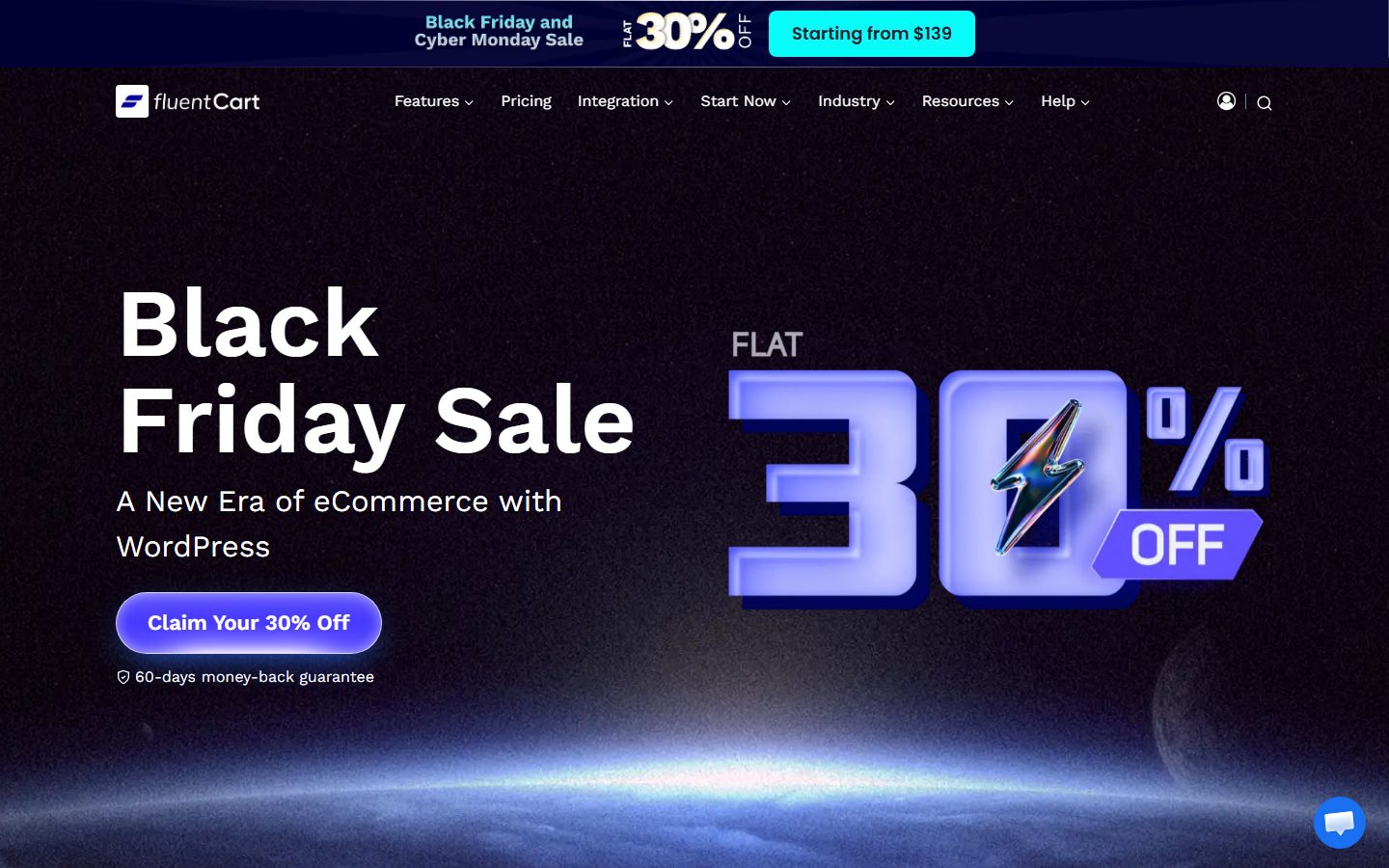
On the FluentCart homepage, look at the navigation items Features, Pricing, Integration and Start Now. The site lists a free-versus-Pro comparison, and its features area marks several items, such as licensing, order bumps and advanced inventory, as Pro. Its integrations area lists FluentCRM, FluentAffiliate, FluentSupport, FluentCommunity, LearnDash and LifterLMS, among others. It also advertises a one-click shop migrator add-on for moving a store to FluentCart.
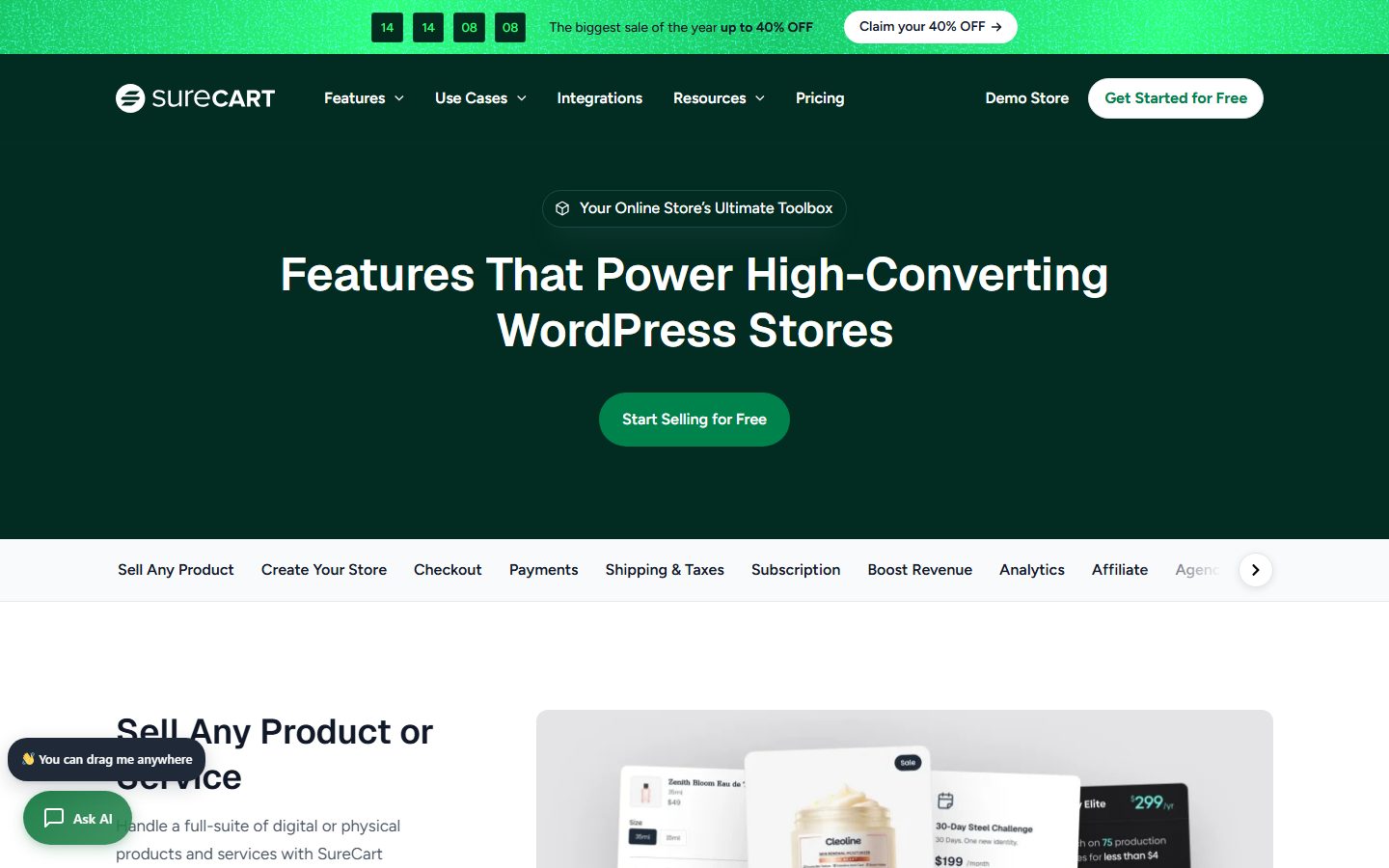
On the SureCart homepage, look at the Demo Store link in the navigation and the View demo store button. A demo store lets you go through a checkout without installing anything, which is the quickest way to judge whether a hosted checkout form suits your products. The features page has a tab strip across the top covering selling any product, checkout, payments, shipping and taxes, subscriptions, analytics and affiliates.
Use the demo checkouts the vendors offer as a starting point and not as a test. A demo shows the happy path with demo data, and you need to see your own tax, shipping and failed-payment cases.
Head-to-head by store type
Digital downloads and software licences
All three can sell downloads. SureCart lists a built-in licensing system. FluentCart lists licensing as a Pro feature, with expiry rules. WooCommerce relies on extensions. If licences are central to your business, compare the exact licence activation features and API on each vendor’s documentation. For other options, see selling digital products on WordPress.
Subscriptions and recurring billing
SureCart and FluentCart both list subscriptions in the core product, with trials and setup fees. FluentCart puts failed renewal handling and prorated upgrades in Pro. WooCommerce uses an extension for subscriptions. The details of dunning, proration and tax on renewals matter more than the headline feature, so read our subscriptions and recurring billing guide before deciding.
Physical goods and shipping
WooCommerce is strongest here because of carrier integrations, label printing and a huge pool of shipping extensions. FluentCart lists shipping zones. SureCart lists shipping rates and fulfillment. If you ship worldwide with complex rules, test your exact scenario before committing.
Courses and memberships
FluentCart lists LearnDash and LifterLMS integrations in Pro. WooCommerce has several membership and course integrations through extensions. SureCart is often paired with course or membership tools through its own integrations. Confirm the specific plugin you plan to use.
Services, donations and one-off offers
SureCart explicitly lists services and donations, and its checkout form builder suits simple offers. WooCommerce can do this with extensions. FluentCart can do it with simple products and its checkout options.
Payment gateways side by side
The table lists the gateways each vendor names on its own wordpress.org listing. Lists change, so treat it as a snapshot and check the current listing and documentation for your country and currency.
| Gateway | WooCommerce | FluentCart | SureCart |
|---|---|---|---|
| Stripe | Named in the listing | Free version | Supported processor |
| PayPal | Named in the listing | Free version | Supported processor |
| Mollie | Not named in the listing; check extensions | Pro | Supported processor |
| Square | Named in the listing | Pro add-on | Not named in the listing |
| Razorpay, Paystack | Check extensions | Free add-ons | Supported processors |
| Cash on delivery | Not named in the listing; check the payment settings | Free version | Not named in the listing |
| Vendor’s own payments product | WooPayments, in listed countries | None named | None named |
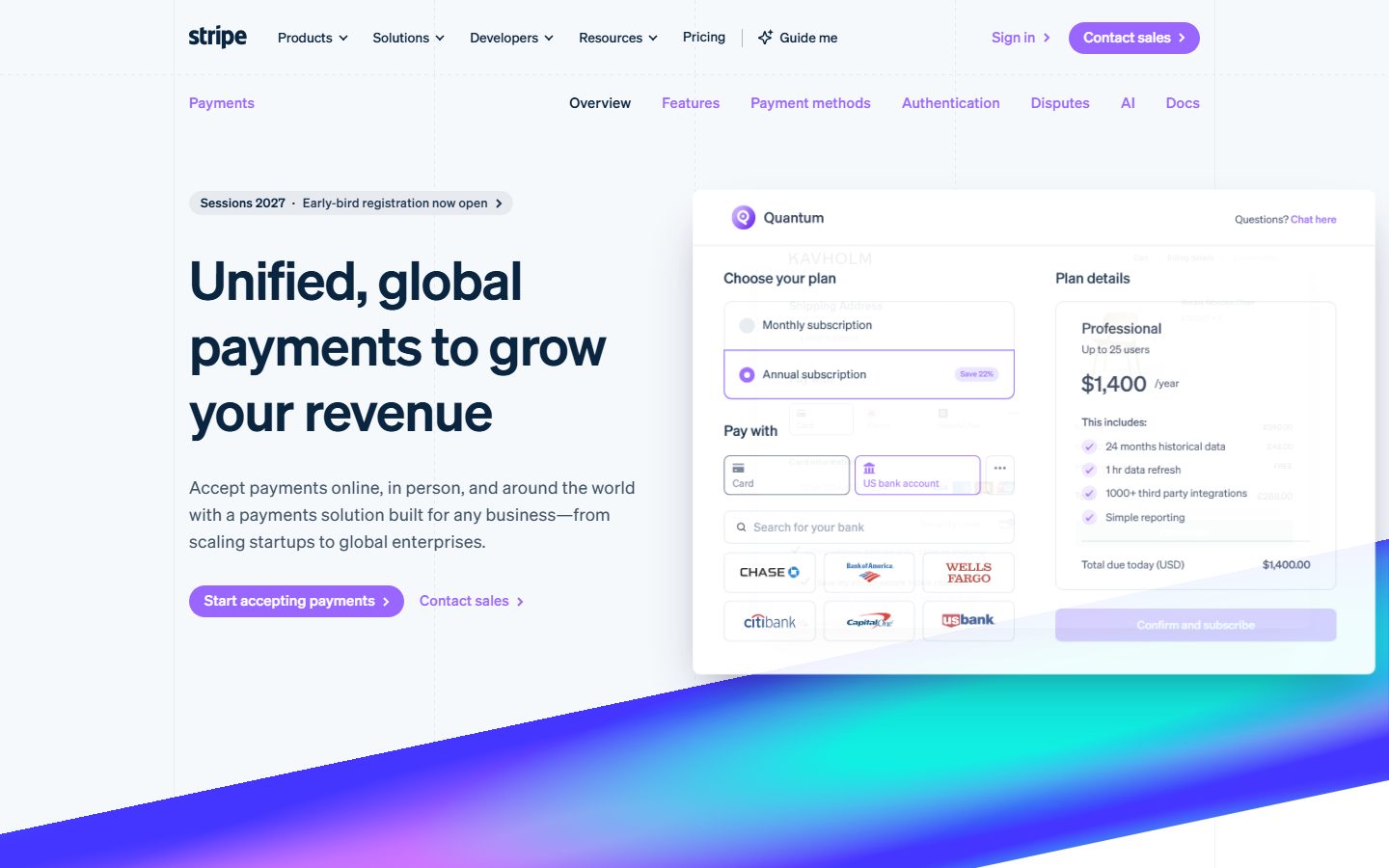
Stripe is the one processor named in all three listings, so it is the practical baseline for comparing fees. Its homepage describes a payments solution to accept payments online, in person and around the world, and shows a checkout mockup with card and bank-account choices.
On the Stripe homepage, look at the checkout mockup: it shows a plan choice with a Pay with section for card and bank-account options, which is the kind of hosted payment interface all three platforms hand card entry to.
PayPal is also named by all three vendors, which makes it the usual second option. Mollie’s homepage says it lets you accept 38 payment methods with one integration, so it matters most for European customers who pay with local methods.
Square appears in the WooCommerce listing and as a FluentCart Pro add-on. WooPayments is described by WooCommerce as designed for WooCommerce, and its documentation hub covers subscriptions, payouts, refunds and disputes. If you plan to use it, confirm that your country is on the list in the WooCommerce listing.
For a broader look at gateway selection and fees, see our payment gateways comparison.
Payments and fees
The cost of taking a payment has two parts: the processor and the platform. The processor, such as Stripe or PayPal, charges its own fee under every option. The platform fee is where they differ.
- WooCommerce: no platform fee from WooCommerce itself, but paid extensions and optional services add up.
- FluentCart: the vendor lists 0% commission for Stripe and PayPal in free and Pro.
- SureCart: a transaction fee on the free plan, none on paid plans, according to the vendor.
Gateway availability by country matters more than most people expect. Check that your processor, local payment methods and currency are supported on your chosen platform before anything else. Our payment gateways comparison explains how to evaluate gateways.
Subscriptions: a renewal test script
All three can sell recurring products in some form, as the vendors describe, and the real differences show up the first time a card fails. Run this script on a staging copy of each finalist, in the gateway’s test mode, and record what happens.
| Step | What to do | What to record |
|---|---|---|
| Trial start | Buy a plan with a free trial | Is a payment method collected? What does the customer see? |
| First charge | Advance the test clock or wait for the trial to end | Is the amount and tax correct? Did the invoice email go out? |
| Failed payment | Use a test card that declines on renewal | How many retries occur, and what does the customer receive? |
| Card update | Update the payment method from the customer account | Does the next retry use the new card? |
| Upgrade | Move from a monthly to a yearly plan mid-cycle | Is proration applied, and is the invoice clear? |
| Pause or cancel | Cancel from the customer area | Is access removed at the right time? |
| Refund | Refund a renewal | Do store records and gateway records agree? |
FluentCart’s listing places failed-renewal retries and prorated upgrades in its Pro tier, so check that the tier you buy includes them. SureCart’s listing describes automatic retries, pausing and prorated upgrades and downgrades. For WooCommerce, subscriptions come from an extension, so the behaviour depends on the extension you choose and its documentation. Our recurring billing guide explains what to look for.
Checkout experience and conversion
Checkout is where revenue is won or lost. WooCommerce’s block-based checkout is customizable, but many stores still need extra work for fewer fields, express wallets and speed. SureCart’s checkout is a hosted form built in a drag-and-drop editor, with order bumps and upsells included. FluentCart lists one-click, modal and guest checkout options, with order bumps in Pro.
Whichever you pick, the same principles apply: ask for less, show total cost early, offer wallets and keep the page fast. Recovering lost carts is a separate job, covered in abandoned cart emails. SureCart lists abandoned cart recovery as built in, while the other two usually need a CRM or email plugin.
Ecosystem and integrations: what plugs into what
A store rarely works alone. Email, forms, support, courses and automation connect to it, and each platform approaches this differently.
WooCommerce has the largest marketplace, and its wordpress.org listing mentions integrations with Google Ads, HubSpot, Mailchimp and Facebook, plus a REST API with webhooks and a command line tool for developers. The risk, as noted earlier, is that every extension adds to the maintenance load.
FluentCart’s site lists integrations with other products from the same company, including FluentCRM for email marketing, FluentAffiliate, FluentSupport and FluentCommunity, along with LearnDash and LifterLMS for courses and memberships. It also states that it offers 132 or more webhooks. If you already run FluentCRM, the connection is the main reason to consider the platform.
SureCart’s listing describes abandoned cart recovery, order bumps and upsells as part of the product, and its site has an integrations page. Check that page for the specific plugin you need before you commit, and ask whether the integration is native or goes through a webhook.
Funnel tools extend a store’s checkout. CartFlows presents itself as a sales funnel and checkout builder for WooCommerce, and FunnelKit lists a funnel builder, optimised checkout, upsells and cart recovery for WooCommerce. If you choose FluentCart or SureCart, check whether the features you wanted from these tools already exist in the platform.
| Need | WooCommerce | FluentCart | SureCart |
|---|---|---|---|
| Email marketing | Many extensions and external tools | FluentCRM listed as an integration | Check the integrations page |
| Courses and memberships | Extensions and plugins | LearnDash and LifterLMS listed in Pro | Check the integrations page |
| Funnels and upsells | Third-party funnel plugins | Order bumps in Pro | Order bumps and upsells in the listing |
| Automation | REST API and webhooks | Webhooks listed on the site | Platform API |
Performance, maintenance and security
What self-hosting asks of you
For WooCommerce and FluentCart, you are responsible for caching exclusions on cart and checkout pages, database health, PHP versions and updates. Fast hosting and sensible caching rules matter. Our speed optimization guide covers the general approach.
What cloud checkout changes
With SureCart, the payment and subscription engine is off your server, which can reduce load and the amount of sensitive logic you maintain. Your storefront still needs to be fast. A slow theme or page builder will still hurt. If you build with visual builders, see how page builders compare.
Security
Each model shifts risk, not removes it. Self-hosted stores must keep plugins updated and limit admin access. Cloud-connected stores must protect the account that controls the platform. Use strong passwords and two-factor authentication on every account that can issue refunds or change payouts.
Lock-in and migration
Ask this before choosing: how hard is it to leave? WooCommerce data sits in your database, and its wordpress.org page says store data can be exported to other platforms. FluentCart stores data locally too, and its site mentions migration support. SureCart keeps data on its platform, so confirm what export options exist for customers, subscriptions and order history.
Migration checklist
- List what must move: products, customers, orders, active subscriptions, coupons, download files and licence keys.
- Check how active subscriptions and stored payment methods transfer. This is the hardest part, because it depends on the processor.
- Run the new store on a staging copy first and place real test orders.
- Map your URLs and set redirects for product pages.
- Recreate tax, shipping, email and tracking settings.
- Plan a low-traffic cutover and keep the old store available for support.
Migration in more detail: what moves, how and what breaks
The earlier checklist covers the order of work. This section looks at what each kind of data needs. Start every migration with a full backup and a staging copy.
| Data | Difficulty | What to check |
|---|---|---|
| Products and variations | Moderate | Attributes, images, SKUs and stock levels match after import |
| Customers | Moderate | Emails, addresses and consent status; password handling |
| Orders and order history | Moderate to hard | Totals, tax lines, refunds and statuses |
| Active subscriptions | Hard | Renewal dates, amounts and whether the processor can move stored payment methods |
| Coupons and gift cards | Easy to moderate | Usage limits and expiry |
| Downloads and licence keys | Moderate | File paths, activation limits and existing keys |
| URLs and redirects | Easy but easy to forget | Product and category URLs redirect to their new equivalents |
For WooCommerce, the documentation for its built-in Product CSV Importer and Exporter says the tool handles products only. You find it under Products > All Products, with Import and Export buttons beside Add new product, and large imports depend on server memory, upload limits and processing time. The page also says the core importer cannot update image alt text and that images must be in the Media Library or downloadable from a URL. Orders and subscriptions need other tools or extensions, so ask what the new platform’s importer supports before you start.
WooCommerce also has a storage detail that matters when you export. Its documentation says orders may live in dedicated HPOS tables or in the posts tables, depending on settings, so check WooCommerce > Settings > Advanced > Features before you rely on a database export.
FluentCart documents an add-on called FluentCart Migrator for moving a store in. According to its migration documentation, it supports Easy Digital Downloads 3.x and WooCommerce as sources, and it lists SureCart as coming soon. For WooCommerce it says it migrates the product catalog (categories, attributes and variations), customers with purchase history, orders, WooCommerce Subscriptions records, coupons and tax configuration. It also says the source plugin must be installed and active on the same site as FluentCart, that both stores can run side by side during the migration, that the tool only reads from the source store, and that you should verify the results on staging before cutting over. You enable the add-on under FluentCart > Settings > Features & addon.
Leaving FluentCart is a separate question. Its export documentation says data export requires FluentCart Pro, covers orders, customers, subscriptions and licences as CSV or JSON, and does not include products, which have their own bulk import feature. If exit options matter to you, check that on your tier before you buy. For SureCart, check the vendor’s current documentation for import and export options, and ask support what happens to order history and subscriptions if you leave.
Whatever you choose, treat the migration as a hosting-style project: plan a freeze, test and have a rollback. Our migration guide covers the cutover sequence, which applies equally when you change store plugins on the same host.
AI agents and automation
If you want an AI assistant to help manage the store, the quality of each platform’s API matters. WooCommerce has a REST API with webhooks. FluentCart lists a REST API, WP-CLI commands and a large set of webhooks. SureCart works through its platform and API. Tools like NibWP can let AI agents act on WordPress through defined abilities, and the practical details are in the AI and MCP guide. Always restrict what an agent may change on a live store, especially refunds and prices.
How to decide
Choose WooCommerce if
- You need the widest extension and developer ecosystem.
- Your catalog or shipping logic is complex.
- You have a developer or budget for maintenance.
Choose FluentCart if
- You want self-hosted ownership with fewer extensions to stitch together.
- You already use Fluent Forms or FluentCRM and want one vendor.
- You are comfortable with a newer, smaller ecosystem.
Choose SureCart if
- You sell digital products, subscriptions or services and want built-in tools.
- You want checkout processing off your server.
- You accept the vendor dependency and its fee model.
Consider none of them if
You need a very specialized marketplace, point of sale or multi-vendor setup. Look at other WooCommerce alternatives before you commit.
Realistic use cases
A solo creator selling templates and a yearly membership
You have a handful of downloadable products, one recurring plan and no physical shipping. Simplicity wins. SureCart’s built-in subscriptions, licences and order bumps cover this without extra plugins, and FluentCart’s free version covers downloads and subscriptions too. WooCommerce works, but you would likely add a subscriptions extension and a membership extension, which is more to maintain for a small catalog.
A boutique selling physical goods with variations
You ship clothing in many sizes and colors, with regional rates and returns. WooCommerce’s ecosystem for shipping, inventory and marketing integrations is hard to beat here. FluentCart lists variable products, inventory features and shipping zones, so it is worth a trial if you want a leaner stack. Test your most awkward product first, not your easiest one.
A course business on LearnDash or LifterLMS
Your priority is enrolling buyers cleanly and handling renewals. FluentCart lists LearnDash and LifterLMS integrations in Pro, and WooCommerce has long-standing integrations with several course plugins. If you use SureCart, verify the exact integration for your course plugin before you build around it.
An agency building stores for clients
Client handover matters. WooCommerce is the most familiar to other developers and support staff. A cloud-connected setup can reduce what you must maintain per client, but you then manage vendor accounts and billing for each. Decide who owns the platform account and what happens if the client leaves.
A break-even formula for platform fees
When one option charges a percentage fee on a free plan and none on a paid plan, a simple formula shows where the two cross. SureCart’s listing describes exactly that structure. Use it with the numbers from the current pricing page.
Break-even annual revenue = annual plan price / fee rate
Illustrative example with invented numbers: if a paid plan cost 300 per year and the free plan charged 2.9 percent, break-even revenue would be 300 / 0.029, or about 10,345 per year. Below that figure, the free plan costs less in fees. Above it, the paid plan is cheaper on fees alone. The price and the percentage will differ on the real page, so recompute. Features, site counts and support can matter more than the fee, so use the formula to find the crossover and then decide on the features.
The same approach works across platforms. Compare a self-hosted option’s fixed costs (hosting, extensions, maintenance time) against a hosted option’s variable cost (fees as a share of sales). Draw the two lines on one page and look at where your expected revenue sits.
Modeling your real cost
A comparison of license prices tells you little. Build a simple spreadsheet and fill it with your own numbers for the first year.
- Software. Core plugin, Pro or paid plan, and every extension you need to match your scenarios.
- Platform fees. Any percentage on sales, applied to your expected revenue. Compare a paid plan against the free plan’s fee at your volume.
- Processor fees. These are similar everywhere, but local payment methods can change them.
- Hosting. A self-hosted store with real traffic needs decent hosting and caching. A cloud checkout may let you use a smaller plan, though you should confirm that on your own site.
- Time. Updates, conflicts and support. If you pay a developer, count the hours.
Run the sheet at low, expected and high revenue. A model that wins at low revenue can lose at high revenue, and the reverse is also true, so you want to see where the lines cross.
A scorecard you fill in yourself
Weighted scoring forces you to say what matters before you fall for a demo. Copy the table, set weights that add up to 100, then score each platform from 1 to 5 after you have run your own tests. Multiply each score by its weight and add the rows.
| Criterion | Weight (you set) | WooCommerce | FluentCart | SureCart |
|---|---|---|---|---|
| Supports my product types without workarounds | ||||
| Supports my payment gateways and countries | ||||
| Subscription behaviour passed my renewal script | ||||
| Tax and shipping match my rules | ||||
| First-year cost at expected revenue | ||||
| Export and exit options | ||||
| Skills available to maintain it | ||||
| Integrations I need already exist | ||||
| Checkout speed and usability on my pages |
If two platforms are within a few points of each other, the scorecard cannot decide for you. Look at the criterion with the highest weight, or at the one where a failure would be most expensive, and decide on that.
Questions to put to each vendor’s support
- What exactly does an export include, and in which format? Does it cover subscriptions and stored payment methods?
- What happens to my store if my licence or plan lapses?
- Which features in the free tier are limited, and what are the limits?
- How do you handle a payment processor outage or a platform outage?
- Which versions of PHP and WordPress do you support today, and how soon after a WordPress release?
- Do you have an agency or client-site arrangement for licences and accounts?
Common mistakes
- Choosing on price alone. The cheapest license can cost the most in extensions, developer time or fees.
- Ignoring payment gateways. A missing local payment method can cost more sales than any feature.
- Not testing renewals. Subscriptions look fine until the first failed card.
- Skipping tax setup. Check how each platform handles your tax region before launch.
- Underestimating migration. Moving later is harder than choosing carefully now.
- Believing demos. Build your real checkout, with your real products, on a trial.
A pre-commitment test plan
- Write down your five most important scenarios, such as a variable product with shipping, a yearly subscription with a trial, and a refund.
- Set up a trial or staging site for each finalist.
- Run all five scenarios, including a failed payment and a coupon.
- Record how many steps each took and what required paid add-ons.
- Check export options for customers and orders.
- Calculate the first-year cost including extensions, fees and your time.
If you are planning for a sales peak, read the Black Friday prep plan and adapt its load and checkout steps to whichever platform you choose.
Troubleshooting the first month
| Symptom | Applies to | Likely cause | What to check |
|---|---|---|---|
| Cart shows stale content | Self-hosted stores | Cart or checkout pages are page-cached | Exclude cart, checkout and account pages; purge caches |
| Payment completes but the order is not marked paid | All | Webhook not received | Check the processor’s webhook log and firewall rules |
| Checkout elements missing after adding an extension | WooCommerce | Extension not compatible with the Cart and Checkout blocks | WooCommerce’s documentation says to check the extension’s changelog and, if needed, revert to the classic shortcode checkout |
| Checkout not working at all | SureCart | Account not linked or an API connection problem | Check the account connection in the plugin settings and the vendor’s status or support pages |
| A gateway does not appear | FluentCart | Gateway is a Pro feature or add-on, or is not enabled | Check the listing for the tier and the payment settings |
| Emails arrive late or in spam | All | Default server mail | Use an email delivery service with domain authentication |
| Totals differ between cart and invoice | All | Tax settings differ between price display and calculation | Test sample addresses and compare with your adviser’s rules |
What to do this week
- Day 1. Write your five key scenarios and set weights in the scorecard.
- Day 2. Read the three wordpress.org listings and note the date you read each statement that matters.
- Day 3. Set up a staging site and install your top two options.
- Day 4. Run the five scenarios and the renewal script, and score them.
- Day 5. Fill in the cost sheet at low, expected and high revenue, then decide or run a second round on the closest pair.
FAQ
Is FluentCart better than WooCommerce?
Neither is better for everyone. FluentCart is attractive if you want a self-hosted store with many features in one plugin and a lean setup. WooCommerce wins on ecosystem size, developer availability and niche extensions. Test your real scenarios on both before deciding, and weigh how much you depend on third-party extensions.
Is SureCart free?
The plugin is free, but it needs a SureCart account to work. The vendor states that the free plan adds a transaction fee and paid plans do not. Plans and numbers can change, so check the current pricing page and calculate what you would pay at your expected monthly revenue.
Does SureCart work without WooCommerce?
Yes. The wordpress.org listing states that you do not need WooCommerce or Easy Digital Downloads. It is a separate ecommerce system that connects WordPress to its cloud platform. That also means you cannot reuse WooCommerce extensions with it.
Can I migrate from WooCommerce to FluentCart or SureCart?
Often yes, but check the vendor’s current migration tools. Products, customers and orders are usually easier than active subscriptions and stored payment methods. Test on a staging site first, and keep the old store available until you have verified orders, emails and renewals.
Which is cheapest to run?
It depends on your volume and needs. WooCommerce core is free but extensions add cost. FluentCart’s free version covers a lot, with Pro for advanced features. SureCart’s free plan adds a transaction fee. Model your first year with real numbers, including hosting and your own time.
Which is best for subscriptions?
SureCart and FluentCart both list subscriptions in their core product, and WooCommerce uses an extension. The best choice depends on trials, proration, failed payment handling and your payment processor. Compare the details in the vendor documentation, then test renewals.
Which is fastest?
No honest answer exists without testing your own site. Speed depends on hosting, theme, caching, plugins and page weight. A cloud checkout moves some processing off your server, but your pages still need to be fast. Measure your own store with the same theme and content on each.
Which one is easiest for a beginner?
Ease depends on the product you sell. A hosted checkout with built-in tools can mean fewer decisions for a digital store. A self-hosted plugin can be simple for a small catalogue but gives you more to maintain. Try each demo or trial with your own products and see which setup screens you understand without help.
Do I need a developer for any of them?
Not for a simple store. You need one when you need custom checkout flows, unusual tax or shipping logic, or integrations that no extension covers. WooCommerce has the largest pool of developers, which helps if you expect to need one later.
Can I run two of them on the same site?
Technically possible, but a poor idea for a live store because customers, orders and checkout pages can clash. Test on separate staging sites instead, and migrate once you have decided.
What about Easy Digital Downloads and other options?
Our WooCommerce alternatives overview covers other routes. Apply the same method to any candidate: write scenarios, test, check export, model cost.
Which is best for an agency client?
The one you can support for years and the client can own. Decide who holds licences and platform accounts, document them in the handover and agree a maintenance plan. See our agency workflow guide for the handover checklist.
How often do these plugins change?
Often. All three vendors update their plugins and listings regularly, and plan names, features and requirements shift. Treat any comparison, including this one, as a snapshot, and read the current pages before you commit.
Conclusion and next steps
The woocommerce vs fluentcart vs surecart question comes down to architecture and fit. Choose WooCommerce for ecosystem and complexity, FluentCart for a leaner self-hosted store, and SureCart for a cloud-backed checkout with built-in selling tools. Do not pick on a feature list alone.
Your next step is small: write your five key scenarios and run them on a trial of your top two choices. Then read the matching guide, either FluentCart setup or SureCart’s cloud checkout, and the wider WordPress ecommerce guide for the surrounding decisions.
Keep reading
WordPress Ecommerce: The Complete Guide to Choosing and Running a Store
WordPress ecommerce explained: compare WooCommerce, FluentCart and SureCart, then set up payments, shipping, tax, checkout and growth with confidence.
FluentCart Guide: Setup, Products and Checkout
A practical FluentCart tutorial: install, configure the store, add products, set up payments and checkout, then test before you go live.
SureCart Guide: Cloud Checkout on WordPress
A practical SureCart tutorial: how the cloud checkout works, how to connect and set up your store, sell products and subscriptions, and what to watch.
WooCommerce Alternatives for WordPress Stores
Looking for WooCommerce alternatives? Compare self-hosted, cloud and hosted options by store type, and learn when staying with WooCommerce is smarter.
WordPress Page Builders Compared: The Complete Guide
WordPress page builders compared by approach, output, licence model and use case, so you can pick Elementor, Bricks, Divi, Etch or the block editor with confidence.
Let your AI assistant do this for you
Open the ready prompt with step‑by‑step instructions for running it through NibWP.