Disclosure: WPMusk’s own shop runs on FluentCart. That gives us a reason to like it and a reason you should read this guide with care. We have tried to keep every claim tied to the vendor’s own pages, the WordPress.org listing or its documentation, with the date we read them. WPMusk has run no formal tests or benchmarks of FluentCart, and where we give an opinion we mark it as one.
FluentCart is a self-hosted ecommerce plugin for WordPress from WPManageNinja, the company behind the Fluent family of plugins. It is young, it is moving quickly, and it takes a different approach from WooCommerce: a custom database design, a free core that is generous, and a Pro tier priced per year by number of sites. This guide covers what it is, how it works, what it costs, and who should choose it.
What FluentCart is
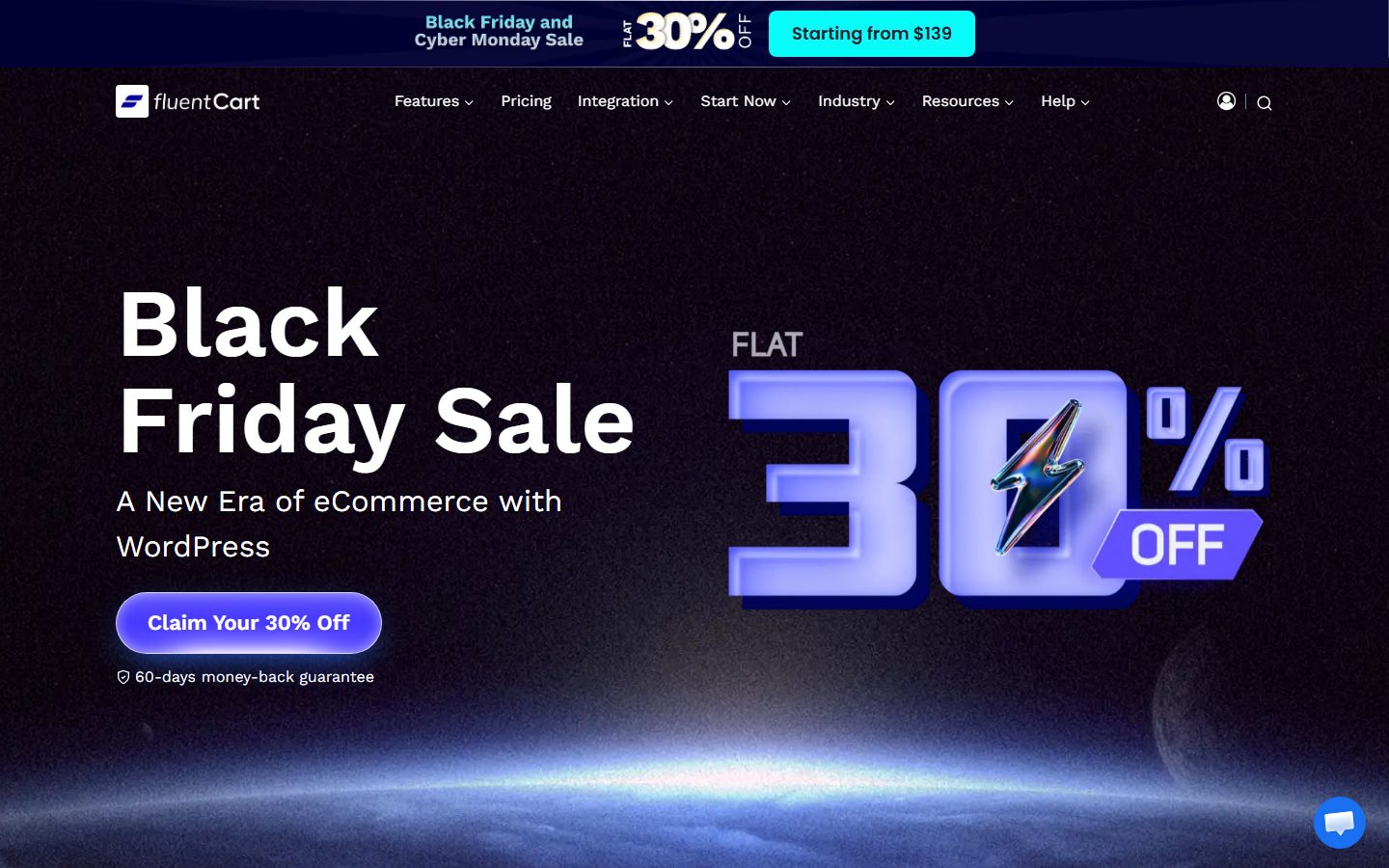
The WordPress.org plugin page describes FluentCart as a self-hosted WordPress ecommerce plugin for selling physical products, subscriptions, digital downloads and software licenses. It says checkout, payments, tax, orders and customers are managed from one dashboard, and that it charges no transaction fees. The vendor’s site title reads “A New Era of eCommerce with WordPress”, and the site description is “High Performance eCommerce Plugin for WordPress”.
Facts from the plugin listing (read November 2026): version 2.3.1, more than 9,000 active installations, a 4.5 out of 5 rating, published on October 14, 2025, requires WordPress 6.7 or higher and PHP 7.4 or higher. The listing calls the plugin open source but does not name a licence, so check the plugin files if licence terms matter to you.
Notice the install count. The WooCommerce listing shows more than seven million. FluentCart is about a year old, and that difference matters when you ask how many agencies know it, how many tutorials exist, and how many extensions have been written for it. We come back to this in the sections on extensibility and on when not to pick it.
For a wider view of your options, see the WordPress ecommerce guide, and for our own setup walkthrough read FluentCart: setting up products and checkout.
Architecture
FluentCart sits on WordPress as a plugin, so hosting, backups and updates are yours, as with WooCommerce. The difference is under the hood. The plugin listing says FluentCart uses a custom database schema with dedicated tables rather than the WordPress post tables. The same page claims its query optimisations process orders “2X faster than the market leader”. That is a vendor claim, not an independent benchmark, and the page does not say what workload it was measured on. Treat it as a design intention and measure your own store.
The design choice is easy to explain. WordPress was built for posts. Putting orders in the posts table works, and WooCommerce did it for years before moving to its own order tables (see the WooCommerce speed checklist for context). FluentCart started with dedicated tables from the beginning. Whether that makes your particular store faster depends on your hosting, caching and plugins, but it removes a category of legacy compatibility work.
The listing says core features need no third-party scripts, that the plugin does not phone home, track customers or share payment details, and that store data stays on your server. External services such as Stripe and PayPal receive data only when you enable them and only for customers who complete a purchase.
Product types
From the plugin listing, the free plugin covers simple and variable products, subscriptions with trials and setup fees, digital downloads, and bulk product editing. Bundles and instalment plans are Pro. The pricing page adds advanced variations, upgrade paths for subscriptions (Pro), and reviews and ratings.
The vendor’s homepage lists physical and digital products, subscriptions and licences as the things you can sell. Inventory and SKUs are in the free plugin, and the Pro tier adds advanced inventory, which the homepage describes as handling larger catalogues with large variation counts natively.
If you are comparing these to WooCommerce’s list of simple, variable, grouped and external products, note what is different: FluentCart builds subscriptions and licences into the product model, whereas WooCommerce treats subscriptions as a paid add-on. It has no grouped or external/affiliate product type in the listing we read, so if you rely on those, confirm before you move. Our three-way comparison goes through the differences in more detail.
Checkout and payments
FluentCart’s listing describes one-click and modal checkout, guest checkout, and a customer dashboard. Free payment methods are Stripe, PayPal and Cash on Delivery. Paddle, Mollie and Authorize.Net are Pro, and several regional gateways are either free or Pro add-ons. The vendor’s site also names Razorpay, Mercado Pago for Latin America, and Flutterwave and Paystack for Africa among its supported payment options.
The pricing page lists saved cards and PayPal, cash on delivery and multi-currency (marked beta) among features. On the Pro side it lists on-page checkout, order bumps and dynamic pricing. Order bumps, as the homepage describes them, add revenue through a checkbox offer at checkout.
The key fact on fees is repeated across the vendor’s pages: FluentCart charges 0 percent transaction fees on every plan, free or Pro, and you pay your payment gateway its usual fee. That is the same position as WooCommerce core, and different from hosted platforms that take a cut. For gateway choice, the payment gateways guide explains the trade-offs, most of which apply to any WordPress cart. For checkout tuning ideas, see the checkout optimisation guide.
One thing the vendor does not claim is a processor of its own. You still need a Stripe or PayPal account (or another gateway), and you still need to meet that gateway’s rules for your country.
Subscriptions and digital products
This is where FluentCart pitches hardest. The plugin listing says subscriptions with trials and setup fees are in the free plugin, along with secure digital downloads and Amazon S3 storage. Licensing, licence APIs and Cloudflare R2 storage are Pro. A customer review quoted on the vendor’s pricing page says the free version supports recurring payments for both Stripe and PayPal. That is a testimonial, so check the docs before relying on it, but it matches the listing’s description of subscriptions as a core feature.
For software sellers, the Pro licensing module generates and controls licences on your own site. If you sell plugins, themes or downloadable tools, that feature replaces a separate licensing system. Customers get a dashboard with subscription management and renewal reminders, per the listing.
For the general picture of selling files, read how to sell digital products on WordPress, and for recurring revenue options see WordPress subscriptions and recurring billing.
Taxes and invoices
According to the plugin listing, the free plugin includes global and EU tax rules, custom tax classes, inclusive or exclusive pricing, and shipping tax. EU VAT features are Pro: the listing names OSS, VIES, XRechnung, EN 16931 and B2B reverse charge, and says accounting and OSS tax exports are Pro as well. The pricing page lists PDF receipts as a general feature and e-invoices (ZUGFeRD and more) as Pro.
The wording differs a little between the vendor’s pages, which is normal for a product changing every few weeks. If EU VAT is central to your business, ask support exactly which tax features are in which tier before you buy, and keep a screenshot of the answer. As with any platform, a cart calculates tax but does not make you compliant. A tax professional decides what you should charge. Our EU and US tax setup guide covers the concepts, which are the same whichever cart you use.
Shipping
Per the plugin listing, shipping zones, shipping classes and custom shipping methods are in the free plugin. Live rates, labels and tracking from Shippo are available through a free add-on named “Shipping For FluentCart”, according to the 2.3.0 changelog. On the pricing page, live carrier rates at checkout and shipping label printing are both marked Pro and “Soon”.
The practical reading: basic zone-based shipping works now, and carrier-integrated shipping is newer and still being rolled out. If you ship physical goods with several carriers, test your exact carrier and country first. If you mostly sell digital items, this matters little. Compare with the WooCommerce shipping setup guide to see which parts you would need to replace.
Extensibility
The listing names action and filter hooks, a REST API, blocks and shortcodes, and WP-CLI commands. The vendor’s site mentions “132+ webhooks”, with one entry labelled coming soon, and lists support for Gutenberg, Elementor, Divi and Bricks, plus full site editing themes. The homepage also notes 16 or more Elementor widgets, and the pricing page lists “MCP for AI tools”.
Integration with the wider Fluent family is the main extension story. The homepage lists FluentCRM for email marketing, FluentAffiliate for affiliate programmes, FluentSupport, FluentCommunity, FluentPlayer and FluentBooking, with FluentMembers marked as coming soon. LearnDash and LifterLMS integration is Pro. If you already use FluentCRM or Fluent Forms, the stack is deliberately joined up.
There are limits to what we can say. A catalogue of thousands of third-party extensions, as WooCommerce has, does not exist yet for a plugin with about a year of history. The vendor’s pages do not claim one. If you need a very specific niche add-on, check that it exists before you commit. That caution is the cost of a young ecosystem, balanced by the fact that more is built in.
Performance considerations
The architecture section covered the dedicated database tables and the vendor’s “2X faster” claim, which we treat as unverified. Beyond that, the usual WordPress rules apply: a fast host, a current PHP version, page caching that leaves cart, checkout and account pages dynamic, and an object cache for repeated queries. The plugin listing says FluentCart needs WordPress 6.7 or higher and PHP 7.4 or higher, but running an old PHP version is a poor idea on any store, and our PHP version guide explains why.
Fewer plugins usually means less overhead. Our opinion is that a cart which includes subscriptions, licensing, order bumps and reports in one plugin gives you fewer moving parts than a core cart plus five extensions, though the plugin itself is larger. If you want to measure it, use the same host and theme, import the same products and compare page times with PageSpeed Insights, and see the Redis object cache guide for the caching layer.
SEO
FluentCart’s pages are WordPress pages, so your normal SEO plugin and theme apply. The vendor’s pages list Gutenberg, Elementor, Divi and Bricks support, so you can design product pages in the builder you already use. Make sure you check the following before launch: product page titles and descriptions, canonical URLs, and structured data for products. Product schema is the area to test carefully, since it depends on which plugin outputs it. See the schema markup guide and the WordPress SEO guide for what to check, and the title tags tutorial for the basics.
We have not verified FluentCart’s structured data output, and the vendor pages we read do not describe it in detail. Run a rich results test on a live product page before you rely on it.
Data ownership
As with WooCommerce, the store is on your hosting, so you hold the data. The pricing page’s FAQ says that if you do not renew, you do not lose your store or your data: your site keeps working and you keep access to products, orders and customer data. You only lose future updates and premium support until you renew. The pricing page also lists CSV import and data export as features.
The practical advice is the same as for any self-hosted shop. Take your own backups on a schedule (the backup routine tutorial shows how), and test a restore. Because your license lapsing does not remove your data, the risk is not lock-in to the vendor’s servers but being stuck on an outdated plugin, which carries security risk. See the WordPress security guide.
Pricing and licensing as listed
These are the figures on fluentcart.com/pricing, read in November 2026. They change, so check the page.
| Annual plan | List price per year | Price shown during the Black Friday sale |
|---|---|---|
| 1 site | $199 | $139 per year |
| 5 sites | $499 | $349 per year |
| 15 sites | $699 | $489 per year |
| 50 sites | $899 | $629 per year |
The page says the discount applies to the first purchase only and renewals charge the full plan price. It states a 60-day money-back guarantee, and that you can upgrade a plan at any time by paying the difference. The vendor says FluentCart charges 0 percent transaction fees on every plan.
The free plugin is a real product, not a trial. The pricing page says Pro adds the features marked as Pro, such as licensing, order bumps, dynamic pricing and advanced reports, and that everything else is in the free plugin too.
Lifetime plans are gone. The FAQ says lifetime plans closed on October 30, 2026, and Pro is now yearly only, while existing lifetime licences stay as they are. If you see older articles quoting lifetime prices, they are out of date.
The cost comparison that matters: WooCommerce core is free but its Subscriptions extension is listed at $279 for a one-year plan. FluentCart’s one-site Pro plan lists at $199 per year and includes subscriptions-related features in the free plugin. The two products do not match feature for feature, so total your own required features on each side, as in the evaluation plan below.
Reports, orders and daily running
A cart is not only checkout. You will spend more time in the order screens and reports than at the point of sale, so it is worth looking at what the platform gives you for running the shop.
The vendor’s pricing page lists these as part of the free plugin: orders and customers, inventory and SKUs, shipping zones and classes, CSV import and data export, email notifications, and a set of reports covering revenue and profit, customer lifetime value, an order heatmap, refund statistics and UTM attribution. Pro adds an email editor, advanced reports, licence statistics, and roles and access, which lets you control what your team can do in the store admin.
Two of those deserve a comment. UTM attribution in a free report means you can see which campaigns brought orders without adding an analytics plugin, which suits small stores. Roles and access being Pro matters if you have staff: on the free plugin, you should think about who gets administrator access to the site, because a store manager who can see orders can often see more than you want. That is a reasoning point on our side, not a claim from the vendor, so check how roles behave in your test install.
The homepage also mentions a tool called Page History, which shows how customers move through the shop funnel. We have not seen it described in enough detail to say how deep it goes. If funnel analysis matters, test it, and consider pairing the store with a dedicated analytics setup.
Customers and account area
According to the plugin listing, customers get profiles and a dashboard with subscription management, and the system sends renewal reminders and notifications. For a subscription business this account area is a large part of the product, because it is where customers update cards, pause or cancel. Test it as a customer would: sign up, change a plan, cancel, then see what emails go out. Our general advice on abandoned carts and follow-up email in the abandoned cart emails guide applies to any WordPress cart, and FluentCRM is the obvious partner if you want to automate it inside the same family of plugins.
Support, roadmap and the risks of a young product
Any honest guide to a young product has to talk about risk. FluentCart was published on WordPress.org in October 2025. The changelog we saw was dated November 10, 2026, for version 2.3.1, and the listing mentions a 2.3.0 release with new shipping features. That pace is a sign of an active team. It is also a sign that features are still arriving, and several on the pricing page carry “Soon” or “beta” labels: live carrier rates, label printing, multi-currency (beta), and FluentMembers on the vendor’s homepage.
What does that mean for you in practice?
- Read the labels before you buy. A feature marked “Soon” is a plan, not a product. Do not build your launch around it.
- Keep updates on staging first. Fast release cycles mean more changes to test. Use a staging copy, as in the staging site guide, and never let a store auto-update unattended. The auto-updates risk guide explains the trade-off.
- Check the support channel. The vendor’s customer reviews, which are selected and published by the vendor, praise quick replies. Those are testimonials, so judge support by asking a real pre-sales question and noting the answer time.
- Understand the renewal model. Because lifetime plans have closed, Pro is a yearly cost. The vendor states that discounts apply to the first purchase only and renewals are at full price, so budget for the full price from year two.
None of this is a reason to avoid FluentCart. It is a reason to match your risk tolerance to the product’s age. A side project or a digital product shop can accept more of that risk than a store that turns over most of a business’s revenue.
The vendor’s own site quotes WordPress.org reviews and verified buyer comments, several of which compare FluentCart favourably with WooCommerce. We do not quote them as evidence, because the vendor chose them. The WordPress.org rating of 4.5 out of 5 is a better, though still limited, signal, since it shows an independent review base.
Migration
The plugin listing says FluentCart has built-in tools that migrate products, customers and orders from WooCommerce, and the same from Easy Digital Downloads. The vendor’s site also advertises a one-click “FluentCart Migrator”. WooCommerce itself offers a CSV tool for products only, so a built-in path for customers and orders is a real advantage if you are leaving it.
Do not trust any one-click claim blindly. Run the migration on a staging copy first (the staging guide explains how), then check a sample of orders, customers, tax amounts and any subscriptions. Ask yourself what does not move: custom fields, extension data, redirects and your theme’s product layouts. Plan 301 redirects if your product URLs change, and read WooCommerce alternatives for the general approach to leaving a platform.
Moving out of FluentCart later is helped by the same facts as everything else here: the data is in your database, and the pricing page lists CSV import and data export as features. Check what the export covers before you rely on it.
Who FluentCart suits
This section is our opinion.
- Sellers of digital products, licences and subscriptions. These are the first things on the vendor’s list, and several are in the free plugin.
- Existing Fluent users. If your forms, CRM or booking already run on Fluent plugins, the shared stack is the biggest advantage.
- Small stores that want fewer add-ons. Reports, coupons, reviews and subscriptions come with the plugin.
- Owners who dislike per-transaction fees and platform cuts. The 0 percent fee claim applies to every plan.
- Agencies building client stores. The 50-site plan is described by the vendor as made for agencies.
When not to pick FluentCart
- You need a niche extension that only exists for WooCommerce. A product with about 9,000 installations cannot match a seven-million-install ecosystem for third-party tools.
- You need carrier-integrated shipping today. Live carrier rates and label printing are marked Pro and “Soon” on the pricing page.
- Your developer or agency only knows WooCommerce. Hiring and support help are easier to find for the older platform.
- You want a long track record. The plugin was published in October 2025. It ships fast, which is good, but you are an early adopter in a young ecosystem.
- You need grouped or external/affiliate product types. We did not see them in the listing we read. Verify before you move.
- You want everything fully managed. FluentCart is self-hosted, so updates and backups are yours. A hosted cart such as SureCart moves part of that burden.
Our three-way comparison, WooCommerce vs FluentCart vs SureCart, puts them side by side.
How to evaluate FluentCart in a day
Use a staging site or a throwaway install. Do not experiment on a live store.
- Hour one: install the free plugin. Check that your host meets WordPress 6.7 and your PHP version is current. Note any warnings.
- Hour two: add real products. Create one simple product, one variable product and, if relevant, one digital download and one subscription with a trial. Import a small CSV to test the importer.
- Hour three: connect Stripe or PayPal in test mode. Place a test purchase, a test refund and, if you sell subscriptions, a test renewal. Check that emails arrive and the customer dashboard shows the order.
- Hour four: tax and shipping. Set up the countries you sell to, test inclusive and exclusive pricing, and check totals for three customer addresses. If you sell in the EU, ask support which VAT features sit in the free plugin and which in Pro.
- Afternoon: migrate a copy. If you are coming from WooCommerce or Easy Digital Downloads, run the built-in migration on a staging copy and audit a sample of orders and customers.
- Afternoon: list Pro features you need. Using the pricing page, find the cheapest plan that covers them, then compare the yearly cost with your current stack including extensions. Remember the sale price applies to the first purchase only.
- End of day: test your design and speed. Build one product page in your page builder, view checkout on a phone, and run PageSpeed Insights. Write down the result next to the same test on your current store.
Our setup guide gives screen-by-screen detail for steps two to four.
Frequently asked questions
Is FluentCart free?
There is a free plugin on WordPress.org with products, orders, checkout, subscriptions and coupons, per the vendor’s pricing page. Pro adds features such as licensing, order bumps, dynamic pricing and advanced reports.
Does FluentCart take a percentage of my sales?
No. The vendor says it charges 0 percent transaction fees on every plan. You still pay your payment gateway its usual fee.
What happens if I stop renewing Pro?
The pricing page says you keep your store and data and your site keeps working. You lose future updates and premium support until you renew.
Can I still buy a lifetime licence?
No. The vendor says lifetime plans closed on October 30, 2026, and Pro is yearly only. Existing lifetime licences are unchanged.
Can I sell subscriptions on the free version?
According to the plugin listing, subscriptions with trials and setup fees are included in the free plugin. Upgrade paths and instalments are Pro.
Can I move my WooCommerce store to FluentCart?
The listing says built-in tools migrate products, customers and orders from WooCommerce. Always test on a staging copy and audit the results.
Does it work with my page builder?
The vendor lists Gutenberg, Elementor, Divi and Bricks, plus full site editing theme support. Confirm your exact version and theme on a test install.
Which payment gateways work?
Stripe, PayPal and Cash on Delivery are free. Paddle, Mollie and Authorize.Net are Pro. Regional gateways are available as add-ons. Check that your country and gateway are covered.
Is FluentCart proven enough for a serious store?
It is about a year old, has more than 9,000 active installs and a 4.5 star rating on WordPress.org. That is a real user base but a short history. We run our own shop on it, which is a data point, not a guarantee. Take your own backups and test before you move anything important.
Where can I read more?
Start with our FluentCart setup guide, then the three-way comparison linked above.
Bottom line
FluentCart is the platform to look at if you sell digital goods, licences or subscriptions on WordPress and want most of the features built in. It trades the huge ecosystem of WooCommerce for a modern core, a generous free plugin and a clear yearly price. Test it for a day, check the specific features you depend on, and do not assume the roadmap items marked “Soon” will arrive on your schedule.