A buyer's guide to nonprofit WordPress themes: donation flows, event pages, accessibility and how to pick one that fits your cause.
What a nonprofit theme does, in plain words
A nonprofit theme is a WordPress theme designed for charities, foundations, community groups and campaigns. It supplies page layouts for the things such organisations repeat: a mission statement, a prominent donate button, campaign or project pages, event listings, volunteer sign-up, news and a way to show impact.
The theme itself does not process money. It decides where the donate button sits, how a campaign page is laid out and how a progress bar looks. Taking a donation, issuing a receipt and storing donor records is done by a donation plugin or an outside fundraising platform. A theme that claims “donations built in” is almost always styling a plugin that you must install and configure yourself.
That split matters because the donation path is the one part of your site where a failure costs real money and real trust. Choose the theme for presentation and the donation tool for reliability, and make sure they work together.
How it works under the hood
A nonprofit site usually combines four layers.
- Theme. Templates, styles and block patterns for the pages.
- Donation layer. A plugin such as GiveWP or Charitable, or an embedded form from an external platform. It creates donation forms, connects to payment gateways, records donors and sends receipts.
- Events and volunteers. A calendar or booking plugin, plus a form tool for sign-ups.
- Email and CRM. A mailing list or contact database that receives donors and volunteers.
The theme usually ships with styling for one or more of these plugins, which is why “compatible with” lists on a theme’s page are worth reading closely. Compatibility means the plugin’s forms look right inside the theme; it does not mean the two were tested together under your exact settings.
Payment pages bring security duties. Card details should be entered on a gateway-hosted field or a hosted page so they never pass through your server, and the site must run over HTTPS. See our WordPress security guide for the surrounding hygiene.
Who needs one (and who does not)
Small and mid-sized charities, community groups, schools’ foundations and campaign teams without a developer will save time with a theme that already has donation, campaign and event layouts. It is also useful when volunteers with mixed skills edit the site, because good templates keep the pages consistent.
You may not need one if your only goal is to link to a payment page on another platform: a simple page and a button will do. Large organisations with brand teams, complex donor journeys or a CRM integration tend to commission custom builds. If you want to sell merchandise or tickets as well as take gifts, read the WordPress ecommerce guide and the membership plugin roundup if you run a supporter scheme.
Types and approaches
| Approach | Where donations happen | Strength | Trade-off |
|---|---|---|---|
| Theme plus donation plugin on your site | On your domain, stored in your database | You own the donor data and branding; flexible | You are responsible for updates, gateway setup and compliance |
| Theme plus embedded external platform | On the platform’s hosted form | Platform handles payments, receipts and some compliance | Fees or terms set by the platform; less design control; data lives elsewhere |
| Theme with bundled donation feature | Inside the theme’s own code | Simple to start | Donor records and forms are tied to the theme; leaving is hard |
| Plain theme plus button to a payment link | On a payment provider’s page | Minimal and low maintenance | No campaign tracking or donor database on your site |
The riskiest row is the third. Donation history stored inside a theme can disappear or stop working when you change themes. Prefer a separate plugin or platform so that the donation tool outlives the design.
What to look for
We weigh themes on speed impact 30%, reliability 25%, support 20%, value 15% and ease of use 10%.
Speed impact (30%)
Supporters often arrive from a social post or email on a phone, and a slow donate page loses gifts. Look for lean templates, a modest number of bundled scripts and images that scale properly. Check what the theme loads on pages that do not need it. Our fastest themes article and speed guide explain how to compare.
Reliability (25%)
Reliability here means the donate flow keeps working after updates. Check the theme’s changelog frequency and whether it states compatibility with your donation plugin’s current version. Be sceptical of a theme whose last update predates the latest major WordPress release.
Support (20%)
Volunteers turn over, so documentation matters more than for a business site. Look for written guides for editing campaigns and events, and a support route that does not depend on one person’s goodwill. Ask whether a nonprofit discount changes the support terms.
Value (15%)
Count the whole stack. The theme may be affordable while the donation plugin’s recurring-gift or receipt features sit in paid add-ons. GiveWP’s wordpress.org page, for example, describes the core plugin as free with premium add-ons for recurring donations, peer-to-peer fundraising and PDF receipts; Charitable’s page describes recurring gifts through an extension. Read the vendors’ current pricing yourself. Also check licence length and what happens to updates after it ends.
Ease of use (10%)
Can a non-technical staff member publish a new campaign, change a goal amount and post an event? Test it. Patterns and templates that make a campaign page from a few fields beat a layout that must be rebuilt from scratch each time.
Accessibility
Nonprofit audiences include people using screen readers, keyboards and older devices, and in many places public-facing organisations face accessibility expectations. Check colour contrast, visible focus outlines, form labels and whether the donation form works with a keyboard only. The theme directory’s accessibility-ready tag is a useful starting signal but not proof, so test the donate page yourself.
Storytelling and impact layouts
Good nonprofit themes make it easy to show where money goes: impact counters, case stories and project updates. Make sure these are editable blocks, not hard-coded text, and avoid inventing statistics to fill them. Only publish figures you can back up.
Privacy and consent
Donor data is personal data. Check that the theme does not load third-party fonts, maps or video before consent, and that your donation tool offers consent checkboxes and data export or deletion. Our user roles guide helps limit who can see donor records.
Real products to look at
These are examples of tools in the area, not a ranking. Descriptions follow the vendors’ or directory’s own documentation, read while preparing this guide.
- GiveWP (plugin). According to its wordpress.org page, it offers customisable donation forms by block, shortcode or widget, campaign pages with progress tracking, reports and a donor dashboard. Stripe, PayPal, Venmo and offline gateways are listed in the free plugin, with further gateways and features such as recurring gifts, tributes and text-to-give through paid add-ons. It fits an organisation that wants donor records in its own site.
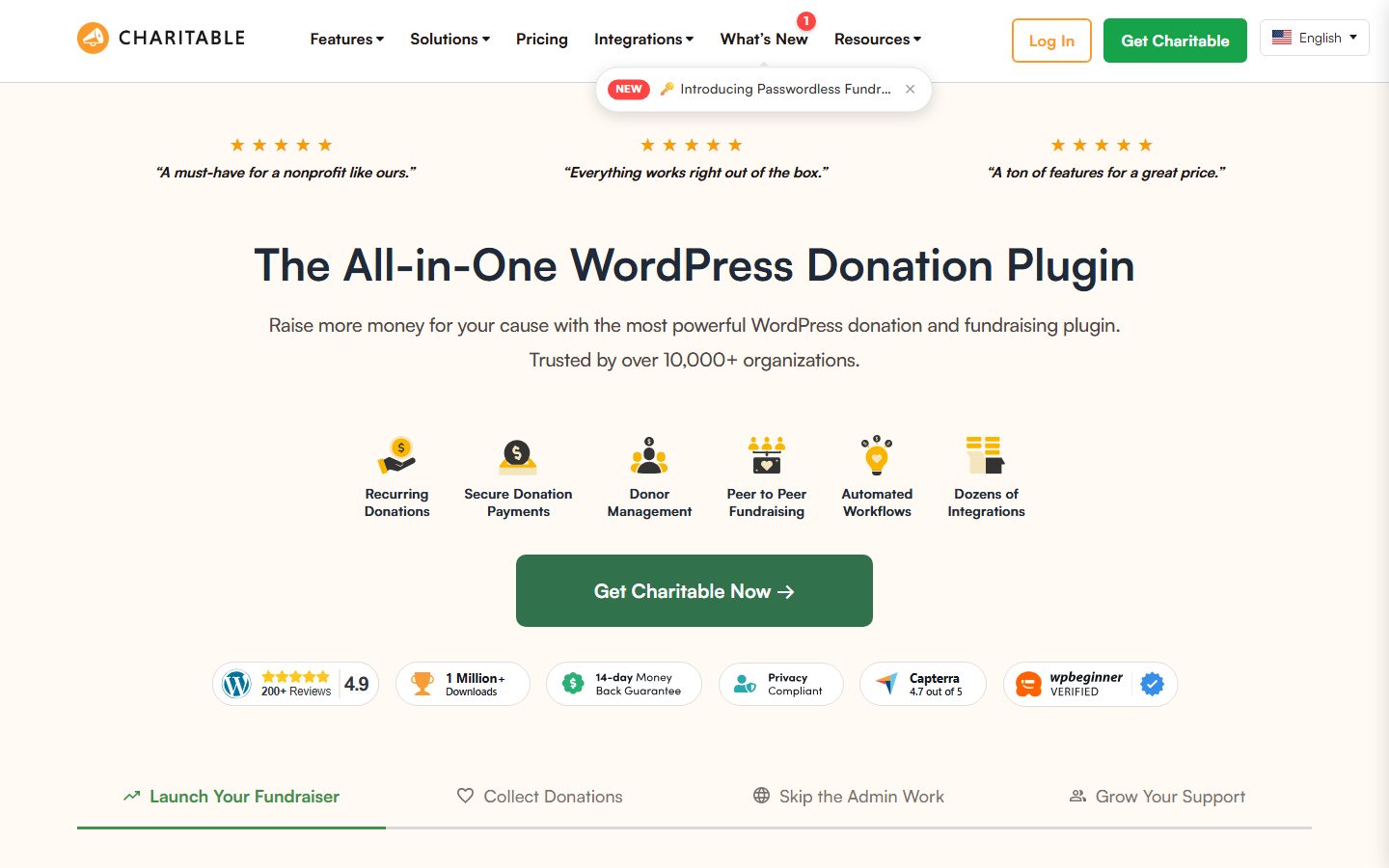
- Charitable (plugin). Its listing describes a drag-and-drop form builder, unlimited campaigns with goals and time limits, one-time or recurring gifts, a donor wall, and gateways including Stripe, PayPal, Square and Mollie, with some gateways requiring the Pro version. It suits groups that want campaign-centred pages and a different interface from GiveWP.
- The Events Calendar (plugin). Per its listing, the free version gives month, list and day views, venues, organisers, iCal export and structured data; recurring events sit in a paid Pro add-on. It fits groups running regular meetings, fundraisers or awareness events.
- Block themes from the WordPress.org directory. The directory’s block themes category lists well over a thousand themes at the time we looked. Pairing a simple block theme with a donation plugin and hand-built patterns suits a tight budget and keeps lock-in low.
- Donorbox-style hosted forms. Hosted fundraising platforms exist that give you an embed code instead of a plugin. We did not verify any specific vendor for this guide; if you consider one, read its fee schedule, data export options and embed documentation first.
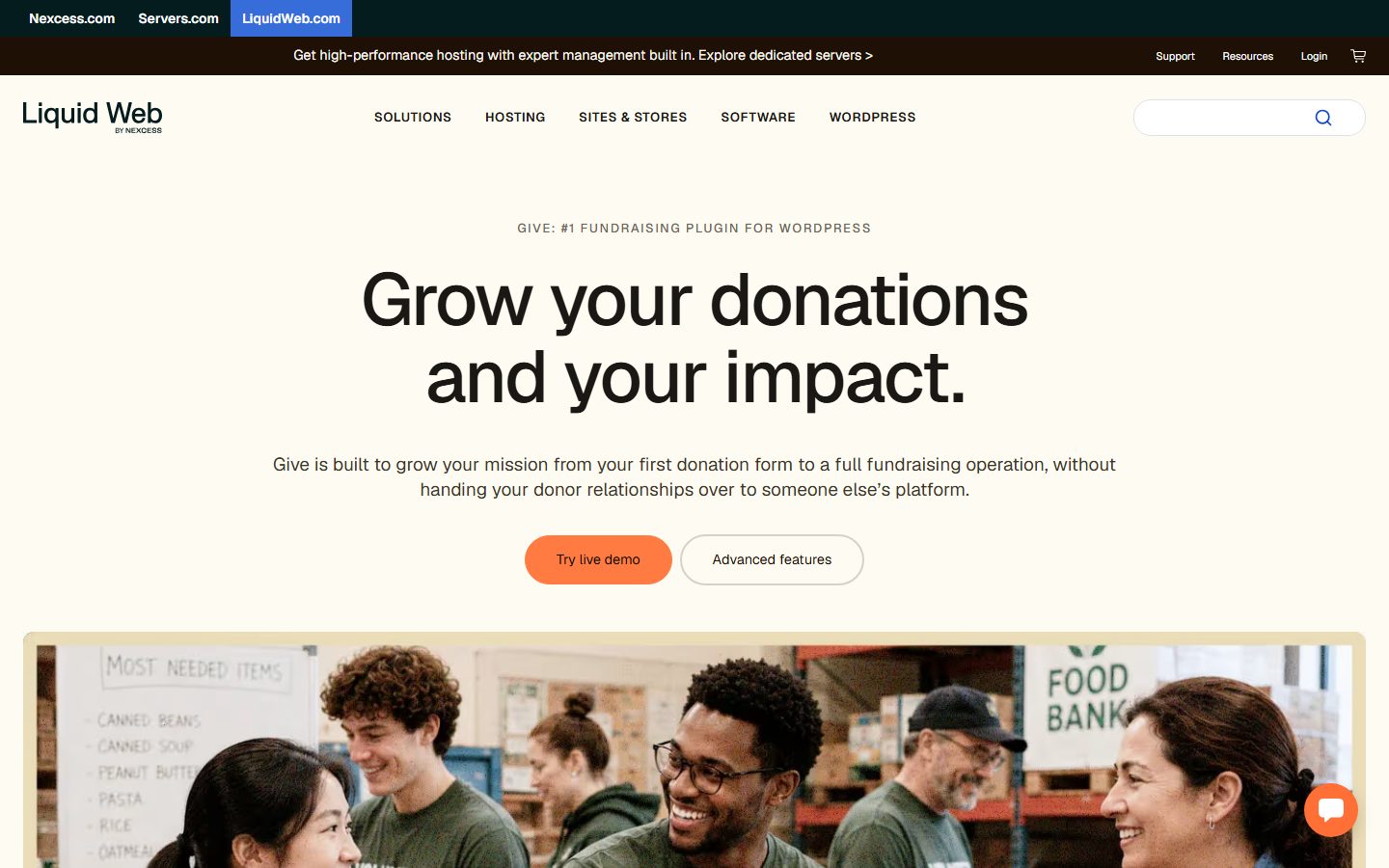
The screenshots below show the homepage of two of these examples as captured in November 2026, so you can see how each vendor presents the product.
For forms that capture volunteers and enquiries, compare options in our forms guide, and for supporter emails see FluentCRM for WordPress.
A comparison checklist to fill in
| Question | Theme A | Theme B | Theme C |
|---|---|---|---|
| Which donation plugins are documented as supported? | |||
| Does it include its own donation code? | |||
| Campaign page template (goal, progress, story) | |||
| Event and volunteer layouts | |||
| Block theme or classic? | |||
| Accessibility statement or tag | |||
| Last update date | |||
| Licence length, renewal terms, nonprofit pricing | |||
| Third-party scripts loaded on the donate page | |||
| Can a volunteer publish a campaign unaided? |
Setup and migration steps
Before you switch
Export your donor and donation records from the current tool, and confirm you can open the export. Take a full backup (see backup plugins). List every page with a donation form or shortcode, since these are the pages most likely to break. Work on a copy using the staging guide.
During the switch
Install the theme and the donation plugin on staging. Connect the payment gateway in test mode, which most gateways support, and run test donations for a one-off gift, a recurring gift if you offer it, and a failed card. Rebuild the donate page, campaign pages and event listings. Add your privacy and refund wording near the form.
After the switch
Switch the gateway to live mode, make a small real donation yourself and check the receipt, the donor record and the email. Confirm that old campaign URLs still resolve, with redirects where they changed. Update links from social profiles, newsletters and printed materials. Monitor the donation form for a few weeks.
Common mistakes and red flags
- Choosing a theme because the demo looks moving, without testing the donate flow.
- Letting the theme own donor data.
- A donate button that is only in the header and missing from campaign pages and the footer.
- Test mode left on after launch, or live mode never tested.
- Claims of impact on the page that you cannot document.
- Forms that load third-party scripts before consent.
- Giving every volunteer an administrator account.
- No plan for who maintains the site when the person who built it leaves.
Cost and risk of switching later
Switching a theme is cheap when donations run through a separate plugin: the forms and donor history stay put and only the look changes. It is expensive when donation features are built into the theme, because recurring gifts and donor records may need migrating, and recurring payments in particular can be hard to move between systems. Ask each vendor how recurring donors would be exported, and whether a gateway lets you keep existing subscriptions when you change tools.
Also budget for regular upkeep. A donation page that broke after an update three weeks ago is a silent loss. Add the donate page to your routine checks in the maintenance checklist.
A one-afternoon evaluation plan on a staging copy
- Set up (30 minutes). Clone the site to staging, install the theme and your intended donation plugin, and import minimal demo content.
- Donation test (30 minutes). In the gateway’s test mode, complete a one-off and a recurring donation and a declined card. Pass: receipts arrive, donor records appear, errors are readable.
- Publisher test (20 minutes). Ask someone who did not build the site to create a campaign with a goal, an image and an event. Pass: done without help in 20 minutes.
- Mobile and speed test (30 minutes). On a phone, open the donate page and measure it in PageSpeed Insights. Pass: the form is usable without zooming and Largest Contentful Paint is within the 2.5 second good threshold Google publishes on web.dev.
- Accessibility check (30 minutes). Complete the donation form using only the keyboard and zoom the page to 200 percent. Pass: every field is reachable and labelled.
- Privacy check (15 minutes). Open the donate page with browser developer tools and list third-party requests. Pass: nothing unexpected loads before consent.
- Exit test (15 minutes). Switch back to your old theme on staging. Pass: the donation forms and donor history still work.
How we will evaluate it
WPMusk has not run hands-on tests of nonprofit themes. This guide is built from vendor documentation and general web standards, and it makes no claims about measured performance. A full review would install each theme with the same donation plugin on a clean site, test donation flows in gateway test mode, measure mobile loading, check keyboard accessibility and score against the weights above. This page carries no score: it is guidance for choosing, not a measured result.
Questions people ask
Can the theme take donations by itself?
Not safely in general. Donations need a payment gateway and records, which a plugin or platform normally provides. Treat any built-in claim with care and ask what happens to the data if you leave.
Do I need a plugin even for a small charity?
Not always. A payment link to a hosted page can be enough, but you lose campaign tracking and a donor list on your site.
How do I handle recurring gifts?
They usually need a paid extension or a platform feature. Read the vendor’s documentation on how the gateway handles failed renewals and cancellations, and test them.
Is a free theme good enough?
Often yes, if it is a maintained block theme and your donation plugin supplies the form. Spend the money on support or accessibility testing where it matters.
What about gift receipts and tax rules?
Rules vary by country and organisation type. Check what receipts your donation tool produces and confirm requirements with your accountant or regulator.
How do I keep donor data safe?
Use HTTPS, keep plugins updated, use two-factor sign-in for staff, and limit who can view donor records. See two-factor authentication for WordPress.
This is a buyer’s guide for a type of product. It is based on public documentation, not on hands-on tests, and it carries no score.
← All reviews