A buyer's guide to visual form builders for WordPress, including multi-step forms, spam control and data handling.
What a form builder does, in plain words
A form builder lets you create contact forms, quote requests, registrations, surveys, quizzes and payment forms by arranging fields on a canvas instead of writing code. Behind the canvas it handles validation, spam checks, notification emails, confirmation messages and, in most tools, a stored list of entries in the WordPress admin.
Two features define the more capable builders. Multi-step forms split a long form into short screens. Conditional logic shows or hides fields, or changes where a notification goes, based on earlier answers. Beyond those, you will meet file uploads, calculations, user registration, payment fields and connections to email marketing tools, spreadsheets and CRMs.
This guide teaches you how to choose. WPMusk has not run hands-on tests of the tools named below. Their descriptions come from wordpress.org listings and vendor pages, which can be out of date, so check the plan you plan to buy before relying on any feature.
How it works under the hood
When someone submits a form, the page sends the data to your server. The plugin validates it, optionally saves it to the database, and then fires actions: send an email, call a payment API, post to a webhook, add a contact to a list.
The email step is where many sites fail quietly. The WordPress developer reference for the phpmailer_init hook explains that wp_mail() by default relies on the PHPMailer class to send through PHP’s mail function, and that the hook lets plugins switch PHPMailer into SMTP mode with a host, port, encryption and credentials. In practice that means a form plugin’s notification goes out through whatever mail path your site uses. If that path is the host’s unauthenticated default, receiving mail servers may treat it as suspicious. An SMTP or mail API service with proper authentication records is more dependable, and several form suites list or bundle mail integrations. Fluent Forms, for instance, lists FluentSMTP among its free add-ons.
Spam protection is the other moving part. Typical layers are a honeypot field (a hidden field that bots fill in), a challenge service such as reCAPTCHA, hCaptcha or Cloudflare Turnstile, and content filtering such as Akismet. WPForms, Fluent Forms and Forminator list the three challenge services in their descriptions. See our spam guide for the wider picture.
Who needs one (and who does not)
You need a real form builder if your site gathers structured information: bookings, applications, event signups, lead qualification, orders or donations. You also need one if several staff members must see entries, receive routed notifications or export data.
You do not need one for a single name, email and message form. Your page builder or block library probably includes a form block that covers it. Adding a full suite for that case means more code and more settings to maintain than the job requires. A small site can also check whether its theme or builder already bundles a basic form before adding a plugin.
Types and approaches
| Approach | What it is | Good for | Trade-offs |
|---|---|---|---|
| Full form suite plugin | Standalone plugin with builder, entries, integrations | Any serious data collection | Heavier; feature tiers matter |
| Form widget in a page builder or block library | A form element that comes with your design tool | Simple contact and signup forms | Fewer integrations; tied to the tool |
| Hosted form service embedded in a page | Form lives on a third-party service | Teams that want the data elsewhere | Data off-site; embed can add third-party scripts |
| Form to data app | Forms feed views, directories or calculators | Directories, estimators, listings | More complex; more to learn |
Most buyers will choose between the first two. The decision usually comes down to what you need to do with the data after submission.
What to look for
We weight builder add-ons as speed impact 30%, reliability 25%, support 20%, value 15% and ease of use 10%.
Speed impact (30%)
Check whether form scripts and styles load only on pages with a form. Open a page without a form and view the network panel. If validation libraries, CAPTCHA scripts and fonts appear there, that is wasted weight. CAPTCHA scripts are third-party code, so check when they load: loading them on first paint is a cost, while loading on interaction is lighter. Also check that forms reserve their space so they do not shift the layout; web.dev’s guidance on cumulative layout shift names late-injected content as a common cause.
Reliability (25%)
Ask three questions. Does it save entries even if the email fails? Is there a log of notifications sent? Can it send through your SMTP or mail service? A tool that stores entries gives you a safety net. Also test what happens on a failed payment or a duplicate submission.
Spam control
Prefer tools with several layers you can switch on separately. Built-in protection, honeypots and Turnstile or hCaptcha are lighter on real users than image puzzles. Forminator’s listing also mentions allowing or blocking specific email addresses, domains or TLDs, which helps for targeted abuse.
Support (20%)
Forms touch email, payments and CRMs, so troubleshooting will involve more than one system. Check documentation depth, a public support forum with recent answers and the vendor’s stated support scope per plan.
Value (15%)
Feature tiers differ widely, and listings disagree with one another, so read the vendor’s own comparison. According to its listing, Fluent Forms includes conditional logic in the free version but lists multi-step forms as a Pro feature. WPForms Lite’s listing marks multi-page forms, file uploads and conditional logic as Pro-only in one place, while its feature list mentions them elsewhere without a tag, so confirm on the current plan. Formidable’s listing says multi-page forms, file uploads and conditional logic are in Pro. Check whether an annual license limits sites or support, as with Gravity Forms, whose site describes three tiers that differ by number of sites, support level and included add-ons.
Ease of use (10%)
Try building a three-step form with a conditional field. Good builders show a live preview, make logic readable, and offer templates. The entry manager matters as much as the editor: filtering, search, export and notes save staff time.
Privacy and data handling
Forms collect personal data. Look for consent fields, an option to stop storing IP addresses, and tools to export or delete entries. Fluent Forms lists auto-delete for entries in Pro, which helps with retention rules. WordPress core provides personal data export and erasure tools; ask whether a form plugin connects to them. Check where data is stored, since some services keep submissions on their own servers.
Accessibility
The W3C’s form tutorial emphasizes a label for every control, instructions, clear validation errors and fieldset and legend for groups of related controls. Test any candidate with the keyboard and a screen reader if you can.
Real products to look at (examples, not rankings)
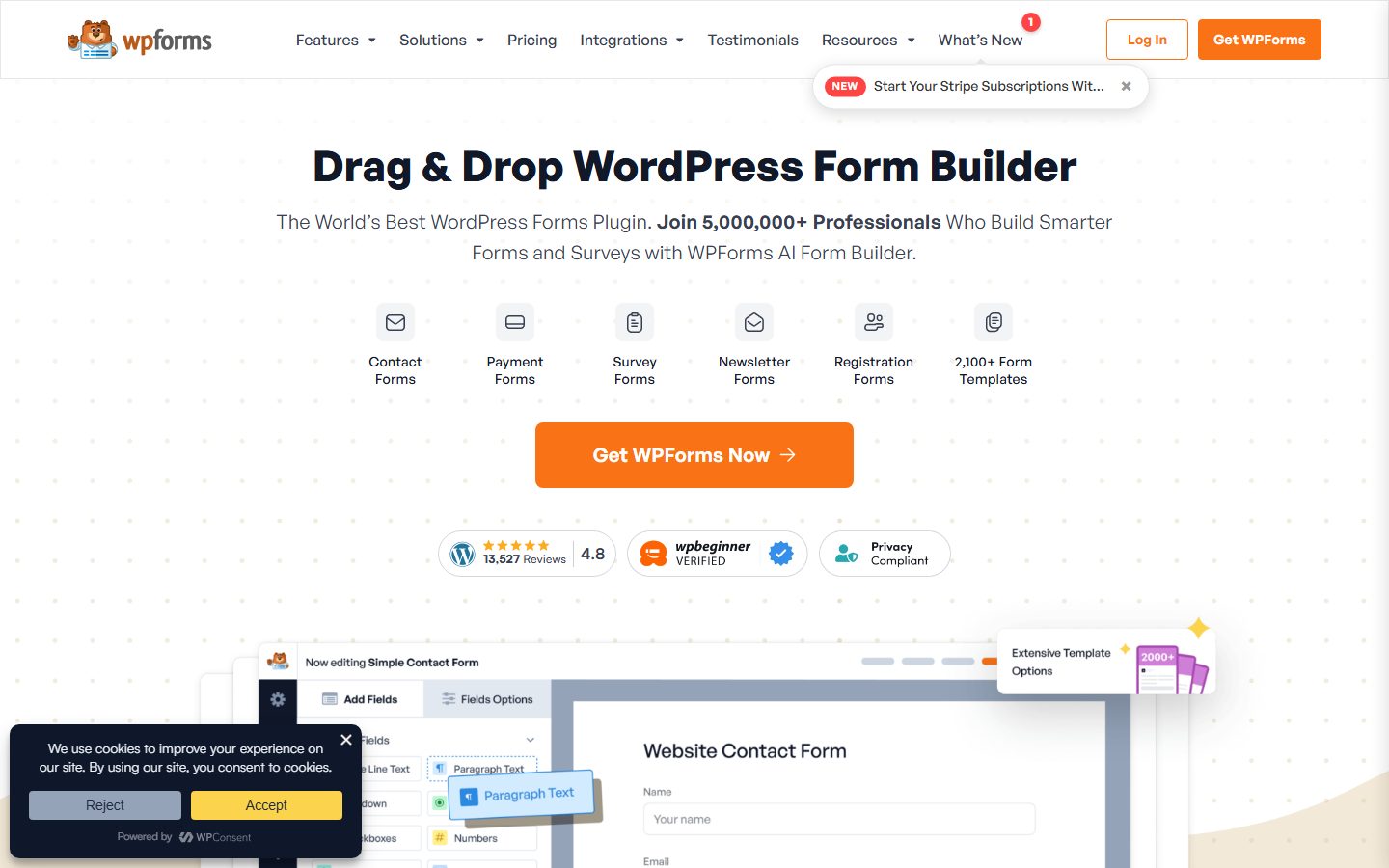
- WPForms. The Lite listing describes a drag-and-drop builder, templates, an AI form generator, email notifications, Stripe payments and built-in spam protection with optional reCAPTCHA, hCaptcha and Turnstile. It fits beginners who want guided setup; check which features need the paid plan.
- Gravity Forms. Its site describes conditional logic, a drag-and-drop builder, file uploads, accessibility support and add-ons for payments, email marketing and automation, sold on annual licenses in tiers. It fits developers and agencies who want an add-on ecosystem.
- Fluent Forms. The listing describes a no-code builder with 25-plus fields, conditional logic in the free version, a conversational layout, CSV, Excel and JSON export, and Pro features including multi-step forms. It also lists integrations with FluentCRM. See Fluent Forms vs Gravity Forms for a direct comparison.
- Forminator. The listing describes forms, polls, quizzes, calculations and payments with Stripe and PayPal in the free plugin, plus spam tools including honeypot and Akismet. It fits sites that want polls and quizzes alongside forms.
- Formidable Forms. The listing describes forms, calculators and surveys, plus Views that turn entries into front-end listings, with several features in Pro. It fits directory and calculator projects.
The screenshots below show the homepage of two of these examples as captured in November 2026, so you can see how each vendor presents the product.

Our form plugin roundup covers more options.
A comparison checklist you can fill in
| Question | Tool A | Tool B | Tool C |
|---|---|---|---|
| Multi-step and conditional logic on my plan | |||
| Scripts load only on pages with a form | |||
| Entries stored even if email fails | |||
| Notification log available | |||
| Works with my SMTP or mail service | |||
| Spam options I can combine | |||
| Export, delete and retention tools | |||
| Integrations I need on my plan | |||
| Keyboard and label accessibility | |||
| Cost for my site count |
Setup and migration steps
Before
Plan each form on paper. Write down what you need to know, what you can leave out, who is notified, what the visitor sees after submitting and where the data should end up. Export existing entries from the old plugin, since entries stored only in a plugin table do not move by themselves. Set up reliable mail sending first so you can test properly.
During
Rebuild forms on staging. Keep field names consistent with the old forms if other systems read them. Recreate notifications and confirmations, then connect integrations one at a time. Use a test list or sandbox mode for payments. Add the form to the page with the plugin’s block or shortcode, and keep the old form live until the new one is verified.
After
Submit real test entries and confirm the email arrives in more than one mailbox provider. Check spam folders. Confirm entries appear in the admin and in connected tools. Watch your inbox for a week after the switch for odd gaps. Remove the old plugin only after you have exported its entries and archived them securely.
Common mistakes and red flags
- Never testing delivery after launch and finding out months later that mail was lost.
- Asking for more fields than you use, which lowers completion.
- Sending notifications to a single address with no stored entries.
- Using a CAPTCHA that blocks real users while a honeypot would have worked.
- Collecting personal data without a privacy notice or retention plan.
- Assuming a feature is free because a listing mentions it; confirm the tier.
- Letting the same form load heavy scripts on every page of the site.
Cost and risk of switching later
Forms are easy to lose in a migration because every plugin stores entries and settings in its own format. Moving means rebuilding forms by hand in most cases, though some vendors provide importers. The risks to plan for are lost entries, broken integrations and notification changes that nobody notices.
To lower the cost, export entries regularly in CSV, keep integrations on webhooks or well-known connectors where possible, and document each form’s purpose and recipients. If you switch, run the old and new forms side by side briefly. Pricing changes are another factor: annual licenses may restrict updates or support after expiry, so read the renewal terms before you build dozens of forms.
A one-afternoon evaluation plan on a staging copy
- Set up mail. Connect an SMTP or mail service on staging. Pass if a test email reaches two different mail providers’ inboxes.
- Build the test form. Make a three-step quote form with one conditional field, a file upload and a consent checkbox. Pass if you complete it without checking the docs more than twice.
- Check weight. Compare a page with and without the form. Record extra requests and kilobytes. Pass if nothing loads on pages without a form.
- Spam test. Turn on a honeypot and your chosen challenge. Submit from a normal browser. Pass if a real submission is never challenged unreasonably.
- Break it. Disable mail sending and submit. Pass if the entry is still stored and the failure is logged.
- Keyboard and mobile. Complete the form by keyboard only, then on a phone. Pass if labels, errors and focus are clear.
- Privacy test. Export one entry, then delete it. Pass if both work from the admin.
See our security guide for hardening the site that hosts the form.
How we will evaluate it
WPMusk has not run hands-on tests of form builders. For the full review we plan to build the same multi-step form with conditional logic in each tool on a clean test site, send test entries, check delivery and spam handling, measure page weight with the form on and off, and review each entry manager and privacy control. This page carries no score: it is guidance for choosing, not a measured result.
Questions people ask
Why do my form emails go missing?
Often because mail goes out through the server’s default path rather than an authenticated service. Use SMTP or a mail API and keep entries stored in WordPress.
Are multi-step forms better?
For long forms they can feel easier, but test them against a single page. Short forms work fine without steps.
Do I need a CAPTCHA?
Not always. Start with a honeypot and built-in checks, and add a challenge only if spam continues.
Can I take payments through a form?
Several tools support Stripe or PayPal. Check which payment features are free and whether card data touches your server. For a store, our checkout guide is the better place.
Where are entries stored?
Most plugins store entries in your WordPress database, but not all do on every plan, and hosted services store them elsewhere. Confirm in the documentation.
Is a free form plugin safe to use for personal data?
Safety depends on how you configure it and keep it updated, not on price. Limit fields, set a retention period and keep the plugin current.
This is a buyer’s guide for a type of product. It is based on public documentation, not on hands-on tests, and it carries no score.
← All reviews