A buyer's guide to WordPress form plugins: builder quality, spam protection, notifications, data storage and script weight on every page.
What a forms plugin does, in plain words
A forms plugin lets visitors send you information through your website: a contact request, a quote, a booking, a file upload, an application or a payment. It gives you a builder to design the form, rules to validate what people type, a way to receive the results and options to send them on to other tools.
Forms look simple and are easy to get subtly wrong. Messages may never arrive, spam can flood your inbox, personal data may be stored longer than you intend and a heavy script may load on pages that have no form. The plugin you choose affects all four.
How it works under the hood
A form has a front end and a back end. The front end is HTML fields plus some JavaScript for validation and conditional logic. When the visitor submits, the data goes to your server, usually through an AJAX request, where the plugin validates it again, runs spam checks, stores it and triggers notifications.
Storage differs by plugin. Some save every submission in your WordPress database. The Ninja Forms listing says each submission is stored in your own database. Fluent Forms’ listing describes entries you can filter and export. The Contact Form 7 listing does not describe submission storage, so check whether you need entries stored or only emailed.
Email is the weak link. By default WordPress sends mail through the server’s mail function, which many hosts restrict and many mail providers distrust. A form that “works” but whose notifications land in spam or never arrive is a failed form. Most sites do better with an SMTP plugin or a transactional email service. Fluent Forms’ listing, for example, names FluentSMTP among its integrations.
Spam protection happens at several points: a hidden honeypot field, a question, a CAPTCHA service or a challenge. Cloudflare describes Turnstile as an alternative to CAPTCHA that uses small non-interactive challenges and, in its default mode, shows a checkbox only when visitor risk is high. See the spam guide.
Who needs one (and who does not)
- Almost every business site needs a contact form, and a basic one is enough for many.
- Sites that collect leads need integrations with email marketing or a CRM, and want entries stored. See the FluentCRM guide.
- Sites that take payments or bookings need payment fields, conditional logic and clear confirmation messages. A dedicated checkout or booking plugin may fit better than a form.
- Sites with sensitive data need encryption, retention controls and attention to privacy law. A general form plugin may not suffice.
You may not need a plugin if your page builder already includes a form widget that meets your needs. Check its spam options and how it handles entries before adding another plugin.
Types and approaches
| Approach | How it works | Fits | Watch out for |
|---|---|---|---|
| Simple form-to-email plugin | Builds a form and emails the result | A contact page | No stored entries; no logic; mail delivery depends on your server |
| Full form builder with entries | Drag-and-drop, entries database, notifications, integrations | Lead capture and general use | Many features sit in paid tiers |
| Add-on based builder | Small core, features sold as add-ons | People who want to pay only for what they use | Costs add up; check the bundle |
| Form plus payments | Collects money through a gateway | Donations, simple orders | Transaction fees and gateway limits |
| Page builder form widget | Built into your builder | Sites already on that builder | Lock-in; limited entries and spam tools |
| Hosted form service embedded in WordPress | Form lives on a third-party service | Teams that want an external workflow | Data held elsewhere; extra script load; privacy review |
What to look for
On WPMusk, plugins are scored on speed impact (30%), reliability (25%), support (20%), value (15%) and ease of use (10%). For forms, speed impact is the weight of scripts and styles on pages, and reliability is whether submissions are validated, stored and delivered.
Front-end weight (speed impact)
A form plugin should load its scripts and styles only on pages that contain a form. Many do not by default. Check the page source of a page without a form on a staging site, and see what the plugin adds. Prefer plugins with options to disable bundled styles and to load assets conditionally.
Spam protection (reliability)
Look for layered options. The WPForms listing says built-in protection is on by default and lists reCAPTCHA, hCaptcha and Cloudflare Turnstile. The Ninja Forms listing describes a honeypot, an anti-spam question, reCAPTCHA, hCaptcha, Turnstile and Akismet support. The Fluent Forms listing describes reCAPTCHA, hCaptcha and Turnstile. Prefer a plugin that stops spam without adding friction for real people, and note that third-party CAPTCHA services involve data sharing you should disclose.
Entries, storage and export (reliability, value)
Decide whether you want entries stored in WordPress. If yes, check the viewing, search and export options, retention and deletion. Fluent Forms lists auto-delete of entries under Pro. Storing personal data creates obligations, so set a retention period you can defend.
Validation, logic and field types (ease of use)
Check the field types you need: file upload, date, multi-step, signature, calculations. Conditional logic is a common paid feature. The Ninja Forms listing says conditional logic is a paid add-on, the WPForms listing places it among Pro features and the Fluent Forms listing includes conditional field logic in its free tier. Do not assume the label is the same across products.
Email delivery and notifications (reliability)
Look for logs of sent messages, the ability to set the From address correctly and support for SMTP or a delivery service. Without these you will not know when notifications fail. Send test submissions to more than one mail provider.
Integrations and payments (value)
List the services you connect: CRM, email marketing, spreadsheets, Slack, payments. Compare which are free. The Fluent Forms listing says free includes Stripe with a 1.9% transaction fee, which Pro removes, according to the same page. Read fee terms on the day you buy.
Accessibility and privacy (support, reliability)
Forms are where accessibility failures hurt most: unlabeled fields, poor error messages, keyboard traps. Check that fields have labels, errors are announced and the form works by keyboard. For privacy, look for consent checkboxes, data export and erasure tools and the ability to disable IP storage.
Support and updates (support)
Forms handle personal data, so security patches matter. Look at the changelog and how quickly vendors respond.
Real products to look at
These are examples, not rankings. Descriptions come from wordpress.org listings and vendor documentation. Check each vendor for current tiers and prices.
- Contact Form 7. A free form plugin on wordpress.org. Its listing is brief: it describes inserting a form you created and a Contact menu in the admin. Its own documentation is where to check spam options and extensions. It fits sites that need a simple contact form and are comfortable with a code-like form editor.
- Fluent Forms. The listing describes free entry export, conditional logic, spam protection options, 12 integrations and Stripe payments with a transaction fee, with 60 or more integrations and more payment gateways in Pro. It fits sites that want a free tier with logic. See Fluent Forms versus Gravity Forms.
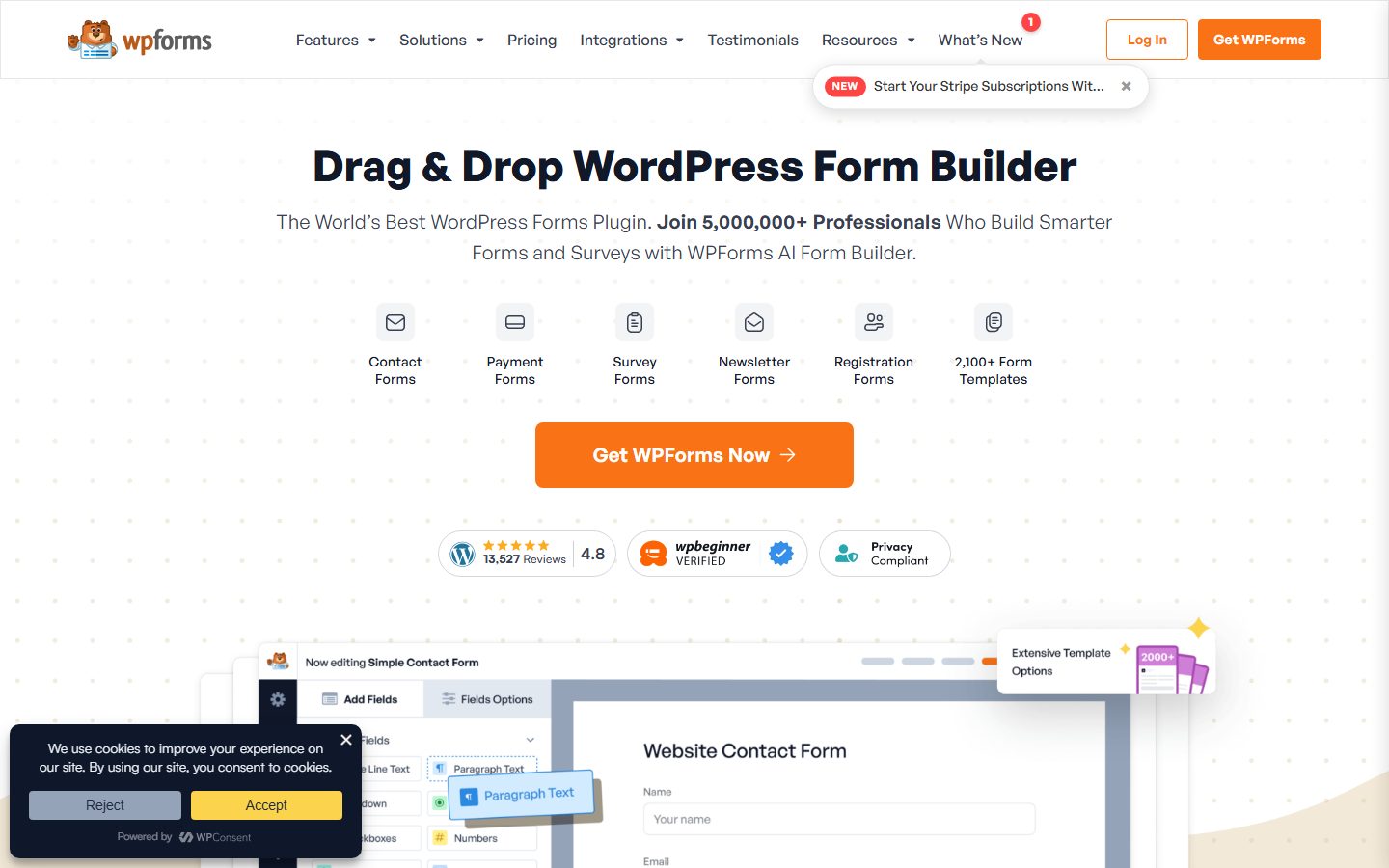
- WPForms. The listing describes built-in spam protection, CAPTCHA options and Stripe in the free version, with file uploads, conditional logic and extra payment options in Pro. It fits people who want a beginner-friendly builder and accept paid tiers for advanced features.
- Ninja Forms. The listing describes unlimited submissions stored in your database, several spam options in the free version and add-ons for conditional logic, integrations and payments. It fits people who like the add-on model.
- Gravity Forms. A premium plugin. Its documentation describes conditional logic, Save and Continue for long forms, file uploads, hooks, a REST API and a large add-on library. It fits developers and agencies that want an extensible forms system.
The screenshots below show the homepage of two of these examples as captured in November 2026, so you can see how each vendor presents the product.

For a wider comparison, see the form plugin roundup.
A comparison checklist you can fill in
| Question | Why it matters | Your answer |
|---|---|---|
| Does it store entries, and where? | Records and privacy | |
| Which spam methods are free? | Inbox quality | |
| Is conditional logic included in your tier? | Cost | |
| Does it load assets only on form pages? | Page weight | |
| Can it log outgoing emails? | Delivery | |
| Which integrations do you need, and are they free? | Workflow | |
| Does it support file uploads securely? | Security | |
| Is there a retention or auto-delete setting? | Privacy law | |
| Can you export forms and entries? | Switching | |
| Is there a payment fee on top of the gateway? | True cost | |
| Are forms keyboard accessible? | Accessibility |
Setup and migration steps
Before you switch
- List every form on the site, its fields, where it is placed and where results go.
- Export existing entries. Entries stored by the old plugin can be lost when you remove it.
- Note integrations and webhooks that depend on specific forms.
- Decide what happens to old entries: keep, archive or delete, according to your retention policy.
During setup
- Build the new form on staging. See the staging site guide.
- Set up email delivery with SMTP or a transactional service before testing.
- Enable at least two spam layers.
- Add a clear confirmation message and a privacy notice where you collect personal data.
- Replace the old form shortcode or block on each page, one at a time.
After you switch
- Submit a real test through every form, from desktop and phone.
- Check that notifications arrive in an inbox, not spam, and that autoresponders work.
- Watch spam levels for the first week.
- Remove the old plugin only after a few days of clean operation.
Common mistakes and red flags
- Never testing email delivery. Forms fail silently when mail does.
- Relying on one anti-spam method, or on a CAPTCHA that blocks real people.
- Loading form scripts on every page.
- Keeping entries forever without a reason.
- Asking for more fields than you need. Every field lowers completion.
- Using a generic From address that your mail provider rejects.
- Accepting file uploads without limits on type and size.
- Forgetting the thank-you message or tracking, so you cannot tell if forms convert.
Red flags in a vendor: silence on spam, no description of where entries live and a free tier that hides core features behind add-ons without listing them.
Cost and risk of switching later
Forms are tied to your content: shortcodes or blocks sit in pages, and entries sit in the plugin’s tables. Moving to a new plugin means rebuilding each form, re-pointing integrations and exporting entries. Most plugins export CSV, and some offer importers. Plan time for rebuilds, particularly if you use conditional logic or multi-step forms, because logic rarely converts exactly.
Pricing is the other cost. Add-on models and tiered licenses can change the total as you add features, and renewals may be needed to keep updates and support. Payment forms add transaction fees. Check each on the vendor’s pricing page at the time you decide.
A one-afternoon evaluation plan on a staging copy
- Define the form (15 minutes). Pick your most demanding real form: fields, logic, file upload, payment or integration.
- Build it (45 minutes). Pass: you can reproduce it without a paid feature you did not plan to buy.
- Set up email (20 minutes). Connect SMTP or a delivery service. Send tests to two providers. Pass: both arrive in the inbox.
- Test spam (30 minutes). Submit with the honeypot field filled, with a script, and with your CAPTCHA or challenge failing. Pass: bad submissions are blocked, a normal one succeeds.
- Test validation and accessibility (30 minutes). Submit with errors, then use the keyboard only. Pass: errors are clear and the form can be completed.
- Check page weight (20 minutes). View the source of a page with no form. Pass: no form scripts or styles load there.
- Test entries (20 minutes). Find, export and delete an entry. Pass: it works and deletion is permanent.
- Test integrations (20 minutes). Send a submission to your CRM or list. Pass: the data lands correctly.
How we will evaluate it
WPMusk has not run hands-on tests of form plugins yet. This page is a decision guide built from vendor listings, vendor documentation and Cloudflare’s Turnstile documentation. This page carries no score: it is guidance for choosing, not a measured result.
When we publish a full review we plan to follow the plan above and say what we did and did not check. Scores will use our plugin weights: speed impact 30%, reliability 25%, support 20%, value 15% and ease of use 10%. Related reading: the WordPress security guide.
Questions people ask
Why do my form emails go to spam?
Most often because WordPress sends them through the server’s default mail function from a domain the receiving provider does not trust. Use SMTP or a delivery service and a From address on your domain.
Do I need a CAPTCHA?
Not always. A honeypot and a spam filter may be enough on a low-traffic site. Add a challenge if spam gets through, and consider a low-friction option.
Should entries be stored in WordPress?
If you need records, yes, with a retention period. If email alone is enough, storing less data is simpler and safer.
Can a form plugin take payments?
Many can, through gateways such as Stripe. Check fees and which gateways are free. For a full shop use a commerce plugin.
Will forms slow my site?
They can, if scripts load on every page. Check page source on non-form pages.
How do I move to a different form plugin?
Export entries, rebuild forms on staging, test email and spam, then swap them in page by page.
This is a buyer’s guide for a type of product. It is based on public documentation, not on hands-on tests, and it carries no score.
← All reviews